Author: admin

  • The 2026 AI Tech Revolution: A Comprehensive Guide to the Future of Innovation

    [HERO] The 2026 AI Tech Revolution: A Comprehensive Guide to the Future of Innovation

    1. Introduction: The Silicon Renaissance

    Welcome to March 2026. If you feel like the world has shifted beneath your feet over the last two years, you aren’t imagining it. We’ve officially moved past the “can an AI write a funny poem?” phase and entered what we at AI Faculty call the Silicon Renaissance—a shift that’s increasingly documented in industry tracking like the NVIDIA 2026 State of AI report.

    Back in the early days, AI was basically a very fancy “if-this-then-that” machine. Useful, but not exactly magical. To understand why 2026 feels like the tech industry just chugged three espresso shots, we have to do a quick (but fun) historical lap.

    From rule-based systems to “statistical everything”

    Phase 1: Rule-based AI (1950s–1990s)
    The first wave of AI was built on rules. Humans wrote the logic. Computers followed it. This gave us expert systems used in medicine, manufacturing, and finance. If the rule list was good, the system was decent. If the rule list was incomplete (it always was), the system fell apart like a cheap umbrella in a monsoon.

    Phase 2: Machine learning (1990s–2010s)
    Then we realized we could stop writing every rule manually and instead train systems on data. This was the “statistical” era: classifiers, recommendation engines, search ranking, fraud detection. AI got better at predicting patterns, but it still mostly lived behind the scenes. It didn’t converse, it didn’t plan, and it definitely didn’t own the workflow.

    Phase 3: Deep learning + big compute (2012–2020)
    When deep learning hit scale—thanks to GPUs, better datasets, and more efficient training—AI jumped from “smart spreadsheet” to “whoa.” Vision and speech took off. Translation improved. But the systems were still mostly single-purpose: great at one thing, not great at being generally helpful.

    The LLM era: AI learns language, and everything changes (2020–2025)

    Large Language Models (LLMs) turned out to be a cheat code for software. Train a model on a huge chunk of human text and it picks up structure: reasoning patterns, coding conventions, summarization, tone, and the “shape” of knowledge.

    In 2023 and 2024, the tech world was obsessed with chatbots. We were amazed a machine could pass tough exams, write decent marketing copy, and generate a picture of a cat in a spacesuit. Fair. That was a big deal.

    But by late 2025, the novelty wore off and the serious work began: turning AI from a cool demo into dependable infrastructure.

    2026: the agentic era (AI that takes actions, not just answers)

    Here’s the major 2026 shift: the best AI systems aren’t just answering questions. They’re doing tasks.

    This is the rise of Agentic AI: systems that can plan, use tools, take multi-step actions, check their own work, and keep going until the job is done. Think: “not just an assistant,” but a “team member” that can operate inside your apps. If you want a more technical reference point for the “reasoning + tool use” direction, NVIDIA’s work is worth skimming here: NVIDIA Nemotron-3 research white paper (PDF).

    Agentic systems typically combine:

    • A model (LLM or multimodal model) for reasoning and language
    • Tools (browsers, databases, CRMs, IDEs, ticketing systems, calendars)
    • Memory (what you prefer, what the project needs, what happened last time)
    • Guardrails (permissions, policies, approvals, audit trails)
    • Feedback loops (test, verify, retry, escalate)

    If LLMs were the “brain,” agents are the “hands.” And in tech, hands matter.

    The big paradigm shift: from “AI as a tool” to “AI as an operating system”

    In 2024, AI was often used like a tool:

    • open ChatGPT
    • ask question
    • paste answer somewhere
    • hope it works

    In 2026, AI increasingly behaves like an operating system:

    • it sits across your workflow
    • it routes tasks to the right apps
    • it coordinates multiple “mini-services”
    • it watches for issues before you notice
    • it learns how your organization operates

    In other words, AI is becoming a layer that orchestrates work.

    Table 1: The Evolution of AI Architecture (2020 vs 2023 vs 2026)

    A simple example:

    • Tool-era AI: “Write an email reply to this parent.”
    • OS-era AI: “Draft the reply, check policy guidelines, pull the student’s attendance record, suggest next steps, create a follow-up reminder, and log the interaction.”

    This is exactly why education institutes (our core audience at AI Faculty) are paying closer attention. It’s not about replacing teachers or staff. It’s about reducing the invisible admin work that quietly eats the week.

    And now that AI is shifting into an “operating layer,” the tech stack beneath it has had to evolve too—which brings us to the infrastructure revolution.

    2. The Infrastructure Revolution: Chips, Data Centers, and the Cloud

    If data is the new oil, then the infrastructure we’re building in 2026 is the refinery… plus the pipeline… plus the logistics network… and also the accountant tracking your GPU bill.

    The big headline: AI is no longer compute-light. Even when you’re not training massive models, you’re running inference all day—summaries, retrieval, copilots, agents, recommendations, vision, voice, security monitoring. It adds up.

    So the infrastructure world had to adapt fast.

    Training vs inference (and why inference is the “sneaky expensive” one)

    People love talking about training because it’s dramatic: “we trained a model with a trillion parameters,” fireworks, applause, lots of acronyms.

    But in 2026, many organizations feel the cost of inference more than training.

    • Training cost is often a big one-time (or periodic) event: huge compute, big bill, but planned.
    • Inference cost is continuous: every user query, every agent step, every tool call, every validation pass.

    With agentic systems, inference grows because one user request may trigger dozens of model calls:

    • plan step
    • retrieve docs
    • write draft
    • check policy
    • run tests
    • revise output
    • produce final answer

    Congrats, you just turned “one prompt” into an entire workflow.

    That’s why modern AI infrastructure focuses on:

    • throughput (tokens/sec)
    • latency (how fast it responds)
    • cost per token
    • memory bandwidth
    • energy efficiency

    If you want a second, independent infrastructure lens beyond the major cloud/GPU vendors, this LinkedIn write-up is a handy scan of what’s changing in 2026: BuzzHPC’s 2026 AI infrastructure research and expectations.

    Table 3: Infrastructure Costs (H100 vs H200 vs Blackwell)

    Note: exact numbers vary by vendor and configuration. This table is a practical 2026 buyer-style comparison: what most teams actually care about—throughput, efficiency, and inference economics. For a broader view of hardware scaling trends and the ROI logic behind modern AI infrastructure, see NVIDIA’s 2026 “State of AI” report: NVIDIA State of AI report 2026.

    NVIDIA’s H200 and why memory is the new headline

    The NVIDIA H200 became important not just because it’s “faster,” but because it improves what increasingly matters for LLM workloads: moving data fast.

    LLMs aren’t only compute-hungry; they’re also memory-hungry. More memory and faster memory access helps with:

    • longer context windows
    • bigger batch inference
    • serving more users per GPU
    • running multiple models side-by-side
    • keeping more of the model “resident” for speed

    In plain terms: if your GPU is a kitchen, memory bandwidth is how quickly ingredients reach the chef. A brilliant chef can’t cook if supplies arrive one spoon at a time.

    Blackwell: the “data center era” GPU generation

    Then came NVIDIA Blackwell (the platform that followed Hopper). The reason Blackwell matters in 2026 is that it pushes AI further into a data-center-first design:

    • bigger focus on serving models efficiently (not just training them)
    • better scaling across clusters (because no one runs one GPU anymore)
    • more attention to energy, thermals, and density

    The result: organizations can run more AI workloads per rack—which is basically the difference between “AI is feasible” and “AI is a budget horror story.”

    Beyond the GPU: ASICs, custom silicon, and the “Great Diversification”

    While NVIDIA continues to dominate a big chunk of the stack, 2026 is absolutely the era of diversification:

    • Google TPUs for large-scale training/inference in Google’s ecosystem
    • AWS Trainium/Inferentia for cost-efficient workloads on AWS
    • Apple/Qualcomm NPUs for on-device inference
    • lots of specialized inference chips optimized for specific model shapes

    This matters because not every AI workload needs a Formula 1 car. Some need a scooter that’s cheap, efficient, and always available.

    Cloud wars: Azure vs AWS vs GCP (and the shift to AI-as-a-service)

    Cloud used to mean: rent servers. Now it increasingly means: rent capabilities.

    In 2026, the big cloud players are moving from Infrastructure-as-a-Service (IaaS) to AI-as-a-Service (AIaaS):

    • managed model endpoints
    • agent frameworks and orchestration layers
    • vector databases and retrieval pipelines
    • governance, logging, and evaluation tooling
    • private networking, encryption, and compliance features built around AI

    This “AI-as-an-operating-layer” idea also overlaps with how sovereign AI cloud stacks are being designed; for a deeper infrastructure view, Accenture’s PDF is a solid reference: Accenture whitepaper on the operating system for sovereign AI clouds (PDF).

    Because most customers don’t want to “build AI.” They want outcomes:

    • “reduce support load”
    • “speed up content creation”
    • “detect threats”
    • “help teachers plan lessons faster”
    • “make onboarding less painful”

    AIaaS is how cloud providers package those outcomes.

    Data centers are getting a makeover: liquid cooling, higher density, and sovereign AI hubs

    Remember when a data center was basically a warehouse full of servers and industrial-strength air conditioning? Cute.

    In 2026, density is higher and heat is a serious villain. So we’re seeing:

    • liquid cooling becoming mainstream (especially for high-density AI racks)
    • tighter integration between compute, networking, and storage
    • more investment in power delivery and energy efficiency

    And then there’s a geopolitics-flavored trend: sovereign AI hubs.

    A lot of regions now want:

    • local data storage
    • local model serving
    • local compliance and governance
    • reduced dependence on foreign infrastructure

    So we’re seeing government-supported or regionally operated AI compute clusters—designed so critical workloads (education, healthcare, defense, public services) can run without sending sensitive data across borders.

    The real infrastructure headline: efficiency wins

    The infrastructure story in 2026 is not only “more compute.”
    It’s “more useful AI per watt, per rupee, per dollar, per square foot.”

    Because in a world where AI becomes the operating layer of work, the bottleneck isn’t ideas.
    It’s power, cost, and latency.

    And yes—this is why hardware suddenly became dinner-table conversation for people who previously didn’t care what a GPU was.

    3. Software Development 2.0: AI Agents and the Death of Coding?

    If the infrastructure is the engine, software is the driver—and in 2026, the driver is letting the car handle a lot of the steering.

    Let’s address the dramatic headline first: coding is not dead.
    But the coding bottleneck? That’s on life support.

    From autocomplete to autonomy: Copilot grows up

    Early AI coding tools felt like smart autocomplete:

    • finish a line
    • suggest a function
    • explain a snippet

    Useful, but still very much “human drives, AI gives directions.”

    By 2026, copilots have evolved into autonomous or semi-autonomous agents that can:

    • search the codebase for relevant files
    • reproduce bugs from logs
    • write and run tests
    • propose fixes across multiple modules
    • open pull requests with explanations
    • handle CI/CD steps
    • deploy to staging (and sometimes production with approvals)

    So the workflow shifts from “write everything” to “supervise and steer.”

    What changes in a software engineer’s day?

    A modern engineer’s day is increasingly about:

    • writing clear specs for agents
    • reviewing outputs (PRs, tests, architecture proposals)
    • deciding trade-offs
    • keeping systems safe, reliable, and maintainable
    • setting guardrails (permissions, approvals, risk thresholds)

    The irony is: as AI writes more code, the importance of good engineering judgment goes up.

    Because:

    • code is easy to generate
    • correct code is harder
    • safe, secure, maintainable systems are the hardest

    The shift: from syntax knowledge to system design

    Syntax used to be a gate. If you didn’t know the language well, you couldn’t contribute.

    In 2026, syntax is less of a moat. Engineers are being valued for:

    • system design (how components fit together)
    • data modeling (what should exist and why)
    • reliability (timeouts, retries, observability, graceful failures)
    • security (least privilege, secrets, threat modeling)
    • cost awareness (especially inference costs)

    The key question becomes:
    “Can you design a system that stays sane in the real world?”

    Multi-agent workflows: the new “team structure”

    One of the biggest shifts is multi-agent development:

    • Agent A writes a feature branch
    • Agent B generates tests and fuzzing inputs
    • Agent C reviews for performance regressions
    • Agent D checks security patterns and dependency risks
    • Human approves, merges, and sets priorities

    In strong teams, this becomes a loop:

    1. specify
    2. generate
    3. test
    4. verify
    5. ship
    6. monitor
    7. improve

    Humans move up the stack, and the “assembly line” gets automated.

    The new risks: when code is cheap, mistakes are cheaper too

    When AI can write a lot of code quickly, you can accidentally:

    • ship subtle bugs at scale
    • increase technical debt faster
    • introduce insecure dependencies
    • deploy features you didn’t fully understand

    So mature organizations in 2026 are investing in:

    • automated evaluation of generated code
    • policy checks (licensing, security, compliance)
    • strong CI/CD gates
    • observability (logs, traces, metrics)
    • incident response playbooks

    For teams tracking what “AI-generated software” means at the stack level (and where reliability risks can sneak in), this recent research paper is a useful read: VibeTensor research on AI-generated software stacks (arXiv PDF).

    In short: we don’t need fewer engineers. We need engineers who can govern faster development.

    Which takes us to the less glamorous but extremely real chapter: cybersecurity.

    4. Cybersecurity in the Age of Machine-Speed Threats

    Cybersecurity used to be a cat-and-mouse game. In 2026, the cat hired an AI. The mouse did too. Now everyone’s sprinting.

    The problem is simple: attacks scale better than defense… until defense also scales with AI.

    How attackers use AI in 2026 (spoiler: it’s annoyingly effective)

    1) Automated phishing that doesn’t sound like phishing
    Old phishing emails were full of spelling mistakes and weird urgency. Easy-ish to spot.

    AI-assisted phishing is:

    • grammatically correct
    • personalized (pulled from public data)
    • context-aware (references real projects, teams, events)
    • multi-step (email → chat message → fake doc → credential capture)

    And yes, it can be localized by region, language, and even writing style.

    2) Malware generation and mutation
    Attackers use AI to:

    • generate code variants
    • obfuscate payloads
    • adjust tactics based on endpoint defenses
    • speed up discovery of vulnerabilities in exposed systems

    3) Social engineering at scale
    Instead of targeting 10 people, attackers can target 10,000 with tailored messages and let conversion rates do the work.

    For education institutes, this is especially painful because:

    • lots of users (students, parents, staff)
    • lots of access points (portals, devices, Wi-Fi networks)
    • frequent onboarding/offboarding cycles
    • mixed device hygiene (personal devices, shared labs, BYOD)

    How defenders use AI: detection, correlation, and faster response

    The good news is that defense is finally getting the same “machine speed” upgrades.

    Modern AI-driven security operations focus on:

    • real-time anomaly detection (impossible travel, strange access patterns, unusual data transfers)
    • log correlation across endpoints, identity providers, network events, and cloud systems
    • automated triage (grouping alerts into incidents, reducing false positives)
    • guided response (suggesting containment steps, patch priorities, rollback actions)

    In plain language: security teams get fewer random alarms and more “this is likely a real fire, here’s where it started, and here’s what to do next.”

    The 2026 security posture shift: assume breach, minimize blast radius

    The modern mindset is less “we will never get breached” and more:
    “if something goes wrong, how do we keep it small and recover fast?”

    This is where zero-trust architecture becomes non-negotiable.

    Zero trust in 2026 (simple version)

    Zero trust is basically:
    never trust, always verify.

    It means:

    • identity is checked continuously, not just at login
    • access is least-privilege by default (users/apps get only what they need)
    • devices must be healthy to connect
    • networks are segmented (so one compromised account can’t roam freely)
    • actions are logged and auditable

    In practice, this looks like:

    • MFA and phishing-resistant auth for staff
    • strict access controls for student information systems
    • separate admin accounts for high-risk tasks
    • conditional access based on device posture
    • tighter controls on third-party apps and integrations

    Where AI and zero trust meet: better verification

    AI helps zero trust by:

    • spotting suspicious behavior sooner
    • identifying compromised credentials faster
    • recommending policy changes based on patterns
    • reducing noise so humans can focus on real incidents

    But AI also raises new concerns:

    • prompt injection in security copilots
    • data leakage from insecure tool integrations
    • over-reliance on automated decisions
    • “shadow AI” tools used without governance

    So the best security teams treat AI like a powerful intern:
    helpful, fast, but not allowed to make irreversible changes without proper controls.

    And on the “sovereignty gets real” side of risk planning—especially when infrastructure and jurisdiction decisions start to affect security posture—EDB’s recap from GTC is a strong, practical take: EDB’s insights on where sovereign AI gets real (GTC 2026).

    The Road Ahead

    We’ve only just scratched the surface of the 2026 revolution. By building a smarter, more efficient foundation of chips, cloud AI services, and data centers built for density, we’ve cleared the way for the “Agentic Era”: where AI doesn’t just answer questions, but takes actions.

    In the next sections of this guide, we’ll explore what happens when agents move beyond screens (and into the physical world), how data ownership is changing, and what responsible AI governance looks like when AI is effectively part of the operating fabric of organizations.

    Stay tuned, because the Silicon Renaissance is just getting started.


    This update expands our deep dive into the AI Tech Revolution through the first four chapters (Introduction, Infrastructure, Software Development, and Cybersecurity).

    5. The Rise of Agentic AI

    If 2024 was the year everyone met AI, 2026 is the year everyone tries to manage AI.

    Because we’ve crossed a line: AI isn’t just generating content anymore. It’s starting to run workflows.

    So… what is an “agent,” really?

    An AI agent is an AI system that can:

    • understand a goal (“reduce refund requests this month”)
    • break it into steps (an actual plan)
    • use tools (CRM, email, browser, spreadsheets, ticketing system, code repo)
    • take actions (not just suggestions)
    • check results (did it work?)
    • repeat until done or escalate

    A chatbot answers.
    An agent executes.

    If that sounds like a small difference, here’s the big one:

    • Chatbot: “Here’s how you could do it.”
    • Agent: “I did it. Here’s the link. Want me to ship it?”

    Multi-step task execution: the “AI that doesn’t stop after one message”

    The real unlock in 2026 isn’t better jokes (though yes, it got funnier). It’s multi-step completion.

    A single business request often needs:

    1. clarify the objective
    2. gather context (docs, policies, previous work)
    3. perform actions across apps
    4. verify output (tests, approvals, sanity checks)
    5. deliver result + summary

    Agents are built to live in that loop.

    A simple, everyday example:

    • A teacher asks for “a quiz + rubric for this chapter, aligned to Bloom’s levels.”
    • The agent:
      • pulls the chapter outline
      • drafts 3 difficulty tiers
      • checks for duplicate questions
      • generates a rubric
      • formats it for Google Docs/LMS
      • creates a share link
      • logs it for reuse later

    That’s not “content.” That’s workflow completion—and it’s why people now say “agentic” with a straight face.

    From “predictive AI” to “active AI”

    For years, most AI in business was predictive:

    • predict churn
    • predict fraud
    • predict which ad will work
    • predict demand

    That’s helpful. But it still leaves humans doing the actual work.

    In 2026, we’re shifting to active AI:

    • not just predicting churn, but creating retention offers + triggering the right message
    • not just flagging a security risk, but isolating the device and opening an incident ticket
    • not just forecasting demand, but adjusting inventory rules and notifying procurement

    This is why AI feels like it’s becoming an “operating layer.” Active AI doesn’t just point at the dashboard. It starts turning knobs.

    Why businesses care (aka: show me the ROI)

    Agentic AI is mostly an ROI story, because it hits the big hidden costs:

    • repetitive manual work
    • slow handoffs between teams
    • “where is that file?” time
    • context switching (the productivity killer nobody budgets for)

    In practical terms, agentic AI tends to deliver ROI by:

    • shrinking cycle time (hours → minutes)
    • increasing throughput (same team, more output)
    • reducing error rates (via checks, tests, consistency)
    • improving customer experience (faster response, fewer misses)

    This shift toward autonomous, workflow-running operations is also showing up in major industry research—KPMG’s 2026 coverage highlights how organizations are moving from experimentation to more autonomous operating models: KPMG Global Tech Report 2026.

    And unlike a lot of shiny AI pilots, agents are measurable:

    • time saved per task
    • tasks completed per week
    • tickets reduced
    • deployment frequency
    • resolution time

    If you can measure it, you can fund it. That’s why agents are everywhere.

    6. Physical AI and Robotics (AI Leaves the Screen)

    Here’s the next “oh wow” moment: AI is leaving the chat window.

    Physical AI is about using models to perceive the real world (vision), understand goals (language), and control actions (movement). It’s the difference between:

    • “I can describe a warehouse”
      and
    • “I can run parts of a warehouse.”

    And no, we’re not talking humanoids doing backflips for LinkedIn clout. The biggest wins in 2026 are boring in the best way: logistics, factories, hospitals—places where efficiency is money.

    Minimalist line-art warehouse illustration with gear icons representing physical AI automation.

    Warehousing: the quiet automation empire

    Warehouses are basically the Olympics of ROI:

    • lots of repeated movements
    • lots of scanning, sorting, picking
    • high labor costs
    • tight margins
    • errors are expensive

    That’s why companies like Amazon have been investing heavily in warehouse automation for years. The 2026 twist is the software brain:

    • better computer vision
    • better task planning
    • better coordination between machines and humans
    • faster adaptation to new layouts and SKUs

    Instead of “program the robot for every scenario,” the trend is:

    • show it examples
    • let it learn patterns
    • let it plan routes and steps

    That flexibility is where ROI accelerates.

    Manufacturing: BMW and the “AI quality inspector that never blinks”

    In manufacturing, the most immediate wins are usually:

    • visual quality checks
    • predictive maintenance
    • safer workflows
    • less downtime

    Companies like BMW and other large manufacturers have been exploring AI for inspection and planning. With modern vision systems, AI can detect:

    • micro-defects humans miss
    • pattern shifts across batches
    • anomalies that predict a machine failure

    And because it’s software-driven, improvements are iterative:

    • update the model
    • roll out to more lines
    • reduce defects
    • reduce rework
    • ship faster

    That’s the kind of ROI leaders actually love: measurable, repeatable, scalable.

    Healthcare: “less paperwork, more patient time”

    Healthcare isn’t only robots delivering medicines (though that exists). In 2026, physical AI shows up as:

    • smarter imaging workflows
    • automated inventory and equipment tracking
    • assistive systems in labs and pharmacies
    • patient monitoring and anomaly detection

    The ROI is not just cost. It’s time:

    • less admin load
    • fewer missed signals
    • faster diagnosis pipelines
    • better utilization of staff

    Vision + LLMs → Large Behavior Models (LBMs)

    You’ll hear a new phrase in 2026: Large Behavior Models (LBMs).

    Think of it like this:

    • LLMs are good at language and reasoning
    • computer vision is good at seeing
    • control systems are good at moving

    LBMs blend these capabilities so systems can learn behaviors:

    • “pick this object”
    • “place it there”
    • “avoid that”
    • “follow this safety rule”
    • “adapt if the environment changes”

    It’s not just “recognize a box.” It’s “handle the task.”

    Business impact: why physical AI is a CFO conversation now

    Physical AI gets funded when it impacts:

    • throughput (units/hour)
    • defect rate
    • downtime
    • labor safety
    • utilization of expensive assets

    In short: it moves from “innovation lab” to “operations budget.”

    And yes, it’s still hard. Hardware is messy. Real environments are chaotic. But the direction is clear: AI is becoming embodied—and ROI is driving the rollout.

    7. The Data Dilemma: Managing the Fuel of AI

    A spicy truth of 2026: most AI projects don’t fail because the model is bad.

    They fail because the data is:

    • scattered
    • outdated
    • locked in silos
    • missing permissions
    • impossible to search
    • not trustworthy

    AI is only as smart as the information it can access—and the rules controlling that access.

    The modern data stack: Snowflake, Databricks, Pinecone (and friends)

    In 2026, data platforms are less about “where we store tables” and more about “how we operationalize intelligence.”

    You’ll see common patterns like:

    • Snowflake for cloud data warehousing and sharing
    • Databricks for lakehouse + ML/AI pipelines
    • Pinecone (and other vector DBs) for fast semantic search and retrieval
    • governance layers for access control, lineage, and compliance

    The trend: data platforms are becoming AI platforms—because AI needs:

    • clean inputs
    • fast retrieval
    • strong permissions
    • observability

    From data lakes to AI-ready data meshes

    Old world:

    • “dump everything in a data lake and figure it out later.”

    2026 world:

    • “make data AI-ready with ownership, meaning, and quality.”

    That’s why many orgs are moving toward data meshes:

    • domain teams own their data products
    • shared standards define quality and access
    • discovery is easier
    • governance is built-in

    It’s less romantic than “single source of truth,” but way more realistic at scale.

    Vector databases and RAG in 2026 (simple explanation)

    LLMs are great, but they hallucinate when they don’t have the right context.

    So organizations increasingly use RAG (Retrieval-Augmented Generation):

    1. store knowledge (docs, policies, manuals, tickets)
    2. create embeddings (meaning-based fingerprints)
    3. retrieve the most relevant chunks for a query
    4. feed that context into the model
    5. generate an answer grounded in your sources

    This is where vector databases shine: they’re optimized for “find similar meaning,” not “exact keyword match.”

    In business terms, RAG helps you build:

    • support copilots that cite sources
    • policy assistants that stay compliant
    • internal search that feels like magic
    • tutoring systems that reference your curriculum (huge for education institutes)

    Privacy, compliance, and sovereign AI storage

    The more AI becomes an operating layer, the more sensitive data it touches:

    • student records
    • customer data
    • financial info
    • IP and internal strategy

    So in 2026, data strategy includes:

    • encryption at rest and in transit
    • strict access controls (least privilege)
    • audit logs
    • retention policies
    • regional storage requirements

    This links directly to the growth of sovereign AI (we’ll get there in Chapter 9): many organizations want models and storage that are regionally controlled, not globally scattered.

    ROI takeaway: data work is not “overhead,” it’s the multiplier

    The most profitable AI programs treat data like product:

    • invest in quality
    • define ownership
    • measure freshness and accuracy
    • build retrieval pipelines

    Because once your data foundation is solid, everything else gets cheaper:

    • faster deployments
    • fewer hallucinations
    • fewer compliance issues
    • higher user trust
    • more adoption

    And adoption is where ROI actually shows up.

    8. Enterprise Scaling: From Pilots to Production

    Let’s talk about the graveyard of AI: the pilot project folder.

    In 2024–2025, many companies did AI experiments that were:

    • fun
    • flashy
    • hard to integrate
    • impossible to govern
    • and quietly abandoned

    In 2026, the vibe is different. This is the year businesses ask:
    “Cool. What’s the ROI—and can we scale it without chaos?”

    For a broad pulse-check on what’s actually changing (vs. what’s just marketing), Deloitte’s running coverage is a decent credibility anchor: Deloitte’s 2026 AI breakthroughs and trend pulse check.

    Why 2026 is the year of ROI (and the end of “AI fatigue”)

    After the hype wave, teams got tired:

    • too many tools
    • too many demos
    • too few real outcomes

    But now, the winners have a clear playbook:

    • pick use cases with measurable value
    • integrate with real systems
    • build governance early
    • control inference costs
    • roll out in stages

    Also, a huge driver is adoption momentum—many leaders cite a 64% adoption rate as a sign that AI has moved from “optional” to “standard” (see Deloitte’s reporting here: Deloitte 2026 AI report). Translation: if your competitors are using AI to move faster, you can’t stay in brainstorming mode.

    What stops scaling (it’s rarely the model)

    The top scaling blockers in 2026 usually look like:

    1) Governance (aka: “who is allowed to do what?”)
    You need policies for:

    • what data the AI can access
    • what it can write/change
    • what requires approval
    • how decisions are logged
    • how models are evaluated

    2) Cost control (inference is the silent budget eater)
    If an agent calls a model 30 times per task, and you run 10,000 tasks… you feel that bill.

    Scaling needs:

    • caching
    • smaller models for simpler tasks
    • batching
    • routing (send easy work to cheaper models)
    • usage monitoring by team and use case

    3) Organizational silos (the “AI can’t access the thing” problem)
    AI adoption slows down when:

    • data is locked in one department
    • IT blocks integrations
    • security policies are unclear
    • no one owns the workflow end-to-end

    Scaling works when there’s an operating model:

    • business owner + tech owner + security owner
    • shared KPIs
    • clear rollout milestones

    The 2026 enterprise playbook (simple and actually doable)

    Companies that scale AI successfully tend to:

    • start with 3–5 high-impact workflows (not 50 random ones)
    • ship a v1 fast (weeks, not quarters)
    • measure impact (time saved, revenue influenced, risk reduced)
    • standardize the platform (model access, logging, evaluation)
    • expand to adjacent workflows

    Think of it like building a highway:

    • you don’t pave the whole country first
    • you build the busiest route
    • then connect the rest

    ROI metrics that leaders care about

    In 2026, AI wins are increasingly measured like operations improvements:

    • cycle time reduction
    • increased throughput per employee
    • cost per ticket / cost per transaction
    • quality scores / defect reduction
    • customer satisfaction
    • risk reduction (security incidents, compliance violations)

    If you can’t attach a metric, it stays a pilot.

    9. Sovereign AI and the Global Race

    Sovereign AI used to sound like a government-only topic.

    In 2026, it’s a boardroom topic.

    Because “where your AI runs” and “who controls the data” has become strategic—like energy, supply chains, and telecom networks.

    What is sovereign AI?

    Sovereign AI is the idea that a country (or a regulated organization) can:

    • run AI workloads on local infrastructure
    • store sensitive data within its jurisdiction
    • enforce local compliance
    • reduce dependency on foreign platforms
    • maintain operational continuity during geopolitical disruption

    It’s not just nationalism. It’s risk management.

    Why countries and companies want proprietary LLMs

    There are a few big motivations:

    1) Strategic security
    If your AI stack is critical infrastructure, you want control over:

    • availability
    • updates
    • access policies
    • auditing
    • incident response

    2) Local compliance and privacy
    Different regions have different rules around:

    • student data
    • health records
    • financial reporting
    • public sector procurement

    Having local model hosting and storage reduces legal and operational friction.

    3) Domain specialization
    A general-purpose LLM is great, but many organizations want:

    • models tuned to their language, curriculum, policies, terminology
    • more controllable behavior and guardrails
    • predictable performance on internal tasks

    4) Cost predictability
    Proprietary hosting (on-prem, private cloud, sovereign cloud) can offer better long-term economics for high volume inference—especially for agentic workflows.

    The global race: it’s infrastructure + talent + data

    The “AI race” isn’t just who has the best model.
    It’s who has:

    • compute capacity
    • power and cooling
    • a strong data ecosystem
    • research and engineering talent
    • governance frameworks that don’t slow everything to a crawl

    And from a business perspective, sovereign AI is becoming a checkbox in large deals:

    • “Where will data be stored?”
    • “Can we keep models private?”
    • “Do you support regional compliance?”
    • “What’s the audit trail?”

    ROI takeaway: sovereignty is about resilience

    Sovereign AI is not just ideology; it’s ROI through:

    • reduced regulatory risk
    • fewer compliance delays
    • better uptime and continuity planning
    • more trust with customers and stakeholders

    In 2026, trust is a competitive advantage.

    The Road Ahead

    By this point, the shape of the 2026 AI revolution is clear:

    • AI is becoming agentic (it acts)
    • it’s moving into physical operations (it touches the real world)
    • data is the make-or-break factor (it fuels everything)
    • enterprises are scaling for ROI (not vibes)
    • sovereignty is becoming strategy (not just policy)

    In the next chapters, we’ll go even deeper into how industries are rebuilding around AI-native workflows—and how education institutes can adopt these changes responsibly without drowning in tools, costs, or chaos.


    This update expands our deep dive into the AI Tech Revolution through the first nine chapters (Introduction through Sovereign AI).

    10. The Economics of AI: Bubble or Boom?

    Let’s address the awkward question every CFO has asked at least once in 2026:

    “Is this another dot-com bubble… but with GPUs?”

    Fair question. The AI market has seen wild valuations, huge funding rounds, and enough hype to power a small city. But here’s the twist: even if parts of the AI market are overheated, the real-world utility is not imaginary.

    The better framing for 2026 is:

    • Some AI valuations were bubbly.
    • The underlying AI demand is very real.

    If you want a grounded take on what’s signal vs noise (and why “bubble talk” keeps coming up), MIT Sloan Management Review’s 2026 trends roundup is a useful reference point: Five trends in AI and data science for 2026.

    Dot-com déjà vu (and what’s actually different this time)

    The dot-com era had two simultaneous truths:

    1. A lot of companies were overvalued and underbuilt.
    2. The internet still changed everything.

    AI is following a similar pattern:

    • Some startups will not survive.
    • Some product categories will consolidate fast.
    • Some “AI features” will become table stakes and stop being a premium upsell.

    But the core difference is that AI isn’t just a new distribution channel (like the internet was). AI is a labor multiplier. It changes how work gets done inside every company.

    That’s why even when the hype cools, usage keeps rising.

    Market valuations vs real-world utility

    In 2026, we’re seeing a split:

    Valuation hype is about narratives:

    • “We’re the next platform!”
    • “We’ll replace every workflow!”
    • “Our model is bigger!”

    Business value is about outcomes:

    • faster customer support
    • fewer security incidents
    • better conversion rates
    • higher employee throughput
    • lower cost per task
    • reduced cycle time

    ROI doesn’t care about your pitch deck. It cares about your before-and-after numbers.

    The “deflation” of the AI bubble is actually good news

    If AI hype deflates, it pushes the industry toward:

    • fewer gimmicks
    • more reliable infrastructure
    • better pricing discipline
    • clearer governance
    • more focus on use cases that pay for themselves

    This is how sustainable markets form. In 2026, buyers are smarter, procurement teams are involved, and “cool demo” is not enough.

    Deflation is basically the market saying:
    “Congrats. Now ship something that works on Monday morning.”

    Where ROI shows up first (and why it sticks)

    The AI economics story is strongest where the work is:

    • high-volume
    • repetitive
    • expensive when wrong
    • slow due to handoffs

    That’s why in 2026, the biggest wins are often in:

    • customer support and internal helpdesks
    • security monitoring and incident response
    • sales ops and marketing ops
    • software delivery (testing, triage, documentation)
    • document-heavy industries (finance, insurance, education)

    If you can cut a 40-minute task down to 6 minutes, you don’t need a hype cycle. You have a budget line item.

    11. AI Ethics, Governance, and Regulation

    In 2026, the most underrated AI feature is… trust. One of the clearer summaries of where responsible adoption is heading—especially as regulation and compliance expectations tighten—is PwC’s outlook here: PwC’s 2026 AI Business Predictions. And for a mainstream risk + sovereignty angle leaders are citing in boardrooms, this overview is a useful external reference: Yahoo Finance report on 2026 AI risks and sovereignty.

    Because the more AI becomes an operating layer, the more you need answers to:

    • “Where did this output come from?”
    • “What data did it use?”
    • “Who approved it?”
    • “What happens if it’s wrong?”
    • “Is it biased?”
    • “Is it compliant?”

    This is exactly why ethics and governance are no longer “nice-to-have.” They’re how AI moves from pilots to production.

    The rise of the Chief AI Officer (CAIO)

    Say hello to the CAIO: the Chief AI Officer.

    In many organizations, AI used to sit awkwardly between:

    • IT (who owns systems)
    • data teams (who own pipelines)
    • security (who says “no” for valid reasons)
    • business teams (who want outcomes yesterday)

    The CAIO role is emerging to:

    • prioritize high-ROI AI use cases
    • standardize tools and platforms
    • define governance and risk controls
    • coordinate teams (so AI isn’t 12 disconnected experiments)
    • create measurement frameworks (adoption + impact)

    Think of it as “AI program management meets business strategy meets risk.”

    European AI Act compliance (and the global ripple effect)

    The European AI Act has made compliance a real operational requirement, not a slide in a policy deck. Even companies outside Europe are paying attention because:

    • they serve EU customers,
    • they partner with EU organizations,
    • or they adopt global standards to reduce complexity.

    In practical 2026 terms, regulation pushes organizations to:

    • document model purpose and risk level
    • track data sources and usage rights
    • monitor model performance over time
    • maintain human oversight in high-risk scenarios
    • create incident processes for AI failures

    It sounds heavy, but it’s also a forcing function for maturity.

    Bias mitigation and the “black box” problem

    Two evergreen challenges:

    1) Bias
    Models learn patterns from data, and data is… human. Which means it can reflect unequal treatment, stereotypes, and historical imbalance.

    2026 best practices include:

    • bias testing as part of evaluation
    • diverse training/validation datasets
    • careful prompt and retrieval design
    • human review for high-impact decisions
    • monitoring outcomes, not just accuracy

    2) Black box
    When AI outputs are hard to explain, trust drops.

    That’s why explainability in 2026 often looks like:

    • RAG with citations (“here are the sources I used”)
    • decision logs (“here’s what the agent did, step by step”)
    • model cards and usage policies
    • audit trails and approval gates

    In other words: less “trust me” and more “here’s the receipt.”

    Trust and safety in 2026 (the practical checklist)

    Trust and safety isn’t just about stopping bad actors. It’s about preventing accidental chaos.

    Most mature orgs now standardize:

    • access permissions (what the AI can read/write)
    • red-team testing (try to break it before users do)
    • prompt injection defenses (especially for agents with tools)
    • data leakage prevention
    • monitoring + rollback plans

    Governance is how AI becomes boring—and “boring” is what businesses want.

    12. The Future of Work: Human-Silicon Teams

    The future of work in 2026 is not “humans vs AI.”

    It’s humans with AI—and specifically, humans who know how to direct AI.

    Table 4: Human-Silicon Collaboration Framework

    In 2026, “AI skills” isn’t one skill. It’s a small team of roles—sometimes spread across the same person, sometimes across multiple people.

    Upskilling and the talent gap

    There’s a new gap in the market:

    • not “can you code?”
    • but “can you work with AI systems safely and effectively?”

    High-value skills in 2026 include:

    • writing clear instructions/specs for agents
    • evaluating outputs (spotting subtle errors)
    • understanding data permissions and privacy
    • designing workflows that combine humans + AI
    • measuring impact (time saved, risk reduced, revenue influenced)

    The people who win aren’t necessarily the best prompt writers. They’re the best workflow designers.

    Workers are becoming “AI orchestrators”

    In many roles, work is shifting from:

    • doing the task end-to-end
      to:
    • orchestrating a set of AI tools/agents that do 70–90% of the execution

    Examples:

    • A recruiter doesn’t just screen resumes; they manage an AI pipeline that ranks, summarizes, and schedules—then they focus on final judgment and candidate experience.
    • A support lead doesn’t write every response; they oversee a support agent that drafts, cites policy, logs cases, and escalates edge cases.

    Orchestration is basically the new operational literacy.

    The hybrid workforce: how agents work alongside humans

    The best setups look like a relay race:

    • AI handles high-volume, low-risk work
    • humans handle exceptions, relationships, and decisions
    • AI learns from human corrections over time

    In 2026, organizations are designing “human-in-the-loop” systems where:

    • AI proposes
    • human approves or edits
    • the system records feedback
    • future outputs improve

    This is how adoption sticks: people feel in control, not replaced.

    The shift from task completion to teaching AI to do tasks

    Here’s the quiet revolution:

    Instead of doing the same task 200 times, workers increasingly do it 20 times and then teach AI to do it the other 180.

    That teaching can look like:

    • writing SOPs the agent can follow
    • creating checklists and validation rules
    • providing examples of “good” and “bad” outcomes
    • defining escalation boundaries
    • labeling edge cases

    So productivity improves in two ways:

    1. AI helps you today.
    2. AI reduces your workload tomorrow.

    That’s why “AI literacy” is not optional anymore—it’s the new baseline for career resilience.

    13. Sector Spotlight: AI in FinTech

    FinTech is basically AI’s natural habitat:

    • lots of data
    • lots of transactions
    • high fraud pressure
    • high compliance
    • customer expectations for speed

    In 2026, FinTech is moving beyond “chatbots for banking” into deeper transformations.

    Personalized banking: from generic offers to real-time financial coaching

    Banks and fintech apps are using AI to create:

    • personalized spending insights
    • proactive savings nudges
    • tailored product recommendations
    • smarter credit risk assessments

    GenAI adds a new layer: explanation.
    Instead of “your score changed,” the system can say:

    • what changed
    • why it matters
    • what to do next

    Done well, that improves trust and reduces customer support load (ROI again).

    Algorithmic trading and research workflows

    AI in trading isn’t new, but 2026 upgrades the workflow:

    • faster summarization of filings and news
    • scenario analysis and risk reporting
    • automated research note drafting
    • detection of unusual market patterns

    Important caveat: this is heavily governed. In high-risk financial decisions, AI is usually:

    • a decision-support tool
    • not an unchecked decision-maker

    Fraud detection gets a generative upgrade

    Fraud systems already use ML, but generative AI helps with:

    • explaining why a transaction looks suspicious
    • generating investigation summaries
    • correlating evidence across multiple systems
    • speeding up case handling

    In plain terms: fewer false positives, faster investigations, and lower operational cost.

    Digital assets and customer finance (GenAI reshapes the interface)

    Digital assets and new financial products come with complexity. GenAI is being used to:

    • translate complex terms into plain language
    • generate personalized education content
    • improve onboarding and compliance checks
    • support customer queries with accurate, cited answers

    The ROI angle is straightforward:

    • reduce support costs
    • reduce user drop-off
    • reduce compliance risk

    14. Sector Spotlight: AI in HealthTech

    HealthTech is where AI’s promise is huge—and the constraints are real (privacy, safety, regulation). In 2026, the most valuable systems are the ones that:

    • improve outcomes
    • reduce clinician workload
    • and behave responsibly

    For a healthcare-specific trends roundup that matches the “agentic + physical + sovereign AI” direction, this is a strong industry read: HealthVerity on AI trends shaping healthcare in 2026.

    Precision medicine and risk prediction

    AI helps by combining signals across:

    • lab results
    • imaging
    • genetics (where applicable)
    • patient history
    • lifestyle and wearable data (when consented)

    The goal is not “AI replaces doctors.”
    It’s:

    • earlier detection
    • better risk stratification
    • more personalized treatment pathways

    Even small improvements have massive ROI because they reduce:

    • hospital readmissions
    • late-stage intervention costs
    • unnecessary tests

    Drug discovery and faster iteration loops

    Drug discovery is expensive and slow. AI is being used to:

    • narrow candidate molecules faster
    • simulate interactions
    • prioritize experiments
    • analyze research literature at scale

    This doesn’t magically make drugs appear overnight, but it can compress stages and reduce wasted experiments—real value in a high-cost pipeline.

    AI-assisted diagnostics (especially imaging)

    Computer vision models assist in:

    • radiology workflows
    • pathology slide review
    • triaging urgent cases
    • highlighting anomalies for clinician review

    The best systems act like a second set of eyes:

    • faster review
    • fewer misses
    • better prioritization

    LLMs analyzing patient records (with guardrails)

    LLMs are being used to:

    • summarize patient histories
    • extract key events from unstructured notes
    • flag potential risks based on patterns
    • draft clinical documentation (with human review)

    The ROI is time:

    • fewer hours spent on paperwork
    • more time spent with patients
    • reduced burnout (which is quietly one of healthcare’s biggest cost drivers)

    And because safety matters, 2026 HealthTech systems emphasize:

    • strict access controls
    • auditing
    • citations and traceability
    • human oversight
    • privacy-preserving deployments

    The Road Ahead

    At this point, one thing is obvious: 2026 isn’t about AI as a shiny product feature. It’s about AI as infrastructure, workflow, and competitive advantage.

    The companies that win won’t be the ones that “used AI.”
    They’ll be the ones that:

    • measured ROI,
    • built governance,
    • trained their teams,
    • and scaled responsibly.

    This update expands our deep dive into the AI Tech Revolution through the first fourteen chapters (Introduction through HealthTech).

    15. Sector Spotlight: AI in EdTech (and Why Teachers Are Finally Getting Their Time Back)

    If there’s one place where AI in education has moved from “interesting experiment” to “please deploy this yesterday,” it’s EdTech.

    Not because schools want to turn classrooms into sci-fi movies. But because teachers and education institutes are drowning in invisible work:

    • lesson planning that eats weekends
    • grading that never ends
    • admin tasks that multiply like group projects
    • personalized support requests from students (and parents) that deserve attention, but also… time

    AI for teachers in 2026 is increasingly about one simple promise:
    less busywork, more teaching.

    Minimalist line-art illustration for AI in EdTech: a teacher's desk with laptop checklist, books, graduation cap icon, and subtle assistance symbols.

    AI as a teaching assistant (the kind that doesn’t “need a quick call”)

    The most useful classroom AI isn’t trying to be the teacher. It’s trying to be the teacher’s sidekick.

    In 2026, “AI as a teaching assistant” usually looks like:

    • drafting lesson plans from a syllabus + learning objectives
    • creating differentiated worksheets (easy/medium/hard) in minutes
    • generating quiz questions with answer keys and rubrics
    • turning a chapter into a slide outline + speaking notes
    • writing parent communication templates that still sound human

    And the best part: teachers don’t have to start from a blank page. They start from a good first draft, then adjust with professional judgment.

    That’s the winning combo:

    • AI does the heavy lifting
    • teachers do the high-value thinking (context, empathy, pedagogy)

    Grading automation (aka: the Sunday-night rescue plan)

    Let’s be honest: grading is where teacher time goes to disappear.

    In 2026, grading automation is getting practical—especially for:

    • MCQs and structured responses
    • rubric-based evaluation for short answers
    • feedback suggestions (tone-controlled and aligned to the rubric)
    • spotting common misconceptions across the class

    Important nuance: schools still want teacher oversight for high-stakes assessments. But even when the teacher is the final decider, AI can:

    • pre-score drafts
    • highlight where a student met/missed criteria
    • generate consistent feedback faster
    • summarize class-level patterns (“70% missed Q3 because concept X needs reteaching”)

    So the teacher spends less time being a spreadsheet… and more time actually teaching.

    Personalized student learning paths (without making teachers run 40 separate classes)

    Personalization sounds great until you realize it usually means the teacher becomes a one-person Netflix recommendation system.

    In 2026, AI supports personalized learning paths by:

    • identifying learning gaps using formative assessment data
    • recommending practice activities aligned to specific outcomes
    • adapting difficulty based on performance (with guardrails)
    • generating revision plans for students before exams
    • giving students explainers in multiple formats (text, examples, step-by-step)

    For education institutes, this improves:

    • student engagement
    • completion rates
    • and outcomes—without multiplying workload linearly.

    Where AI Faculty fits in (and why we’re leading the charge in 2026)

    At AI Faculty, our whole mission is simple: empower teachers.

    We’re seeing a clear pattern in 2026: schools don’t want “another tool.” They want a system that:

    • fits inside existing workflows (LMS, docs, email, assessments)
    • respects privacy (student data is not a toy)
    • provides consistent, explainable outputs (rubrics, citations, alignment)
    • is easy enough that adoption doesn’t require a 40-slide training deck

    That’s exactly why AI Faculty is focusing on practical AI in education:

    • teacher-first workflows (planning, content creation, assessment, feedback)
    • institute-ready governance (permissions, audit trails, data boundaries)
    • outcomes that can be measured (time saved, faster cycle time, better student support)

    If you want the full story (with examples and the “what this looks like in a real institute” details), read: Empowering Educators: How AI Faculty is Transforming AI in Education.

    The headline isn’t “AI replaced teaching.”
    The headline is:
    teachers got their evenings back—and students got more support.

    16. The Environmental Cost of AI (Yes, Your Prompt Has a Carbon Footprint)

    AI has a PR problem in 2026: it’s transformative… and it’s power-hungry.

    Training and serving large models requires serious compute. Compute requires data centers. And data centers require:

    • electricity
    • cooling
    • land and equipment
    • constant upgrades

    So while AI makes businesses more efficient, it can also make energy bills (and emissions) spike.

    Minimalist geometric line-art illustration of sustainable AI: data center racks with leaf icon and droplet for liquid cooling.

    Energy consumption of data centers (the part no one put in the demo)

    Here’s the practical truth:

    • training runs are intense but periodic
    • inference is continuous and quietly massive (especially with agents that make multiple calls per task)

    In 2026, the “agentic era” increases inference volume, which increases:

    • power draw
    • cooling requirements
    • total cost of ownership

    So the question businesses ask is no longer just:
    “Can we do this?”
    It’s also:
    “Can we do this sustainably?”

    Liquid cooling: the not-so-glamorous hero

    Air cooling is hitting limits as racks get denser.

    That’s why liquid cooling is going mainstream:

    • better heat transfer
    • higher density per rack
    • improved performance stability (less throttling)
    • often lower total energy spent on cooling

    It’s not flashy, but it’s one of the key enablers of “more AI without melting the building.”

    Green energy partnerships (ESG meets GPU reality)

    More companies are signing partnerships for:

    • renewable energy sourcing
    • power purchase agreements (PPAs)
    • on-site solar where feasible
    • grid optimization and load shifting

    Why? Because AI demand makes energy planning a strategic function, not a facilities detail.

    In some orgs, “AI roadmap” and “energy roadmap” are now in the same meeting. Which is… very 2026.

    Sustainable AI: balancing performance with ESG goals

    The sustainable AI playbook is becoming clearer:

    • use smaller models for simpler tasks (don’t bring a rocket to carry groceries)
    • route requests intelligently (cheap model for easy prompts, larger model only when needed)
    • cache and reuse outputs
    • batch inference when latency isn’t critical
    • optimize prompts and workflows (less token waste)
    • measure emissions and energy per workload, not just per data center

    The companies that win aren’t just the ones with the biggest models.
    They’re the ones with the best “value per watt.”

    17. Consumer Tech: The AI-First UX (RIP Search Bar?)

    For the last two decades, we’ve lived in a “search-first” world:

    • open a browser
    • type keywords
    • scan links
    • piece together an answer

    In 2026, that workflow is starting to feel… old.

    Because AI-first UX is changing the default interface from:
    search → click → read → decide
    to:
    ask → converse → act

    Minimalist geometric line-art illustration showing AI-first conversational interface in consumer tech: smartphone with chat bubble, waveform, and wearable icon.

    Is it the end of the search bar?

    Not fully. Search isn’t dying—it’s evolving.

    What’s changing is user expectation:

    • “Don’t give me 10 links. Give me the answer.”
    • “Don’t make me compare options. Summarize and recommend.”
    • “Don’t make me do the steps. Do the steps.”

    Search becomes a backend capability, while conversation becomes the frontend experience.

    The rise of conversational interfaces in devices

    In 2026, conversational interfaces are showing up everywhere:

    • phones: system-level assistants that can control apps
    • laptops: copilots that handle workflows across files, calendars, and mail
    • smart TVs: “find something to watch that isn’t depressing but also not a cartoon”
    • cars: voice-first navigation, messaging, and support without menu-jumping

    The big UX win isn’t “talking to your device.”
    It’s less friction:

    • fewer taps
    • fewer menus
    • less app switching
    • more task completion

    Wearable AI and everyday hardware with LLMs inside

    Wearables are getting smarter, but the interesting shift is intent:

    • you don’t just track stats
    • you ask for guidance, summaries, and next actions

    Examples of what’s becoming normal:

    • “Summarize my day and tell me what I missed.”
    • “Remind me when I’m near the campus bookstore.”
    • “Draft a reply to that message with a polite tone.”
    • “Translate this conversation quietly.”

    We’re also seeing LLMs pushed closer to the device:

    • on-device models for privacy and speed
    • hybrid models (device + cloud) for capability and efficiency
    • better microphones and sensors feeding context (with opt-in controls)

    In short: consumer tech is shifting from “apps you operate” to “assistants you direct.”

    18. AI in BPO and Customer Service (Where the ROI Is Loud, Fast, and Kinda Unignorable)

    If EdTech is where AI improves human impact, BPO is where AI shows up with a calculator. If you want a deeper take on why this shift is happening (and why it’s not slowing down), check out Why every brand is moving towards AI contact support (Part 1).

    Table 2: ROI Comparison: Traditional BPO vs. AI-First BPO

    > Witty but true: traditional BPO scales with hiring. AI-first BPO scales with copy-paste… plus permissions.

    Customer service is full of:

    • high volume
    • repetition
    • constant training needs
    • quality monitoring
    • strict SLAs
    • and a never-ending queue that doesn’t care about your staffing plan

    That’s why AI contact center services are exploding in 2026: they’re built for the exact shape of the problem.

    Minimalist line-art illustration for AI in BPO and customer service: headset icon with chat bubble and automation symbol, plus simple routing flow line.

    Telecom business process outsourcing is shifting to AI agents

    Telecom is one of the most brutal customer service environments:

    • billing disputes
    • plan changes
    • device troubleshooting
    • network issues (often not the customer’s fault)
    • high churn pressure

    Traditional telecom business process outsourcing was built on scaling human agents and scripts. In 2026, the new model is:

    • AI agents handle Tier 0–1
    • humans handle escalations and exceptions
    • AI continuously learns from resolutions and policy updates (with governance)

    That means fewer “please hold” moments and faster first-contact resolution.

    How ai customer service providers are cutting costs by 95% (yes, really)

    This is where the story gets spicy.

    In our Comsmart Solutions-style case study world (the one with the headline results), the pattern looks like:

    • fast rollout (weeks, not quarters)
    • automation of repetitive inquiries
    • better routing and triage
    • fewer human touches per ticket
    • higher consistency

    That’s how ai customer service providers can realistically talk about outcomes like up to 95% cost reduction for the right workflow mix—exactly the kind of result we documented in the Comsmart Case Study.

    Not every workflow gets that number. But the point is: the ceiling is high when the work is highly repetitive and policy-driven.

    The role of artificial intelligence bpo in modern enterprises

    Artificial intelligence BPO isn’t “outsourcing to a cheaper country.”
    It’s “outsourcing to a cheaper workflow.”

    In 2026, companies use AI-driven BPO to:

    • deflect routine tickets (FAQs, status checks, basic troubleshooting)
    • automate after-call work (summaries, tags, dispositions)
    • generate and send follow-ups
    • update CRMs and order systems
    • monitor quality at scale (100% conversations, not 2% samples)

    This changes what “outsourcing” even means:

    • vendors become platform operators + outcome partners
    • pricing shifts toward performance and resolution metrics
    • success depends on integration, governance, and QA—more than headcount

    Why inbound customer service partners and back office outsourcing services are being replaced

    This is the uncomfortable part for the old model.

    Inbound customer service partners and back office outsourcing services traditionally added value by providing:

    • staffing
    • training
    • coverage
    • process execution

    But AI is now doing a chunk of that execution with:

    • instant scalability (no hiring ramp)
    • consistent policy application
    • multilingual support
    • 24/7 coverage without shift planning
    • measurable improvements in handle time and resolution

    So in 2026, many organizations are replacing parts of traditional outsourcing with:

    • AI contact center services (voice + chat + email)
    • AI-driven back-office automation (forms, claims, refunds, onboarding)
    • hybrid models where humans focus on exceptions and relationship-heavy cases

    The winners won’t be “all-AI” or “all-human.”
    They’ll be the teams that design the best human + AI workflow, with clear escalation and auditing.

    19. Predictions: 2027–2030 (The “Hold My Coffee” Years)

    Predictions are risky. Mostly because the future has a sense of humor.

    But we can still sketch likely trajectories based on what’s compounding right now: better models, cheaper inference, tighter integration, and more agentic workflows. For a practical “what’s next” lens from a major enterprise vendor, this is a solid companion read: IBM’s 2026 AI tech trends and predictions.

    AGI timelines: when does “general” actually mean general?

    AGI (Artificial General Intelligence) is the internet’s favorite argument.

    Between 2027 and 2030, we’ll likely see:

    • systems that are “general” across many white-collar workflows
    • better long-horizon planning and tool use
    • more reliable reasoning in narrow domains (with citations and verification)
    • wider adoption of agent teams (planner + executor + reviewer)

    Will that be “AGI”? Depends on your definition.
    But functionally, it may feel like:
    “this system can do 60–80% of the work in a role, with oversight.”

    The real story won’t be the label—it’ll be the productivity shift.

    The post-labor economy (or at least, the post-routine economy)

    “Post-labor” is dramatic. Reality will be messier.

    What’s far more likely by 2030:

    • routine digital tasks get automated aggressively
    • job roles get redesigned (less execution, more oversight + creativity + judgment)
    • new roles appear (AI operators, workflow designers, model auditors, safety leads)
    • institutions that invest in upskilling outperform those that pretend nothing is changing

    The big economic question becomes:
    Who captures the productivity gains?

    • employees via higher wages and better working conditions?
    • customers via lower prices?
    • companies via margins?

    Expect policy and labor markets to wrestle with that.

    Convergence of physical and digital AI

    By 2030, expect tighter convergence:

    • digital agents that schedule, purchase, negotiate, and coordinate
    • physical systems that execute (robots, drones, automated labs, smart logistics)
    • shared memory and context across devices

    Translation: AI won’t be “an app.”
    It’ll be a layer across:

    • work
    • education
    • healthcare
    • consumer devices
    • operations

    Also: governance becomes even more important when AI can both decide and act.

    20. Conclusion: Navigating the AI-Driven Tech Landscape

    If you made it this far, congrats—you’ve survived the Silicon Renaissance without needing a GPU budget approval form.

    Here’s the simplest way to summarize the 2026 AI Tech Revolution:

    • AI is shifting from answering questions to completing workflows.
    • Infrastructure (chips, data centers, power) is now a competitive advantage.
    • Governance and ethics aren’t optional—they’re the cost of scaling trust.
    • Education and BPO aren’t side stories—they’re core proof that AI can deliver real outcomes.

    For businesses and leaders, the practical “don’t panic, just win” checklist is:

    • stay ROI-focused: measure time saved, cost reduced, quality improved
    • stay ethical and compliant: build guardrails, audit trails, and human oversight
    • stay agile: ship small, learn fast, scale what works
    • invest in people: upskill teams so humans lead the workflow, not chase it

    And for education institutes specifically: AI in education is not about replacing the human part of learning. It’s about protecting it—by removing the admin drag that steals time from teaching.

    The next few years won’t be quiet. But they can be navigable.

    Just remember:
    If your AI strategy is “buy a tool and hope,” you’ll get chaos.
    If your strategy is “design workflows, govern them, and measure outcomes,” you’ll get the future—on purpose.

  • Hire Developers in 2026: A Complete Guide to Finding the Right Talent for Your Business

    In today’s digital-first world, businesses across industries are racing to build scalable products, automate operations, and launch innovative platforms. Whether you are a startup founder or enterprise leader, hiring the right technical talent is critical. That’s why searches for developers for hire, hire remote developers, and hire dedicated developers are rapidly increasing worldwide.


    Why Businesses Are Actively Looking for Developers for Hire 💼

    Technology is evolving faster than traditional hiring cycles. Companies now prefer flexible hiring models that allow them to scale quickly without long-term overhead.

    Key benefits:

    • Faster product development
    • Reduced operational costs
    • Access to global talent
    • Ability to scale teams on demand
    • Specialized expertise

    Hire Dedicated Developers vs Freelancers vs In-House Teams ⚖️

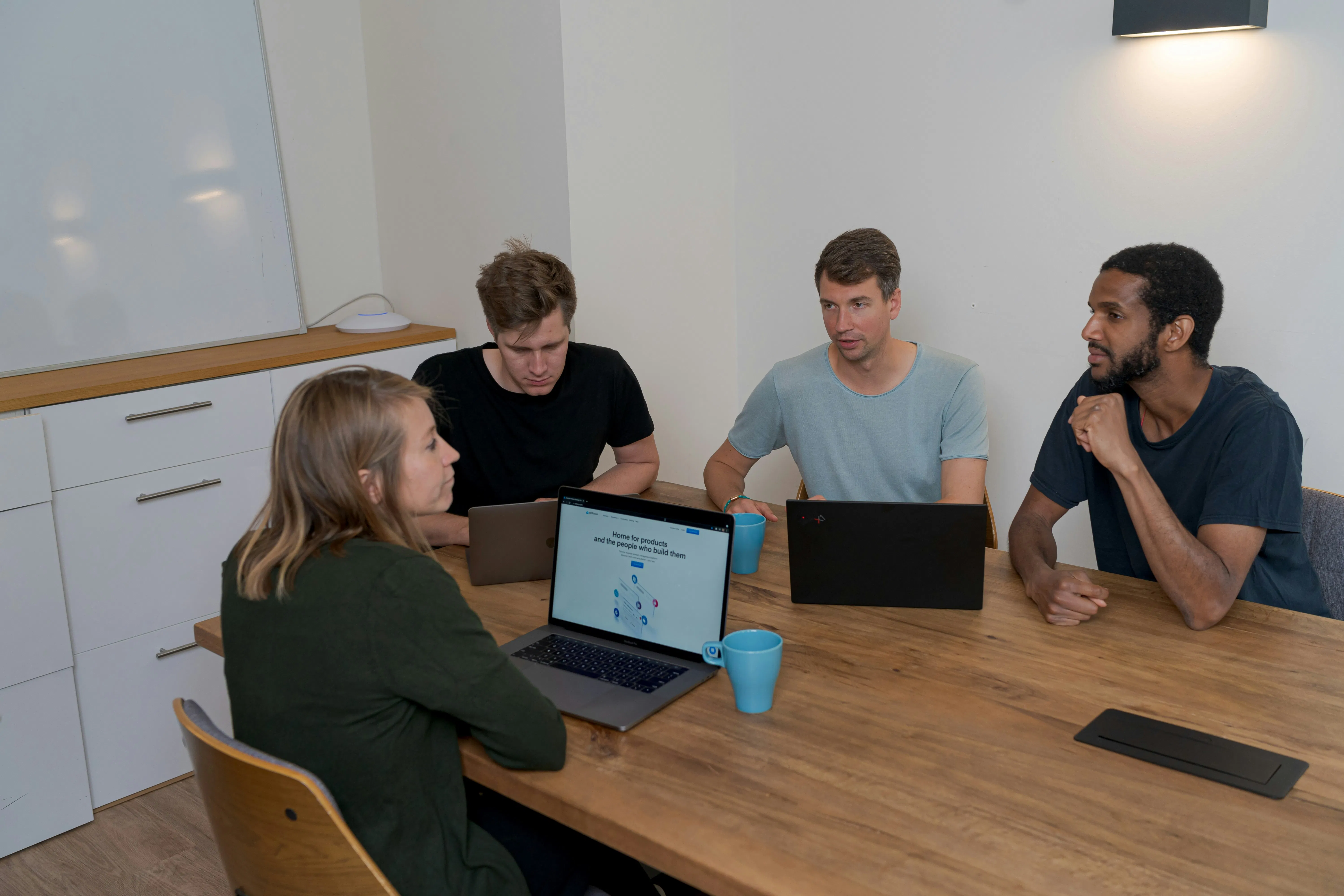
    <img src=”https://images.unsplash.com/photo-1552664730-d307ca884978″ alt=”Team collaboration in office” style=”width:100%; height:auto; border-radius:10px;”>

    Hire Dedicated Developers

    When you hire dedicated developers, you get professionals who work exclusively on your project as an extension of your team.

    ✔ Full control over development
    ✔ Better product understanding
    ✔ Long-term reliability
    ✔ Scalable team structure

    Hire Freelance Developers

    Ideal for short-term tasks, quick fixes, or experimental projects.

    In-House Hiring

    Best for core operations but involves higher costs and longer hiring timelines.


    Why Companies Prefer to Hire Remote Developers 🌍

    Remote work has transformed global hiring. Organizations can now access talent worldwide instead of being limited to local candidates.

    • Lower development costs
    • Access to specialized skills
    • 24/7 productivity cycles
    • Faster project delivery

    Hire Developers in India — A Global Hotspot 🇮🇳

    India has become one of the world’s leading technology hubs, offering highly skilled developers at competitive rates.

    • Large talent pool
    • Strong technical education
    • English proficiency
    • Experience with global clients

    Hire AI Developers 🤖

    AI is transforming industries, from automation to predictive analytics. Demand to hire AI developers is growing rapidly.

    • Chatbots & virtual assistants
    • Recommendation engines
    • Computer vision systems
    • Voice AI solutions

    Hire App Developers & Mobile Experts 📱

    Mobile apps remain essential for customer engagement. Businesses frequently hire app developers and Android experts to build scalable mobile solutions.


    Hire Software Developers for Complex Systems 💻

    Enterprise platforms, SaaS products, and custom solutions require experienced developers who understand system architecture and scalability.


    Step-by-Step Process to Hire Developers Successfully 🛠️

    1. Define project goals
    2. Choose the hiring model
    3. Identify required skills
    4. Conduct interviews
    5. Start with a pilot project
    6. Scale the team

    Final Thoughts 💡

    Whether you want to hire dedicated developers, hire remote developers, or find software developers for hire, choosing the right talent strategy can accelerate innovation and reduce costs. With access to global expertise, businesses can now build world-class digital products faster than ever.


    🚀 Ready to build your development team?

    Now is the perfect time to hire expert developers and bring your digital vision to

  • Custom Software Development: The Complete Guide for Businesses in 2026

    In today’s hyper-competitive digital landscape, businesses face an increasingly complex challenge: how to differentiate themselves while operating efficiently at scale. The answer for many forward-thinking organizations lies in custom software development – the strategic creation of tailored digital solutions that align perfectly with unique business requirements.

    While off-the-shelf software offers convenience and quick deployment, it often forces businesses into rigid frameworks that don’t match their specific workflows, industry requirements, or growth ambitions. Custom software development flips this paradigm, allowing organizations to build technology that serves their exact needs rather than adapting their processes to fit generic solutions.

    This comprehensive guide explores every aspect of custom software development, from understanding core concepts and benefits to navigating costs, choosing development partners, and implementing solutions across various industries. Whether you’re a startup looking to build your first MVP or an enterprise seeking to modernize legacy systems, this guide provides the insights needed to make informed decisions about custom software investments.

    Understanding Custom Software Development: Beyond the Basics

    Custom software development is the process of designing, building, deploying, and maintaining software solutions tailored to the unique needs of a business or organization. Unlike commercial off-the-shelf (COTS) software, custom solutions are created specifically for a company’s workflows, industry requirements, and long-term strategy.

    Rather than forcing businesses to adapt to generic tools, custom software ensures that technology works around the business, not the other way around.


    The Custom Software Development Lifecycle

    A professional custom software development company typically follows a structured development lifecycle to ensure quality, scalability, and long-term success.

    1. Discovery and Requirements Analysis

    This stage focuses on understanding business needs and defining project scope.

    Key activities include:

    • Stakeholder interviews and workshops
    • Business process mapping
    • Technical requirements documentation
    • Feasibility studies and risk assessment
    • Project scope definition and timeline planning

    2. Strategic Planning and Architecture

    Once requirements are defined, the technical blueprint is designed.

    This includes:

    • System architecture design
    • Technology stack selection
    • Database design and data modeling
    • Integration planning with existing systems
    • Security framework development

    3. User Experience and Interface Design

    A well-designed interface ensures high user adoption and productivity.

    Design activities include:

    • User research and persona development
    • Wireframing and prototyping
    • Visual design and branding integration
    • Accessibility compliance planning
    • Mobile responsiveness optimization

    4. Development and Implementation

    The development phase transforms design concepts into functional software.

    Common practices include:

    • Agile development methodology
    • Continuous integration and deployment
    • Code reviews and quality checks
    • Performance optimization
    • Security implementation

    5. Testing and Quality Assurance

    Testing ensures the software performs reliably under real-world conditions.

    Testing processes include:

    • Unit testing
    • Integration testing
    • User acceptance testing (UAT)
    • Performance and load testing
    • Security penetration testing
    • Cross-platform compatibility testing

    6. Deployment and Launch

    After successful testing, the software is deployed into production.

    Deployment tasks include:

    • Production environment setup
    • Data migration and system integration
    • User training and documentation
    • Go-live support and monitoring

    7. Ongoing Maintenance and Evolution

    Custom software continues to evolve after launch.

    Ongoing support includes:

    • Security updates and patches
    • Feature enhancements
    • Performance monitoring
    • Scalability improvements
    • Compliance update

    Why Custom Software Development Matters

    Organizations increasingly view software as a strategic asset rather than just an operational tool.

    Several key business drivers explain why companies invest in custom solutions.


    1. Perfect Alignment with Business Processes

    Off-the-shelf software is built for mass markets and often includes unnecessary features while lacking critical functionality.

    Custom software ensures:

    • Every feature serves a business purpose
    • Workflows match internal operations
    • Industry-specific requirements are addressed

    For example, a manufacturing company may require software that integrates directly with specialized machinery and generates regulatory compliance reports—capabilities rarely available in generic platforms.


    2. Scalability and Flexibility

    Custom software grows with the organization.

    Benefits include:

    • Modular architecture for expansion
    • API-first development for integrations
    • Cloud-native infrastructure for global scalability
    • Microservices architecture for independent scaling

    3. Enhanced Security and Compliance

    Custom systems provide stronger security because they are designed specifically for the organization’s environment.

    Security advantages include:

    • Reduced attack surface
    • Industry-specific compliance controls
    • Full control over data storage and handling
    • Customized security protocols

    4. Competitive Differentiation

    Custom software can create unique capabilities that competitors cannot easily replicate.

    These advantages may include:

    • Superior customer experiences
    • Faster operational processes
    • Data-driven insights
    • Innovative digital services

    5. Optimized Total Cost of Ownership

    Although initial development costs may be higher, custom software often reduces long-term costs by eliminating:

    • Licensing fees
    • Integration complexity
    • Inefficient workflows
    • Workarounds for missing features

    Industry-Specific Custom Software Development

    Different industries require specialized solutions due to regulatory requirements, operational complexity, and customer expectations.


    Custom Healthcare Software Development

    Healthcare technology must meet strict compliance standards while supporting complex clinical workflows.

    Custom healthcare solutions include:

    Electronic Health Record (EHR) Systems

    Advanced capabilities include:

    • Specialty-specific templates
    • Integration with medical devices
    • Population health analytics
    • Telemedicine capabilities
    • AI-powered diagnostic support

    Hospital Management Systems

    Integrated platforms manage:

    • Patient admission and discharge
    • Staff scheduling and resource allocation
    • Inventory management for medical supplies
    • Billing and insurance claims processing

    Custom ERP Software Development

    Enterprise Resource Planning (ERP) systems integrate multiple business functions into one platform.

    Capabilities include:

    Financial Management

    • Multi-currency accounting
    • Real-time reporting
    • Budgeting and forecasting tools
    • Compliance and audit tracking

    Supply Chain Optimization

    • Demand forecasting
    • Supplier relationship management
    • Logistics coordination
    • Sustainability tracking

    Human Resources Management

    • Recruitment and onboarding
    • Performance management
    • Payroll administration
    • Workforce analytics

    Custom CRM Software Development

    Customer Relationship Management platforms help businesses manage customer interactions and drive revenue.

    Key features include:

    Sales Pipeline Management

    • Lead scoring and qualification
    • Automated follow-ups
    • Territory management
    • Revenue forecasting

    Marketing Automation

    • Campaign management
    • Customer segmentation
    • Marketing attribution tracking
    • Social media integration

    Customer Service Tools

    • Omnichannel support systems
    • Knowledge bases and self-service portals
    • SLA monitoring
    • Customer satisfaction tracking

    Custom Software Development Costs

    Custom development costs vary widely depending on project complexity, technology requirements, and team structure.

    Typical Cost Ranges

    Project TypeEstimated Cost
    Simple applications$25,000 – $75,000
    Medium complexity apps$75,000 – $200,000
    Enterprise systems$200,000 – $500,000
    AI-driven platforms$500,000 – $2M+

    Factors Influencing Costs

    • Project scope and complexity
    • Technology stack
    • Development team size
    • Geographic location of developers
    • Integration requirements

    Custom Software Development Outsourcing

    Many companies partner with external development teams to reduce costs and access specialized expertise.

    Common Outsourcing Models

    Dedicated Development Team

    • Long-term collaboration
    • Full control over development processes
    • Flexible team scaling

    Project-Based Outsourcing

    • Fixed scope and timeline
    • Predictable budget
    • Best for clearly defined projects

    Hybrid Model

    • Strategic roles onshore
    • Development offshore
    • Cost efficiency with strong oversight

    Emerging Technologies in Custom Software

    Modern software development increasingly integrates advanced technologies.

    Artificial Intelligence

    • Intelligent automation
    • Predictive analytics
    • Customer service chatbots
    • Fraud detection systems

    Cloud-Native Architecture

    • Auto-scaling infrastructure
    • Global content delivery networks
    • Containerized deployment

    Internet of Things (IoT)

    • Real-time equipment monitoring
    • Smart device integrations
    • Supply chain tracking

    Quality Assurance in Custom Software Development

    Quality assurance ensures reliability, performance, and security.

    Testing approaches include:

    • Automated unit testing
    • Integration testing
    • End-to-end testing
    • Performance testing
    • Security vulnerability testing

    Future Trends in Custom Software Development

    The future of software development will be shaped by:

    • AI-assisted coding and automation
    • Low-code and no-code platforms
    • Sustainable software engineering
    • Cloud-first architecture

    These innovations will enable faster development cycles and more intelligent applications.


    Conclusion

    Custom software development is a strategic investment that allows organizations to build technology aligned with their unique goals and operations.

    Unlike generic tools, custom solutions offer:

    • Tailored functionality
    • Greater scalability
    • Enhanced security
    • Competitive differentiation

    With careful planning, the right technology strategy, and experienced development partners, custom software can become a powerful catalyst for innovation and business growth.


    Frequently Asked Questions (FAQs)

    1. What is custom software development?

    Custom software development is the process of designing, building, and maintaining software solutions tailored specifically to the needs of a particular business or organization. Unlike off-the-shelf software, custom solutions are built to match unique workflows, operational processes, and strategic goals.


    2. How is custom software different from off-the-shelf software?

    Off-the-shelf software is designed for a broad audience with general features, while custom software is developed specifically for a business’s unique requirements. Custom software offers greater flexibility, scalability, and integration capabilities compared to pre-built solutions.


    3. What are the benefits of custom software development?

    Custom software offers several advantages, including:

    • Tailored functionality for specific business processes
    • Greater scalability as the business grows
    • Improved security and compliance
    • Seamless integration with existing systems
    • Competitive advantage through unique capabilities

    4. How long does custom software development take?

    The timeline depends on the complexity of the project. Simple applications may take 2–4 months, while complex enterprise systems may require 6–12 months or more. The development process typically includes planning, design, development, testing, and deployment stages.


    5. How much does custom software development cost?

    The cost of custom software development varies based on project complexity, features, technology stack, and development team location. Projects can range from $25,000 for basic applications to over $500,000 for large enterprise platforms.


    6. Which industries benefit the most from custom software development?

    Many industries benefit from custom software, including:

    • Healthcare
    • Finance and banking
    • Logistics and supply chain
    • Retail and e-commerce
    • Manufacturing
    • Education and EdTech

    Custom solutions help these industries automate processes, improve efficiency, and enhance customer experiences.


    7. Can custom software integrate with existing systems?

    Yes. One of the biggest advantages of custom software is its ability to integrate seamlessly with existing systems such as CRM platforms, ERP systems, payment gateways, and third-party APIs.


    8. Is custom software scalable for growing businesses?

    Yes. Custom software is designed with scalability in mind, allowing businesses to add features, handle more users, and expand into new markets without replacing their existing system.


    9. What technologies are commonly used in custom software development?

    Common technologies used in custom software development include:

    • Frontend: React, Angular, Vue.js
    • Backend: Node.js, Python, Java, .NET
    • Databases: PostgreSQL, MySQL, MongoDB
    • Cloud Platforms: AWS, Azure, Google Cloud

    The technology stack is selected based on the project requirements and scalability needs.


    10. How do businesses choose the right custom software development company?

    When selecting a development partner, businesses should consider:

    • Industry experience and portfolio
    • Technical expertise
    • Development methodology (Agile, DevOps)
    • Communication and transparency
    • Post-launch support and maintenance services

    Choosing the right partner ensures successful project delivery and long-term support.

  • 41 Trending AI Tools & Keywords You Can’t Ignore in 2026 (Deep Dive Edition)

    In 2026, AI is no longer a trend — it’s infrastructure.

    Search interest has shifted from curiosity to application. People aren’t asking “What is AI?” anymore. They’re searching:

    • ai photo editing
    • google gemini ai
    • ai video generator
    • midjourney ai
    • nano banana ai
    • uncensored ai chatbot

    These aren’t random keywords. They represent major behavioral shifts in how creators, businesses, and developers use AI daily.

    Let’s break it down category by category.

    AI Photo Editing Tools Everyone Is Talking About

    The Core Search Terms Driving the Category

    The AI photo editing space continues to dominate:

    • ai photo editing
    • ai photo editor
    • ai editing
    • ai photo
    • ai image generator
    • ai photo generator
    • face swap ai

    These searches signal a massive democratization of design.

    Why AI Photo Editing Is Exploding

    Traditional editing required:

    • Photoshop expertise
    • Manual masking
    • Advanced retouching skills
    • Hours of manual work

    Now?

    AI performs:

    • One-click skin retouching
    • Intelligent lighting correction
    • Automatic background removal
    • Realistic face swap ai outputs
    • Style transfer effects
    • 4K image upscaling

    The result: anyone with a smartphone can create agency-level visuals.


    Creator-Driven Search Trends (Regional Insight)

    Search patterns like:

    • ai photo editor anup sagar
    • ai photo editing rajan editz
    • ai photo anup sagar

    Reveal a powerful shift.

    Creators are now distribution channels for AI tools.

    When influencers demonstrate a workflow:
    Search volume for that exact phrase spikes within days.

    This shows:

    • AI adoption is community-driven
    • Tutorials directly influence tool growth
    • Regional creators (especially in India & South Asia) drive massive search demand

    AI growth is no longer just Silicon Valley driven — it’s YouTube-driven.


    AI Prompt Trends Going Viral

    Why “ai prompt” Searches Are Exploding

    Trending searches include:

    • ai prompt
    • holi prompt
    • ai prompt ghaus editz
    • gemini ai prompt
    • gemini ai photo prompt
    • midjourney prompt
    • stable diffusion prompt

    The rise of prompt engineering marks a new digital literacy.

    A weak prompt = average output.
    A structured prompt = professional result.


    Why Prompts Are the New Competitive Advantage

    Example:

    Basic:
    “A girl portrait”

    Advanced:
    “25-year-old Indian woman in red saree, golden hour lighting, cinematic photography, Canon 5D, shallow depth of field, soft focus, warm color grading”

    The difference isn’t the tool.

    It’s the prompt.

    That’s why:

    • holi prompt spikes during festival season
    • ai prompt ghaus editz trends after creator tutorials
    • gemini ai photo prompt rises as Gemini adoption grows

    Prompt writing is now a monetizable skill.


    Google Gemini AI Ecosystem (Fastest Growing)

    Gemini Search Surge

    Trending searches:

    • gemini ai photo
    • gemini ai photo editor
    • google gemini ai photo
    • gemini ai studio
    • google gemini ai
    • google ai studio
    • google studio ai
    • ai gemini

    Why Gemini Is Growing So Fast

    Gemini’s advantage is accessibility.

    Unlike competitors:

    • It offers a strong free tier
    • It integrates with Gmail, Docs, Sheets
    • It works on mobile seamlessly
    • It supports multimodal prompts

    Google AI Studio enables:

    • Text generation
    • Image generation
    • Code assistance
    • Multimodal experimentation

    The biggest reason people search “gemini ai photo”?

    It’s free.

    And free tools scale fastest.


    AI Video Generators: The Hottest Category of 2026

    Search Growth Is Explosive

    • ai video generator
    • free ai video generator
    • ai video
    • heygen ai
    • heygen
    • kling ai
    • runway ai
    • pika ai
    • synthesia ai

    Video has 10x engagement over static images.

    Before AI:
    1 video = 2–3 days of production.

    Now:
    1 video = 20–30 minutes.


    Tool Breakdown

    HeyGen AI

    Best for avatars and multilingual content.
    Massively popular among YouTubers and educators.

    Kling AI

    Text-to-video powerhouse.
    Trending on TikTok and Reels.

    Runway AI

    Professional video editing suite.
    Used by filmmakers.

    Pika AI

    Stylized and anime-focused generation.
    Strong Gen Z appeal.

    Synthesia AI

    Enterprise video automation.
    Used for corporate training at scale.

    This is why ai video generator searches are accelerating faster than any other AI category.


    Fun & Experimental AI Tools (Niche But Important)

    Searches include:

    • nano banana
    • nano banana ai
    • banana ai
    • gimme ai
    • perchance ai
    • zorq ai
    • clace
    • clace ai
    • yupp ai
    • turbo ai
    • janitor ai

    These tools represent innovation at the edge.

    They matter because:

    • Today’s niche tool becomes tomorrow’s acquisition
    • Communities shape product evolution
    • Open-source and indie tools drive experimentation

    Janitor ai, for example, represents community-driven chatbot customization.

    Clace ai shows developer interest in alternative coding assistants.

    Nano banana ai signals creative experimentation culture.


    The “Uncensored AI Chatbot” Trend

    Search spike:
    uncensored ai chatbot

    Why?

    Users want:

    • Fewer restrictions
    • More creative freedom
    • Privacy alternatives

    But this category is controversial.

    The demand reflects:

    • Frustration with over-moderation
    • Desire for unrestricted roleplay
    • Curiosity about AI boundaries

    Responsible usage and legal awareness remain critical.


    Midjourney AI: Still the Creative King

    Search term:
    midjourney ai

    Despite competition, Midjourney dominates in:

    • Image quality
    • Detail sharpness
    • Artistic realism
    • Consistency

    Creators choose Midjourney because:
    Portfolio quality still matters.

    Even with gemini ai photo growing, Midjourney remains premium-tier.


    PPT Maker AI & Productivity Revolution

    Trending:

    • ppt maker ai
    • ai app
    • ai studio
    • presentation ai
    • slide generator ai

    Traditional presentations:
    4–5 hours.

    AI presentations:
    20 minutes.

    AI tools like Gamma, Canva AI, and Microsoft Copilot are reducing design dependency and increasing output speed.

    For startups and consultants, this is transformational.


    Broader AI Landscape in 2026

    Other tools gaining attention:

    • Perplexity AI (AI search)
    • Claude (reasoning-focused AI)
    • Character.AI (roleplay bots)
    • Stable Diffusion (open-source image generation)
    • Llama 2 (developer ecosystem)

    The trend is clear:

    AI is fragmenting into specialized ecosystems.

    General AI is becoming niche AI.

    What This Means for Creators & Businesses

    For Creators

    Learn:

    • Prompt engineering
    • One primary AI tool deeply
    • Video AI workflows

    Monetize through:

    • Tutorials
    • Affiliate marketing
    • Courses
    • Community building

    For Businesses

    Adopt AI for:

    • Marketing automation
    • Creative generation
    • Video production
    • Internal productivity

    The biggest risk in 2026 is not using AI — it’s ignoring it.


    📌 Final Thoughts: The Pattern Behind the Keywords

    From:
    ai photo editing

    To:
    google gemini ai

    From:
    heygen ai

    To:
    nano banana ai

    From:
    ai prompt

    To:
    free ai video generator

    These searches tell a story:

    1. Photo editing is commoditized
    2. Video AI is exploding
    3. Prompts are the new literacy
    4. Gemini is mass adoption AI
    5. Niche tools are innovation labs
    6. Open-source models are rising
    7. Creator economy is accelerating
    8. Consolidation is inevitable

    2026 isn’t about discovering AI.

    It’s about mastering it.

    FAQ

    What is the best AI photo editing tool in 2026?

    The best ai photo editing tool depends on your goal. For general enhancements, an ai photo editor works well. For creative visuals, an ai image generator or midjourney ai delivers stunning results.

    2️⃣ How do AI prompts improve image results?

    A well-structured ai prompt gives clear instructions to the model. Whether you’re using a gemini ai prompt or a gemini ai photo prompt, detailed descriptions improve lighting, style, and composition accuracy.

    3️⃣ Is Google Gemini AI free to use?

    google gemini ai offers different access tiers. Tools like google ai studio or gemini ai studio may provide limited free access depending on usage.

    4️⃣ What is the best free AI video generator?

    A free ai video generator is great for beginners. Tools like heygen ai and other ai video generator platforms allow quick avatar-based or scripted videos.

    5️⃣ What is face swap AI?

    face swap ai uses artificial intelligence to replace one face with another in images or videos. It’s popular for entertainment, memes, and creative edits.

    6️⃣ What is an uncensored AI chatbot?

    An uncensored ai chatbot typically refers to a chatbot with fewer content restrictions. Users should always check terms of service and platform safety policies before use.

    7️⃣ Can AI create presentations automatically?

    Yes. A ppt maker ai or ai studio tool can generate structured presentations from a simple topic input within minutes.

    8️⃣ Are experimental AI tools like nano banana AI safe?

    Platforms like nano banana ai, perchance ai, or janitor ai vary in safety and moderation. Always verify credibility and data privacy policies.

  • Latest Trends in the USA (2026): Technology, AI, Energy, Markets, and the Economic Shift Shaping the Future

    Latest Trends in the USA (2026): Technology, AI, Energy, Markets, and the Economic Shift Shaping the Future


    Introduction: America at an Inflection Point

    The United States is entering one of the most transformative periods in recent history. From artificial intelligence breakthroughs to geopolitical tensions reshaping global trade, from volatility in the stock market today to renewed interest in gold and silver prices today, the country is experiencing structural shifts across technology, energy, finance, and global power dynamics.

    Investors are closely watching the S&P 500, the 10 year Treasury yield, and safe-haven assets like gold and SLV. Tech leaders are redefining the AI race. Energy giants like Chevron and Occidental are navigating a new oil landscape. Meanwhile, ETFs such as VOO, VTI, QQQ stock, and SCHD are becoming core tools for retail and institutional investors alike.

    Let’s break down the biggest trends shaping the USA in 2026.


    1. The AI Supercycle Is Redefining the American Economy

    Artificial intelligence is no longer experimental — it is foundational.

    Companies like Alphabet Inc. (GOOG stock), Apple Inc. (AAPL stock), Palantir Technologies (PLTR stock), Broadcom Inc. (AVGO stock), MongoDB (MDB stock), and Taiwan Semiconductor Manufacturing Company (TSM stock) are leading the AI infrastructure and software revolution.

    Key AI Trends in 2026:

    • Enterprise AI adoption accelerating across healthcare, insurance, and finance
    • AI copilots embedded in productivity tools
    • Defense AI investments increasing
    • Chip demand reshaping semiconductor supply chains

    The surge in PLTR stock reflects how governments and enterprises are investing in AI-driven analytics. Meanwhile, TSM stock is a proxy for the global semiconductor demand fueling generative AI.

    The broader market impact? AI is contributing significantly to S&P 500 earnings growth and pushing SPX valuations higher.


    2. The Stock Market Today: Volatility as the New Normal

    If there’s one defining theme in the stock market today, it’s volatility.

    The S&P 500 (often referenced as SPX or S&P500) has been navigating:

    • Geopolitical tensions
    • Inflationary pressures
    • Fluctuations in the 10 year Treasury yield
    • Energy price shocks
    • Tech sector rotations

    Major indices trading on the New York Stock Exchange (NYSE) are experiencing increased intraday swings.

    Investors are increasingly turning to ETFs like:

    • VOO stock (tracking the S&P 500)
    • VTI (total market exposure)
    • QQQ stock (Nasdaq heavy tech exposure)
    • SCHD (dividend-focused ETF)

    These ETFs provide diversified exposure while reducing single-stock risk.


    3. Energy Resurgence: Oil, LNG, and Strategic Security

    Energy has re-emerged as a powerful theme in the U.S. economy.

    Companies like:

    • Chevron Corporation (CVX stock)
    • Occidental Petroleum (OXY stock)
    • Cheniere Energy (LNG stock)

    are benefiting from global supply constraints and geopolitical instability.

    As tensions rise globally, oil prices remain sensitive to political developments. This strengthens energy equities and pushes inflation expectations higher — impacting the 10 year Treasury yield.

    Energy ETFs and oil stocks are becoming a hedge against inflation uncertainty.


    4. Defense & Aerospace: A New Investment Theme

    Defense spending is rising.

    Stocks such as:

    • Lockheed Martin (Lockheed Martin stock)
    • AeroVironment (AVAV stock)
    • Boeing (Boeing stock)
    • AST SpaceMobile (ASTS stock)

    are gaining attention from institutional investors.

    Geopolitical conflicts and satellite defense programs are driving renewed focus on aerospace innovation.

    Defense stocks often perform well during uncertainty, offering portfolio stability when growth stocks fluctuate.


    5. The Safe Haven Trade: Gold and Silver Surge

    With inflation concerns and global risk, gold and silver prices today are trending upward.

    Investors are:

    • Buying physical gold
    • Allocating to gold ETFs
    • Trading SLV (silver ETF)

    Gold remains a hedge against currency debasement and macro instability.

    When the 10 year Treasury yield falls, gold often rallies. When geopolitical risks rise, silver prices follow.


    6. Insurance & Healthcare: Defensive Strongholds

    Healthcare and insurance remain pillars of stability.

    Companies like UnitedHealth Group (UNH stock) show resilience during market downturns.

    Insurance firms are adapting to:

    • Climate risk
    • AI-driven underwriting
    • Automated claims processing

    Healthcare AI integration is reducing costs while improving patient outcomes — another example of AI’s cross-sector dominance.


    7. Big Tech Dominance Continues

    Despite regulatory scrutiny, Big Tech continues to dominate market capitalization.

    AAPL stock remains one of the largest contributors to S&P 500 performance. GOOG stock continues investing heavily in AI and cloud.

    Costco stock (Costco Wholesale Corporation) reflects consumer resilience in a high-rate environment.

    Tech concentration in QQQ stock has made it a key performance driver for growth-focused investors.


    8. Interest Rates and the 10 Year Treasury Yield

    The 10 year Treasury yield remains the most important macro indicator in 2026.

    It impacts:

    • Mortgage rates
    • Equity valuations
    • Dollar strength
    • Corporate borrowing costs

    Higher yields compress growth stock valuations. Lower yields boost risk assets.

    Markets continuously reprice based on inflation data and Federal Reserve expectations.


    9. Retail Investor Renaissance

    Platforms like Robinhood and digital brokerage accounts have democratized investing.

    Retail participation in:

    • SPX derivatives
    • Meme stocks
    • Growth names like SOFI stock (SoFi Technologies)
    • Semiconductor plays like TSM stock

    has created liquidity waves.

    Younger investors increasingly use VTI and SCHD for long-term wealth accumulation.


    10. Commodities & Alternative Assets

    Beyond oil and gold, commodities are becoming mainstream portfolio components.

    Silver prices today are attracting momentum traders.

    Energy infrastructure and rare earth metals are gaining strategic importance due to EV and AI demand.


    11. Leadership Voices & Market Psychology

    Prominent financial voices such as Lloyd Blankfein continue shaping public market narratives.

    Market psychology in 2026 is defined by:

    • Fear of inflation
    • AI optimism
    • Geopolitical risk
    • ETF-driven flows

    Sentiment cycles are shorter, and algorithmic trading dominates volume.


    12. Utilities & Infrastructure Stability

    Companies like DTE Energy provide defensive exposure.

    Utilities benefit from stable cash flows during uncertain macro cycles.


    13. Global Expansion of U.S. Corporate Influence

    U.S. corporations are expanding into space, AI, renewable energy, and biotech.

    ASTS stock reflects space-based communication ambitions.

    Defense companies are collaborating internationally.

    Energy exporters like LNG companies are strengthening U.S. geopolitical leverage.


    14. ETFs as the Core Investment Vehicle

    Passive investing dominates capital flows.

    VOO stock mirrors S&P 500 growth.
    VTI captures the entire U.S. market.
    QQQ stock focuses on tech acceleration.
    SCHD prioritizes dividend yield.

    These ETFs simplify exposure to market themes.


    15. Consumer & Corporate Spending Trends

    Despite higher interest rates, consumer spending remains surprisingly resilient.

    Costco stock performance reflects bulk-buying behavior in inflationary periods.

    Corporate AI investments continue growing despite macro uncertainty.


    16. Geopolitical Realignment & Economic Strategy

    Global power shifts are impacting:

    • Energy prices
    • Defense spending
    • Semiconductor supply chains
    • Trade policy

    This reinforces demand for U.S. infrastructure, domestic manufacturing, and strategic reserves.


    Conclusion: America’s Multi-Layered Transformation

    The latest trends in the USA reveal a country balancing innovation and instability.

    AI is reshaping productivity.
    Energy markets are redefining geopolitics.
    The stock market today reflects both optimism and caution.
    The S&P 500 remains the benchmark of economic health.
    The 10 year Treasury yield guides valuation.
    Gold and silver prices today signal risk perception.
    Defense and aerospace are gaining prominence.
    ETFs like VOO, VTI, QQQ stock, and SCHD anchor long-term portfolios.

    Whether you’re watching AAPL stock, PLTR stock, CVX stock, Boeing stock, or tracking the SPX and NYSE activity — 2026 is defined by rapid transformation.

    The United States is not merely evolving.

    It is restructuring the architecture of the global economy.

    FAQ

    What are the biggest economic trends in the USA right now?

    The biggest trends shaping the U.S. economy include rapid AI adoption, volatility in the stock market today, shifts in energy markets, rising geopolitical tensions, and fluctuations in the 10 year Treasury yield. Technology stocks, defense companies, and energy firms are leading market movements, while safe-haven assets like gold and silver prices today are gaining attention during uncertainty.

    Why is the S&P 500 so important?

    The S&P 500 (also referred to as S&P500 or SPX) tracks 500 of the largest publicly traded U.S. companies. It is widely considered the best benchmark for overall U.S. stock market performance.

    ETFs like VOO stock and VTI allow investors to gain exposure to the S&P 500 and the broader market efficiently.

    3. How does the 10 year Treasury yield affect the stock market?
    The 10 year Treasury yield influences:

    • Mortgage rates
    • Corporate borrowing costs
    • Stock valuations
    • Dollar strength

    When yields rise, growth stocks often face pressure. When yields fall, equities—especially tech-heavy indexes like QQQ stock—tend to perform better.

    4. Why are gold and silver prices rising?
    Gold and silver prices today often increase during:

    • Inflation concerns
    • Geopolitical instability
    • Currency weakness
    • Stock market volatility

    Investors use gold as a hedge against uncertainty, while silver (tracked by SLV) often benefits from both industrial demand and safe-haven flows.

    5. Which sectors are leading U.S. market growth in 2026?
    Key sectors driving growth include:

    Technology & AI

    • Apple Inc. (AAPL stock)
    • Alphabet Inc. (GOOG stock)
    • Palantir Technologies (PLTR stock)
    • Broadcom Inc. (AVGO stock)

    Energy

    • Chevron Corporation (CVX stock)
    • Occidental Petroleum (OXY stock)

    Defense & Aerospace

    Boeing

    Lockheed Martin

    8. How is AI impacting the U.S. stock market?

    Artificial intelligence is driving earnings growth across sectors.

    Companies like:

    • Taiwan Semiconductor Manufacturing Company (TSM stock)
    • MongoDB (MDB stock)

    are benefiting from AI infrastructure demand. AI investment is one of the major contributors to S&P 500 performance in 2026.

  • Free Bookkeeping Software in 2026: A Practical Comparison Guide for Businesses

    Free bookkeeping software has become a serious alternative to paid accounting tools. However, not all free solutions are built the same. Some focus on simplicity and quick setup, while others offer structured guidance, scalability insights, and deeper operational advice.

    This article compares two different approaches to free bookkeeping content and transforms them into a clearer, unbiased resource to help business owners evaluate their options logically.

    Rather than promoting any specific tool, this guide focuses on how to evaluate free bookkeeping software effectively.


    Two Different Approaches to Free Bookkeeping Guidance

    When comparing the two blogs, a clear difference emerges:

    Blog Approach 1: Tool-Focused and Feature-Driven

    • Shorter format
    • Straightforward tool descriptions
    • Basic pros and cons
    • Simple comparison table
    • Direct answers to FAQs

    This style is useful for:

    • Quick readers
    • Beginners
    • Users looking for a fast decision

    However, it lacks deeper insights into implementation, security, long-term planning, and operational impact.


    Blog Approach 2: Strategic and Decision-Oriented

    • Long-form educational guide
    • Explains why bookkeeping matters
    • Discusses migration and workflow setup
    • Covers security, scalability, and adoption
    • Includes future-proofing advice

    This style benefits:

    • Growing businesses
    • Founders thinking long-term
    • Decision-makers evaluating risk

    However, it may feel overwhelming for users who simply want a quick comparison.


    What Actually Matters When Choosing Free Bookkeeping Software

    Instead of focusing on brand names, focus on these five evaluation categories:


    1. Core Accounting Capabilities

    Every free bookkeeping tool should provide:

    • Income and expense tracking
    • Invoice creation
    • Basic financial reports
    • Bank reconciliation
    • Multi-device access (if cloud-based)

    If any of these are missing, the tool may create more work than it saves.


    2. Cloud vs. Desktop Models

    Free bookkeeping tools typically fall into two categories:

    Cloud-Based Software

    • Accessible from anywhere
    • Automatic backups
    • Real-time synchronization
    • Easier collaboration

    Desktop Software

    • Full offline access
    • Greater data control
    • No reliance on internet
    • Manual backups required

    The right choice depends on your business structure and comfort with cloud security.


    3. Scalability and Growth

    One major gap between the two blog styles was long-term thinking.

    Before selecting free software, ask:

    • Is there a user limit?
    • Is there an invoice cap?
    • Does it support multiple currencies?
    • Can it handle inventory if needed?
    • Is there an upgrade path available?

    Free tools work best when they align with your projected business size for the next 12–24 months.


    4. Implementation Complexity

    The shorter blog briefly lists features but does not discuss setup effort. The longer guide dives into migration planning and workflow optimization.

    Important setup considerations:

    • Data import process
    • Chart of accounts configuration
    • Bank feed accuracy
    • Role-based user access
    • Report customization

    A tool is only “easy” if your team can implement it correctly.


    5. Security and Data Protection

    The strategic blog includes stronger coverage of:

    • Encryption
    • Backup systems
    • Access controls
    • Compliance awareness

    Free software still handles sensitive financial data. Security should never be overlooked simply because the tool is free.


    Strengths and Weaknesses of Each Blog Approach

    CategoryBlog Style 1 (Quick Guide)Blog Style 2 (Comprehensive Guide)
    ReadabilityEasy and fastDetailed but longer
    DepthBasic feature comparisonStrategic business insight
    SEO StructureList-basedEducational and structured
    Implementation AdviceMinimalStrong guidance
    Security CoverageLimitedThorough
    Ideal AudienceBeginnersGrowing businesses

    A Balanced Decision Framework

    If you want a practical way to evaluate free bookkeeping tools, use this decision checklist:

    Choose Simplicity If:

    • You are a freelancer or solo entrepreneur
    • You issue fewer than 50 invoices per month
    • You don’t manage inventory
    • You want minimal setup

    Choose Structured, Scalable Systems If:

    • You plan to hire employees
    • You work with an accountant
    • You manage multiple revenue streams
    • You anticipate growth within 1–2 years

    Common Mistakes Businesses Make

    Regardless of which free tool you choose, avoid these errors:

    • Mixing personal and business finances
    • Skipping monthly reconciliation
    • Ignoring data backups
    • Using inconsistent expense categories
    • Delaying software setup

    Free bookkeeping tools only work well when supported by disciplined financial habits.


    Final Thoughts: Free Doesn’t Mean Basic

    Both blog approaches offer value:

    • One simplifies the decision.
    • The other strengthens strategic understanding.

    The smartest approach combines both:

    1. Start with a clear feature comparison.
    2. Evaluate setup effort.
    3. Assess long-term scalability.
    4. Review security practices.
    5. Align the tool with your operational complexity.

    Free bookkeeping software can absolutely support a growing business — but only if selected thoughtfully.

    The real decision is not which tool is most popular.

    It’s which structure supports your workflow, growth goals, and financial discipline.

    When used properly, free bookkeeping software isn’t just a cost-saving measure — it becomes a foundation for better business decisions.

  • Why Smart Businesses Build Custom Integrations Between WhatsApp and CRM

    Most companies juggle multiple tools – WhatsApp for customer chat, CRM for sales tracking, marketing platforms for campaigns. Each works fine alone, but together? They’re a mess of manual data entry and missed opportunities.

    Smart businesses solve this with custom software that actually connects these tools. Here’s why it matters and how it works.

    The Real Cost of Disconnected Tools
    What happens without integration:

    Sales reps manually copy WhatsApp leads into CRM
    Customer history gets lost between platforms
    Follow-ups fall through the cracks
    Teams work with outdated information
    Hot leads go cold while data gets transferred
    The result? Lower conversion rates and frustrated customers who expect instant, personalized responses.

    Why Custom Integration Beats Generic Solutions

    1. Your Workflow, Your Rules
      Off-the-shelf connectors force you to adapt to their limitations. Custom solutions adapt to how you actually work.

    Example: Your sales process might need leads from WhatsApp to automatically:

    Check inventory in your ERP
    Assign to the right rep based on location
    Trigger a personalized email sequence
    Schedule a follow-up call
    Generic tools can’t handle this complexity.

    1. Real Automation, Not Just Data Transfer
      Custom integrations don’t just move data – they make decisions:

    Smart lead scoring based on conversation content
    Automatic deal stage updates when customers respond
    Dynamic pricing pulled from your inventory system
    Contextual responses using customer purchase history

    1. Security You Control
      With custom development, your data flows through systems you own and control. No third-party services storing sensitive customer information or conversation logs.

    What Good Integration Actually Looks Like
    The customer journey:

    Customer sees your ad, clicks WhatsApp link
    Chat starts → Lead instantly created in CRM with source tracking
    Customer asks about pricing → System pulls real-time inventory data
    Rep gets notification with full context: previous purchases, preferences, conversation history
    Deal closes → Automatic invoice generation, delivery scheduling, follow-up campaigns
    All without anyone touching a spreadsheet.

    When Custom Development Makes Sense
    You need it if:

    You handle 50+ WhatsApp leads per day
    Your team spends hours on manual data entry
    You use 3+ tools that don’t talk to each other
    You need industry-specific workflows (real estate, healthcare, finance)
    You’re planning to scale significantly
    Skip it if:

    You’re a small business with simple needs
    Basic Zapier connections handle your workflow
    You don’t have budget for ongoing maintenance
    The Technical Reality
    What developers actually build:

    API bridges between WhatsApp Business API and your CRM
    Webhook handlers for real-time data sync
    Business logic engines for automated decision-making
    Custom dashboards for unified reporting
    Backup systems to prevent data loss
    Timeline: 2-4 months for most integrations, depending on complexity.

    ROI That Actually Matters
    Companies typically see:

    40-60% faster lead response times
    25-35% higher conversion rates
    3-5 hours saved per day on manual tasks
    90% reduction in data entry errors
    More importantly: customers get consistent, personalized experiences that build loyalty.

    The Bottom Line
    Generic tools create generic results. If your business depends on converting WhatsApp leads efficiently, custom integration isn’t just nice-to-have – it’s how you stay competitive.

    The question isn’t whether to integrate, but whether to do it right the first time or keep patching together solutions that break under pressure.

    Smart businesses invest in systems that scale with them, not against them.

    WhatsApp + CRM Integration: FAQ
    General Questions


    Q: Do I really need custom integration, or can I use Zapier/Make? A: Depends on complexity. Zapier works for simple workflows (lead capture, basic notifications). Custom integration wins if you need:

    Real-time two-way sync
    Complex business logic (conditional routing, smart assignment)
    High volume (100+ daily interactions)
    Industry-specific workflows
    Data security/compliance requirements
    For most growing businesses, Zapier gets you 80% there. Custom gets you the remaining 20% that actually moves the needle.

    Q: How long does integration take?

    A:Simple (WhatsApp → CRM lead capture): 2-4 weeks
    Medium (with automation workflows): 4-8 weeks
    Complex (multi-system, custom logic): 8-12 weeks
    Plus 2-4 weeks for testing and refinement.

    Q: What’s the cost?

    A:Custom development: ₹3-8 lakhs for basic integration, ₹8-20 lakhs+ for complex systems
    Ongoing maintenance: 10-15% of development cost annually
    Third-party APIs: WhatsApp Business API (~₹500/month), CRM licenses (varies)


    Q: Which CRM systems can be integrated? A: Most major ones:

    Salesforce
    HubSpot
    Zoho CRM
    Pipedrive
    Microsoft Dynamics
    Custom/in-house systems
    If it has an API, it can be integrated.

    Technical Questions


    Q: Is my customer data secure with integration? A: Yes, if done right. Custom integration means:

    Data stays within your systems (not stored by third parties)
    Encrypted connections between platforms
    You control access and backups
    Compliance with GDPR, CCPA, local regulations
    Always ask your developer about security protocols before starting.

    Q: What happens if the integration breaks? A: Good integrations have:

    Error logging and alerts
    Automatic retry mechanisms
    Fallback systems
    Regular monitoring
    Your developer should provide 24/7 support for critical issues.

    Q: Can I integrate WhatsApp with multiple CRMs?

    A: Yes, but it gets complex. You’d need:

    A central data hub that syncs to all CRMs
    Clear rules for which data goes where
    Duplicate prevention logic
    Usually not recommended unless you have a specific reason (like separate teams/regions).

    Q: How do I handle WhatsApp message history?

    New messages sync automatically
    Historical messages (before integration) need manual import or API pull
    Most integrations sync last 30-90 days of history
    Older messages stay in WhatsApp, accessible separately


    Implementation Questions


    Q: Do I need to change how my team works?

    A: Minimally. Good integration:

    Works within existing tools (no new apps to learn)
    Automates repetitive tasks
    Requires training on new workflows (1-2 hours)
    Bad integration forces you to change everything. That’s a red flag.

    Q: What if I’m using WhatsApp Personal, not Business API?

    A: Personal WhatsApp can’t be officially integrated. You’d need:

    WhatsApp Business API (official, ₹500+/month)
    Or third-party solutions (less reliable, higher risk)
    Recommendation: Switch to Business API if you’re serious about integration.

    Q: Can I test the integration before full rollout?

    A: Absolutely. Standard approach:

    Build in staging environment
    Test with small team (1-2 weeks)
    Fix issues
    Gradual rollout to full team
    Monitor for 2-4 weeks
    Never go live with 100% of traffic on day one.

    Q: What if my CRM doesn’t have a good API?

    A: Options:

    Use a middleware platform (Zapier, Make, custom API layer)
    Switch to a CRM with better API support
    Build a custom data import/export system
    Some older CRMs are harder to integrate – factor this in.

    Business Questions


    Q: How do I measure if integration is working? A: Track these metrics:

    Response time: Average time from WhatsApp message to CRM entry (should be <1 minute)
    Lead quality: % of WhatsApp leads that convert (compare before/after)
    Data accuracy: % of leads with complete, correct information
    Team efficiency: Hours saved on manual data entry per week
    Customer satisfaction: Response time feedback, repeat interactions
    Set baselines before integration, measure after 30/60/90 days.

    Q: What if we outgrow the integration?

    A: Good integrations are built to scale. As you grow:

    Add more CRM users (no problem)
    Increase message volume (system handles it)
    Add new tools (extend the integration)
    Expand to new channels (SMS, email, etc.)
    Ask your developer about scalability during planning.

    Q: Can I integrate WhatsApp with other channels too (SMS, email, etc.)?

    A: Yes. Omnichannel integration means:

    All customer interactions in one CRM
    Unified conversation history
    Consistent follow-up across channels
    Better customer experience
    More complex, but worth it if you use multiple channels.

    Q: What happens if WhatsApp changes their API?

    A: WhatsApp updates happen regularly. Your developer should:

    Monitor API changes
    Update integration proactively
    Test before changes go live
    Communicate updates to you
    This is why ongoing support matters.

  • The Real Cost of Software Development in the UK (2026 Guide)

    Stop getting vague “it depends” answers. Here’s what software development actually costs in the UK — and what your budget realistically buys.

    If you’ve ever asked, “How much does software development cost in the UK?” you’ve probably heard:

    “Well… it depends.”

    While technically true, that answer is useless when you’re planning budgets, pitching investors, or allocating capital.

    So here’s the direct version:

    👉 UK software development costs range from £10,000 to £500,000+ in 2026.

    But that number alone means nothing without context.

    This guide breaks down:

    • Real UK developer rates
    • What different budget tiers actually include
    • Hidden costs most agencies don’t mention
    • How to budget properly
    • When to choose agencies vs freelancers vs in-house

    UK Software Development Market Overview (2026)

    The UK remains one of Europe’s strongest software markets, with London as the premium hub. However, cities like Manchester, Birmingham, Leeds, and Bristol offer strong alternatives at 20–30% lower rates.

    Average UK Developer Day Rates (2026)

    RoleDay Rate RangeTypical Annual Equivalent
    Junior Developer£300–£450£40,000–£60,000
    Mid-Level Developer£450–£600£60,000–£85,000
    Senior Developer£500–£700£80,000–£110,000
    AI/ML Specialist£600–£1,000£95,000–£140,000
    Technical Architect£700–£900£110,000–£150,000
    DevOps Engineer£600–£850£90,000–£130,000

    London typically sits at the higher end of these ranges.


    What Your Budget Actually Gets You

    1️⃣ £10,000–£30,000: The “Foundation” Tier

    Best for:

    • Internal tools
    • Basic dashboards
    • Proof-of-concept products
    • Simple booking systems

    What You Get:

    • Core functionality only
    • Basic UI
    • Single database
    • Limited integrations
    • Minimal scalability planning

    What You Don’t Get:

    • Advanced security
    • AI features
    • Performance optimization
    • Deep UX research
    • Multi-platform deployment

    This is functional software — not scalable enterprise infrastructure.


    2️⃣ £30,000–£100,000: The “Business-Ready” Tier

    Most UK SMEs operate here.

    Best for:

    • SaaS MVPs
    • E-commerce platforms
    • Customer portals
    • Membership systems
    • Marketplace prototypes

    Included:

    FeatureIncluded?
    Professional UI/UX
    Payment integration (Stripe, etc.)
    User accounts & authentication
    Admin dashboard
    Responsive design
    Basic analytics
    Automated testingLimited

    Not Included:

    • Advanced AI or ML systems
    • Microservices architecture
    • Enterprise-grade compliance frameworks
    • High-load scalability optimization

    This is the “sweet spot” for serious businesses.


    3️⃣ £100,000–£500,000+: The “Scale & Enterprise” Tier

    Best for:

    • Fintech platforms
    • Healthcare systems
    • Multi-tenant SaaS
    • Large marketplaces
    • High-traffic platforms

    Included:

    Enterprise FeatureIncluded
    Microservices architecture
    Dedicated DevOps strategy
    Load & stress testing
    Security audits
    Compliance documentation
    Multi-region hosting
    Performance optimization
    Technical documentation

    This tier supports serious scale and regulatory environments.


    Mobile vs Web Development Cost Comparison

    Mobile development is significantly more expensive.

    FeatureWeb AppMobile App
    Development costLower40–60% higher
    Platforms required1iOS + Android
    Deployment complexityLowHigh
    Maintenance costModerateHigh
    Update flexibilityImmediateApp store approval required

    If you don’t require:

    • Native GPS
    • Camera integration
    • Push notifications
    • Offline functionality

    Start with web.


    Hidden Costs Most Companies Ignore

    1️⃣ Compliance Costs

    • GDPR compliance: +10–15%
    • Fintech regulatory work: +15–25%
    • Healthcare/NHS integration: +20–35%

    Compliance adds real engineering time.


    2️⃣ Infrastructure Costs

    ServiceMonthly Cost Range
    AWS Hosting£500–£5,000+
    Monitoring Tools£100–£500
    Email/SMS APIsUsage-based
    Payment Processing1.4%–2.9% + fixed fee

    These are ongoing operational costs.


    3️⃣ Maintenance Costs

    Budget 15–20% annually of development cost for:

    • Security updates
    • Minor improvements
    • Performance upgrades
    • API updates

    A £60,000 build = £9,000–£12,000 per year in maintenance.


    Agency vs Freelancer vs In-House

    OptionCostRisk LevelBest For
    AgencyHighLowComplex projects
    FreelancerMediumMediumDefined scopes
    In-houseVery HighLow (long-term)Core product companies

    Agency

    • Multi-disciplinary teams
    • QA included
    • Project management included
    • Higher upfront cost

    Freelancer

    • Lower cost
    • Requires internal management
    • Risk of dependency

    In-House

    • £60k–£120k salary per developer
    • Recruitment costs
    • Benefits & overhead
    • Long-term commitment

    How to Budget Smartly in 2026

    Step 1: Define an MVP

    Cut 60% of features. Launch with core value.

    Step 2: Add 25% Buffer

    Software overruns are common.

    Step 3: Plan for Scale

    Assume success. Build with future upgrades in mind.

    Step 4: Don’t Over-Design Version 1

    Perfection is expensive. Market validation is cheaper.


    Red Flags When Hiring

    🚩 Extremely low quotes
    🚩 No testing process mentioned
    🚩 Vague timelines (“3–6 months”)
    🚩 No post-launch plan
    🚩 No security discussion

    Cheap software often becomes expensive rebuilds.


    Realistic Budget Recommendations

    For Startups:
    £20,000–£40,000 MVP
    Spend the rest on marketing.

    For SMEs:
    £30,000–£60,000 web application
    Focus on ROI-driving features.

    For Enterprises:
    £150,000+ properly architected solution
    Avoid rebuilding multiple times.

    Top Factors Influencing Development Costs
    Understanding what drives your bill up or down helps you make smarter decisions about where to spend and where to save.

    1. Complexity of Features
      Simple features: User registration, basic forms, static content display Complex features: Real-time chat, AI recommendations, advanced search, payment processing, multi-user collaboration

    Cost impact: Each complex feature can add £5,000-£15,000 to your budget. A real-time dashboard costs 3x more than a static one.

    1. Number of User Types & Permissions
      Single user type: Everyone sees the same thing (think blog or brochure site) Multiple roles: Admin, customer, vendor each need different interfaces and permissions

    Cost impact: Each additional user role adds 20-30% to development time. An admin panel alone can cost £8,000-£20,000.

    1. Third-Party Integrations
      Simple integrations: Email services, basic analytics Complex integrations: CRM systems, accounting software, legacy databases, multiple payment gateways

    Cost impact: Simple integrations: £1,000-£3,000 each. Complex enterprise integrations: £10,000-£25,000 each.

    1. Design Requirements
      Template-based: Using existing UI frameworks with minor customization Custom design: Bespoke layouts, animations, brand-specific elements Advanced UX: User research, prototyping, extensive testing

    Cost impact: Custom design adds 25-40% to total project cost. Advanced UX research can add another £10,000-£30,000.

    1. Platform & Device Support
      Web only: Single responsive website Mobile apps: iOS and/or Android native apps Cross-platform: Web + mobile apps with shared functionality

    Cost impact: Adding mobile apps increases costs by 60-100%. Supporting both iOS and Android nearly doubles mobile development costs.

    1. Data & Security Requirements
      Basic security: Standard encryption, basic user authentication Enhanced security: Two-factor authentication, advanced encryption, security audits Compliance: GDPR, PCI-DSS, healthcare regulations, financial services compliance

    Cost impact: GDPR compliance adds £5,000-£15,000. Financial services compliance can add 25-50% to total project cost.

    1. Scalability & Performance
      Small scale: Hundreds of users, basic hosting Medium scale: Thousands of users, load balancing, CDN Enterprise scale: Millions of users, microservices, advanced caching

    Cost impact: Building for scale from day one adds 30-50% to development costs but saves money long-term.

    1. Geographic Location of Team
      London agencies: £500-£900/day (premium for access to top talent) Other UK cities: £400-£700/day (Manchester, Birmingham, Bristol) Hybrid teams: UK project management + offshore development (30-40% cost savings)

    Cost impact: London vs. regional UK teams can mean 20-30% price difference for the same project.

    1. Project Timeline
      Standard timeline: Normal development pace with proper planning Rushed timeline: Requires additional resources, overtime, parallel development Extended timeline: Allows for more thorough testing and refinement

    Cost impact: Rushing a project can increase costs by 25-50%. Extended timelines may reduce hourly costs but increase total cost.

    1. Ongoing Maintenance & Support
      Basic maintenance: Bug fixes, security updates Active development: Regular feature additions, performance improvements Full support: 24/7 monitoring, dedicated support team

    Cost impact: Plan for 15-25% of initial development cost annually. Enterprise support can cost £3,000-£10,000+ monthly.

    The Multiplier Effect
    Here’s the crucial part: these factors don’t just add up – they multiply. A complex app with custom design, multiple integrations, and compliance requirements doesn’t cost 3x more than a simple app. It costs 5-10x more.

    Example: A basic booking system might cost £25,000. Add custom design (+40%), payment processing (+£8,000), mobile apps (+60%), and GDPR compliance (+£10,000), and you’re looking at £70,000+.

    Smart budgeting tip: Pick 2-3 factors to invest in heavily, and keep the rest simple for version 1. You can always upgrade later.


    Frequently Asked Questions (FAQ)

    How much does software development cost in the UK in 2026?

    Typically between £10,000 and £500,000+, depending on scope, integrations, and scalability requirements.


    Why are UK software development rates high?

    Because of:

    • Skilled labour market
    • Compliance requirements
    • High quality standards
    • Security & data protection laws

    Is London more expensive than other UK cities?

    Yes. London can be 20–30% more expensive than Manchester, Birmingham, or Leeds.


    What is the average cost of a SaaS MVP in the UK?

    £20,000–£40,000 if tightly scoped.


    How much does ongoing maintenance cost?

    15–20% of initial development cost annually.


    Is outsourcing outside the UK cheaper?

    Yes — but:

    • Communication gaps
    • Time zone issues
    • Compliance misunderstandings
    • Security risks

    Often offset initial savings.


    Should I build mobile first?

    Only if your product requires native device features. Otherwise, start with web.


    Final Thoughts

    UK software development isn’t cheap — but it is predictable when scoped correctly.

    The smartest companies:

    • Build focused MVPs
    • Budget for growth
    • Avoid feature overload
    • Choose partners carefully

    A £50,000 product built properly is cheaper than a £20,000 product rebuilt twice.

  • London’s Software Development : Where Innovation Meets Opportunity in 2026

    London isn’t just Europe’s financial capital anymore. It has firmly established itself as the continent’s undisputed tech powerhouse — home to a thriving network of London software development companies attracting global investment and top-tier talent.

    The numbers reinforce the momentum. According to techUK, the UK tech sector contributes £101 billion in Gross Value Added and employs approximately 1.7 million people, with projected three-year growth of 8.9%. London sits at the epicenter of that expansion.

    As reported by Eastern Eye,

    “London hosts the majority of the UK’s fastest-growing tech firms with revenues totaling £3.7bn.”

    But statistics only tell part of the story. What makes London’s software development landscape so compelling — and which companies truly deserve attention?


    Why London Became Europe’s Tech Capital

    The Perfect Storm of Advantage

    London’s rise wasn’t accidental. The city offers a rare combination of:

    • Deep financial expertise
    • Regulatory sophistication
    • Global connectivity
    • Dense technical talent

    Clutch notes that London’s position as Europe’s fintech capital — alongside tech giants like Google and Meta — makes it a magnet for cutting-edge software talent.

    The UK has created over 185 unicorns, ranking first in Europe and third globally behind the US and China, according to Business.gov.uk. Venture capital remains strong, with more than $16.2 billion raised in 2024 alone.


    Market Outlook

    The UK software development market is projected to reach £63.6 billion by 2030, growing steadily year over year. London captures a significant share of that growth.

    More importantly, London software development companies aren’t just building apps — they’re solving complex, regulated, global-scale problems across fintech, healthcare, enterprise systems, and AI.


    London Software Development Companies Worth Knowing

    Based on verified reviews, market presence, and enterprise credibility, here are some key players shaping the ecosystem.


    The Global Players

    Endava

    Consistently ranked among top UK software development firms, Endava is known for deep engineering expertise and enterprise-grade digital transformation projects.

    GlobalLogic (Hitachi Group)

    With strong enterprise credibility, GlobalLogic has helped build globally recognized digital products across industries.


    The Specialists Making Waves

    Old.St Labs

    Frequently appearing in top Clutch rankings with strong verified client reviews and “Premier Verified” status.

    ScienceSoft

    With 35+ years of experience and thousands of completed projects, ScienceSoft is particularly strong in regulated sectors like healthcare and financial services.


    The Rising Innovators

    London’s startup ecosystem continues to produce category-defining companies.

    Examples include:

    • Abound – Data-driven lending
    • HIVED – All-electric logistics
    • Lindus Health – Tech-enabled clinical research

    These businesses demonstrate how London software development fuels real-world impact across industries.


    What Sets London Apart

    1. Regulatory Expertise

    London companies understand compliance deeply — essential when building for financial services, healthcare, and government sectors.

    2. Global Mindset

    Developers build for international markets from day one. Multi-currency, multi-language, and cross-border regulation are standard considerations.

    3. Talent Density

    Greater London remains one of Europe’s most concentrated tech talent hubs, combining local graduates with global professionals.

    4. Access to Capital

    As Europe’s financial center, London offers access to venture funding and growth capital unmatched by most European cities.


    Realistic Cost Expectations

    Software development pricing in London varies widely depending on complexity:

    • £10,000–£25,000: Simple websites or MVPs
    • £50,000–£150,000+: Complex SaaS platforms or enterprise systems

    Premium agencies command higher rates due to regulatory experience and enterprise delivery capabilities. The key is aligning your project scope with the right expertise.


    Industry Focus Areas

    Fintech

    London’s financial heritage naturally fuels fintech innovation.

    Healthcare

    Close integration with the NHS creates both opportunity and regulatory sophistication.

    Enterprise Automation

    With major corporations headquartered in London, demand for workflow automation, analytics, and integration solutions remains strong.


    Choosing the Right London Software Development Company

    For Startups:
    Prioritize flexibility, MVP experience, and scalable architecture.

    For Enterprises:
    Look for compliance credentials, security standards, and enterprise delivery track records.

    For Scale-Ups:
    Choose partners capable of supporting both rapid growth and long-term system stability.


    The Future of London’s Tech Ecosystem

    London’s software development market continues to expand, driven by:

    • AI and machine learning integration
    • Cloud-native architectures
    • Enterprise automation
    • Compliance-driven digital transformation

    The city’s unique combination of finance, regulation, and engineering density positions it as Europe’s long-term software innovation capital.


    The Bottom Line

    London offers something rare:
    Technical excellence + regulatory depth + global reach.

    The strongest London software development companies combine these strengths to deliver scalable, secure, and future-ready systems.

    In a competitive market, due diligence matters. But when you choose wisely, you gain access to one of the most dynamic and sophisticated tech ecosystems in the world.


    Frequently Asked Questions (FAQ)

    1. What is the average cost of hiring a London software development company?

    The cost of hiring a London software development company varies based on project complexity, technology stack, and regulatory requirements. Simple websites or MVP builds may start around £10,000–£25,000, while enterprise-grade platforms and custom SaaS systems can range from £50,000 to £150,000 or more. Highly regulated industries such as fintech and healthcare typically require larger budgets due to compliance and security needs.


    2. Why choose a UK based software development company instead of offshore providers?

    A UK based software development company offers several advantages, including regulatory expertise, strong data protection compliance (GDPR), easier communication due to aligned time zones, and better understanding of local market dynamics. For industries such as finance, insurance, and healthcare, UK-based teams often provide stronger compliance alignment and enterprise-grade delivery standards.


    3. How long does it take to build custom software in London?

    Development timelines depend on scope.

    • MVP or simple applications: 8–12 weeks
    • Mid-sized platforms: 3–6 months
    • Enterprise systems: 6–12+ months

    Leading London software development companies typically use agile methodologies, allowing phased releases and faster time-to-market.


    4. What industries do London software development companies specialize in?

    Many London software development companies focus on:

    • Fintech
    • Healthcare & health tech
    • Enterprise automation
    • SaaS platforms
    • AI and machine learning solutions
    • E-commerce and retail tech

    London’s financial heritage particularly strengthens its fintech and compliance-driven development capabilities.


    5. How do I choose the right software development company in London?

    When selecting a software development company in London, consider:

    • Verified client reviews
    • Industry-specific experience
    • Security and compliance certifications
    • Technology stack expertise
    • Post-launch support and scalability capability

    It’s important to choose a partner aligned with both your technical requirements and long-term growth plans.


    6. Are London software development companies suitable for startups?

    Yes. Many London agencies work with startups and scale-ups, offering MVP development, flexible engagement models, and cloud-first architectures. However, startups should ensure that the chosen partner has prior experience building scalable products within constrained budgets.

  • Top 10 Software Development Companies in the UK (2026)

    The UK’s software development landscape is thriving in 2026, with companies ranging from AI-powered innovators to established enterprise solution providers. Here’s a comprehensive look at the leading software development firms shaping Britain’s tech industry.

    The UK software market faces a talent shortage with 76% of employers struggling to fill tech roles, making established software houses increasingly valuable partners.

    If you are searching for a UK based software development company, choosing the right partner can significantly impact your product quality, scalability, and long-term growth. A reliable UK based software development company offers not only strong technical expertise but also a deep understanding of local market standards, compliance requirements, and business culture. From custom enterprise applications to SaaS platforms and AI-driven solutions, these companies provide end-to-end services including strategy, UX/UI design, development, testing, and post-launch support. Working with a UK-based team also ensures better communication, aligned time zones, and higher accountability throughout the project lifecycle.

    A leading UK based software development company typically specializes in modern technologies such as cloud computing, DevOps, AI integration, and full-stack development to build scalable digital products. Whether you are a startup looking to launch an MVP or an established enterprise aiming for digital transformation, partnering with an experienced UK based software development company ensures structured delivery, agile methodologies, and long-term technical support. Before making a decision, businesses should evaluate case studies, industry expertise, client testimonials, and technical capabilities to ensure the development partner aligns with their strategic goals.

    Market Overview
    DBB Software reports that “around 76% of UK employers report struggling to hire for tech and IT roles, leaving thousands of positions unfilled and slowing digital transformation across industries.” This talent gap has made partnering with established software houses more critical than ever.

    “The average software developer salary has reached about £60,000, and some senior specialists can earn over £100,000” — DBB Software

    Top 10 Software Development Companies in the UK

    1. Geeks Ltd
      Geeks Ltd positions itself as an “AI-Powered Software Development Company” and “total tech partner for the AI age.” With 17+ years of experience and 600+ businesses served, they specialize in AI consulting, strategy, and implementation.

    Key Services: AI transformation, software development, strategic consulting Notable Clients: Dyson Farming, EasyJet, PayZone Specialty: AI-powered solutions and business transformation

    1. Carmatec
      Carmatec is described as “one of the world’s most trusted software development and digital transformation companies” with “a solid footprint in the UK market.”

    Key Services: Digital transformation, custom software development Specialty: Enterprise solutions and digital innovation

    1. DBB Software
      DBB Software emphasizes their role as long-term partners rather than vendors, combining “engineering precision with thoughtful collaboration.”

    Key Services: Product development, custom software solutions Specialty: Technical depth and project maturity

    1. DCP Web
      DCP Web focuses on delivering “secure, scalable, and user-focused products” across various sectors.

    Key Services: Web development, mobile applications, enterprise systems Specialty: User-focused digital solutions

    5. Endava – Large public PLC offering digital transformation, agile development, automation, and enterprise software services globally from its London base.


    6.Net Solutions – London-based digital product and software engineering partner for web & mobile applications.

    7. Intellectsoft – Custom software and enterprise development leader with strong UK delivery for mobile, web, and emerging tech systems.

    8.Softwire – London-based full-service software development and consulting provider with a strong focus on UX and engineering quality.

    9.GoodCore Software – UK custom software development company offering end-to-end solutions including SaaS and web application engineering.

    10.Cyber-Duck – Digital transformation and UX-driven software development agency with notable UK enterprise clients.

    Clutch-Verified Leaders
    Clutch maintains rankings of top software developers, with their platform showing “1,849 Companies” in the UK market as of December 2025.

    Selection Criteria: Client reviews, project success, technical expertise Coverage: Custom software development across all industries

    TechReviewer Top-Rated Firms
    TechReviewer lists “Top 100+ Software Development Companies in the UK” with detailed technology breakdowns.

    Technologies Covered: .NET, Python, Java, JavaScript, React, Node.js Specializations: Enterprise, startups, web development, eCommerce

    RightFirms Directory Leaders
    RightFirms showcases companies specializing in emerging technologies, particularly generative AI and machine learning.

    Focus Areas: Generative AI, ChatGPT integration, model development Emerging Tech: Agentic AI, multimodal RAG, multi-agent systems

    London-Based Specialists
    Clutch highlights location-specific expertise with dedicated sections for “London software developers, Edinburgh software developers, or Dublin software developers.”

    Geographic Strength: London tech hub concentration Specialty: Financial services, fintech, enterprise solutions

    AI and Machine Learning Pioneers
    Multiple sources emphasize companies leading in AI transformation. RightFirms shows growing demand for “OpenAI, LangChain, PyTorch, TensorFlow” expertise.

    Key Technologies: OpenAI integration, LangChain, PyTorch, TensorFlow Applications: Business automation, data analytics, intelligent systems

    Enterprise Solution Providers
    DCP Web notes that “organisations in every sector are seeking trusted collaborators who can deliver secure, scalable, and user-focused products.”

    Target Market: Large enterprises, government, healthcare Strengths: Security, compliance, scalability

    Industry Trends Shaping 2026
    AI Integration Dominance: Nearly every top firm now offers AI-powered solutions, from basic automation to complex machine learning implementations.

    Talent Shortage Impact: The 76% hiring difficulty rate has consolidated market power among established firms with proven teams.

    Partnership Over Vendor Relationships: Companies increasingly seek long-term technology partners rather than project-based vendors.

    Specialization Growth: Firms are focusing on specific technologies (AI, blockchain, IoT) rather than being generalists.

    Selection Criteria for Top Companies
    DBB Software explains their evaluation process: “we reviewed each company through both quantitative and qualitative lenses. Our goal was to highlight teams that write great code as well as demonstrate business” acumen.

    Key Factors:

    Technical expertise and innovation
    Client satisfaction and retention
    Project delivery track record
    Industry recognition and awards
    Team stability and growth


    What Makes UK Software Companies Stand Out
    Global Talent Pool: Access to international developers and diverse skill sets Regulatory Expertise: Strong understanding of GDPR, financial regulations, and compliance Innovation Culture: Emphasis on R&D and emerging technology adoption Client-Centric Approach: Focus on business outcomes rather than just technical delivery

    The Bottom Line
    The UK’s software development market in 2026 is characterized by high demand, talent scarcity, and increasing specialization. The top companies combine technical excellence with business understanding, offering everything from AI transformation to traditional enterprise solutions.

    Whether you need AI integration, custom software development, or digital transformation, these leading UK firms provide the expertise and reliability necessary for success in today’s competitive landscape.

    Looking for a software development partner? Research these companies’ specific expertise areas and client testimonials to find the best fit for your project requirements.

    UK Enterprise-Level Software Development: The Complete 2026 Landscape


    The UK’s enterprise software development sector is undergoing a fundamental transformation in 2026, driven by AI integration, regulatory compliance, and evolving business needs. Here’s an in-depth look at how large-scale software development is reshaping British business.

    UK enterprise software development in 2026 is characterized by AI-native architecture, security-first engineering, and a shift from speed-focused to quality-focused delivery models.

    The Enterprise Software Revolution
    AI-Native Development Becomes Standard
    Vocal Media reports that “AI is no longer an add-on capability. In 2026, UK businesses increasingly expect software to be AI-native by design, not AI-enhanced as an afterthought.”

    Key Enterprise AI Implementations:

    AI-first system architecture
    Embedded machine learning pipelines
    Real-time decision intelligence within applications
    Predictive UX and automated workflows
    Geeks Ltd exemplifies this trend, positioning itself as an “AI transformation partner for leadership teams” that helps “CEOs redesign their organisations for the next operating model.”

    Enterprise-Specific Development Trends
    Appinventiv identifies six critical areas UK technology leaders must address:

    1. Software Bottleneck Identification Enterprise teams are focusing on identifying and eliminating development bottlenecks that slow delivery cycles.
    2. Long-Term Infrastructure Approach

    “Treat Enterprise Software as Long-Term Infrastructure” — Appinventiv

    1. Governance and Security Integration “Build Governance and Security Into Everyday Engineering Work” rather than treating them as separate functions.
    2. Delivery Standardization “Standardise Software Delivery Before Adding New Tools” to ensure consistency across enterprise teams.
    3. Future-Proof Design “Design Software That Future UK Teams Can Understand” – focusing on maintainability and knowledge transfer.
    4. Quality Over Speed “Prioritise Confidence Over Raw Speed in Software Delivery” – a significant shift from previous speed-focused approaches.

    Market Dynamics and Talent Landscape
    The Senior-Driven Market Shift
    Harvey Nash UK reveals a fundamental market transformation:

    “The current market has become increasingly senior-driven, with fewer junior roles available and employers expecting even entry-level candidates to have all the skills to hit the ground running.”

    Key Market Changes:

    Employers are more selective about skills requirements
    Broader, more adaptable skill sets are now essential
    Cloud knowledge remains mandatory
    Enterprise experience is increasingly valued
    Skills Evolution in Enterprise Development
    Appinventiv notes that “Skills Growth Becomes a Delivery Strategy, Not a HR Initiative” – indicating that skill development is now directly tied to project delivery capabilities.

    Critical Enterprise Skills for 2026:

    AI/ML integration capabilities
    Security-first development practices
    Cloud-native architecture design
    Regulatory compliance expertise
    Data governance and privacy
    Enterprise Software Categories and Specializations
    Financial Services and Fintech
    Vocal Media highlights that this trend “is particularly visible in fintech, healthtech, logistics” sectors.

    London’s Fintech Corridor remains a global leader in:

    Payment processing systems
    Regulatory compliance platforms
    Risk management software
    Digital banking solutions
    Healthcare Technology
    Enterprise healthcare software development focuses on:

    Patient data management systems
    AI-powered diagnostic tools
    Compliance with NHS Digital standards
    Interoperability solutions
    Manufacturing and Industry 4.0
    Geeks Ltd showcases clients like “Dyson Farming” and “EasyJet,” indicating strong enterprise manufacturing and logistics capabilities.

    Security-First Enterprise Development
    Shift in Security Approach
    Appinventiv identifies a crucial trend: “Security Shifts from a Specialist Function to Team Ownership.”

    Enterprise Security Integration:

    Security by design principles
    DevSecOps implementation
    Continuous compliance monitoring
    Zero-trust architecture adoption
    Regulatory Compliance Focus
    Vocal Media emphasizes that UK software development is “driven by regulatory maturity” and “security-first engineering.”

    Key Compliance Areas:

    GDPR and data protection
    Financial services regulations
    Healthcare data standards
    Industry-specific compliance requirements
    Cost-Conscious Enterprise Development
    Engineering Economics
    Appinventiv notes that “Engineering Teams Start Treating Cost as a Design Input” – a significant shift toward cost-aware development practices.

    Cost Optimization Strategies:

    Cloud resource optimization
    Efficient architecture design
    Automated testing and deployment
    Performance monitoring and optimization
    Build vs. Buy Decisions
    “Build vs Buy Decisions Are Being Reopened” according to Appinventiv, indicating enterprises are reassessing their software procurement strategies.

    Sustainability and Green Software
    Environmental Considerations
    Appinventiv identifies that “Green Software Moves from ‘Nice Idea’ to Delivery Constraint.”

    Sustainable Development Practices:

    Energy-efficient code optimization
    Carbon footprint measurement
    Sustainable cloud architecture
    Green hosting solutions
    Quality Engineering Evolution
    Predictive Quality Approaches
    “Predictive Quality Engineering Replaces ‘Test at the End’” represents a fundamental shift in enterprise quality assurance practices.

    Modern Quality Practices:

    Continuous testing integration
    AI-powered bug prediction
    Automated quality gates
    Performance monitoring from development
    Enterprise Software Startup Ecosystem
    Seedtable tracks “50 Best Enterprise Software Startups in UK” with “an aggregate funding of $3.9b” and “average funding per company of $77.5m.”

    Key Startup Focus Areas:

    DevOps and automation tools
    AI-powered business intelligence
    Cybersecurity solutions
    Industry-specific platforms
    Regional Enterprise Hubs
    London: Financial Services Hub
    Fintech innovation center
    Regulatory technology development
    Global financial software solutions
    Manchester: SaaS Clusters
    Vocal Media mentions “Manchester’s SaaS clusters” as a key development center.

    Edinburgh: Deep-Tech Innovation
    “Edinburgh’s deep-tech hubs” focus on advanced enterprise solutions and research-driven development.

    Enterprise Development Methodologies
    Distributed Team Management
    Appinventiv notes that “Distributed Teams Force Explicit Engineering Decisions.”

    Remote Enterprise Development:

    Clear documentation standards
    Asynchronous collaboration tools
    Distributed architecture patterns
    Global team coordination
    Data-Driven Development
    “Data Flow and Integration Become” central to enterprise software architecture, requiring sophisticated data management strategies.

    Future Outlook for UK Enterprise Software
    Technology Integration Priorities
    Immediate Focus Areas:

    AI and machine learning integration
    Cloud-native architecture adoption
    Security and compliance automation
    Sustainable development practices
    Market Positioning
    DCP Web notes that “The United Kingdom has established itself as a premier hub for software development, attracting both forward-thinking startups and established businesses.”

    Competitive Advantages:

    Strong regulatory framework understanding
    Access to global talent pools
    Established financial services expertise
    Innovation-friendly business environment
    The Bottom Line
    UK enterprise software development in 2026 represents a mature, sophisticated market focused on long-term value creation rather than rapid deployment. The combination of AI-native development, security-first approaches, and sustainability considerations creates a unique landscape where quality, compliance, and innovation converge.

    Enterprise organizations partnering with UK software development firms can expect solutions that are not just technically advanced but also strategically aligned with long-term business objectives and regulatory requirements.

    For enterprise software development needs, consider partners who demonstrate expertise in AI integration, regulatory compliance, and sustainable development practices – the three pillars defining UK enterprise software in 2026.

    Frequently Asked Questions: Software Development Company UK


    Q: What makes UK software development companies different from other countries?


    A: UK software development companies excel in regulatory compliance (GDPR, financial services), have access to diverse global talent, and specialize in enterprise-grade security. DCP Web notes the UK has “established itself as a premier hub for software development” with expertise in “secure, scalable, and user-focused products.”

    Q: How much does it cost to hire a software development company in the UK?

    A: Harvey Nash UK indicates costs vary significantly based on seniority and specialization. Enterprise-level projects typically range from £500-£1,500 per day for senior developers, with AI and security specialists commanding premium rates.

    Q: What technologies do UK software development companies specialize in?

    A: Vocal Media highlights AI-native development, cloud architecture, and security-first engineering as key specializations. Popular tech stacks include .NET, Python, React, Node.js, and AWS/Azure cloud platforms.

    Q: How do I choose the right software development company in the UK?

    A: Look for companies with proven enterprise experience, regulatory compliance expertise, and AI integration capabilities. Appinventiv recommends evaluating their approach to “long-term infrastructure” and “security integration” rather than just speed of delivery.

    Q: What industries do UK software development companies serve best?

    A: Vocal Media identifies fintech, healthtech, and logistics as key strengths. London excels in financial services, Manchester in SaaS solutions, and Edinburgh in deep-tech innovations.

    Q: Do UK software development companies work with international clients?

    A: Yes, most established UK software development companies serve global clients. Geeks Ltd shows companies like Geeks Ltd are “trusted by 600+ businesses” internationally, with clients including major brands like EasyJet and Dyson.

    Q: What’s the typical project timeline for UK software development companies?

    A: Enterprise projects typically range from 3-18 months depending on complexity. NVSEEDS “confidence over raw speed,” meaning UK companies prioritize quality and long-term maintainability over rapid deployment.

    Q: How do UK software development companies handle data security and compliance?

    A: UK companies “build governance and security into everyday engineering work” rather than treating it as an afterthought. GDPR compliance, financial regulations, and industry-specific standards are built into development processes.

    Q: What’s the difference between hiring a UK software development company vs. freelancers?

    A: Harvey Nash UK shows the market has become “increasingly senior-driven” with higher skill requirements. Companies offer team stability, project management, and enterprise-grade processes that individual freelancers typically cannot provide.

    Q: Are UK software development companies adopting AI and machine learning?

    A: Absolutely. Vocal Media reports that “AI-native software development becomes the default” with companies expecting “AI-native by design, not AI-enhanced as an afterthought.”

    Q: What should I expect in terms of communication and project management from UK companies?

    A: UK software development companies typically offer structured project management with regular updates, clear documentation, and established communication protocols. tandardized delivery processes.

    Q: Do UK software development companies offer ongoing support and maintenance?

    A: Most established UK companies provide comprehensive post-launch support, including maintenance, updates, and scaling services. “enterprise software as long-term infrastructure,” indicating ongoing partnership approaches.

    Q: How do UK software development companies compare globally in terms of quality?

    A: UK companies are recognized for high-quality, enterprise-grade solutions with strong regulatory compliance. DCP Web notes they “consistently produce high-quality digital products” and are among “the most respected software firms in Europe.”

    Q: What’s the current talent situation for UK software development companies?

    A: Harvey Nash UK reports a competitive market where “employers are looking for candidates with stronger, broader technical expertise” and are “less willing to compromise” on skills, making established companies with proven teams more valuable.

    Q: Can UK software development companies handle both web and mobile development?

    A: Yes, most full-service UK software development companies offer comprehensive digital solutions including web applications, mobile apps, and enterprise systems. TechReviewer shows companies specializing in various technologies from React and Node.js to native mobile development.