
Author: admin

  • Top 50 AI Tools for Software Development in 2026: The Ultimate Guide

    Top 50 AI Tools for Software Development in 2026: The Ultimate Guide

    It’s June 2026, and the industry standard for "writing code" has officially shifted from typing syntax to orchestrating intent. If you’re still manually writing boilerplate or manually reviewing every pull request for syntax errors, you’re not just behind, you’re essentially using a typewriter in a world of neural-linked word processors.

    The "useless-to-useful" transformation is complete. We’ve moved past the era of "hallucinating" chatbots and entered the era of Agentic Engineering. Today, AI doesn't just suggest the next line; it manages the entire feature lifecycle.

    At NV Seeds, we’ve tracked this evolution across 500+ projects. We’ve seen technical debt evaporate and deployment velocities jump by 300%. To help you navigate this "Renaissance" of productivity, we’ve curated the ultimate list of the top 50 AI tools currently dominating the SDLC in 2026.


    The Historical Lap: How We Got Here

    To understand the current "Powerhouse" state of tools, let's look at the three distinct phases of evolution:

    • Phase 1: The Smart Spoon (2021–2023): Basic autocompletion. It was helpful but needed constant supervision so it didn't feed you garbage.
    • Phase 2: The Sous Chef (2024–2025): Chat-in-IDE. You could ask for a function, and it would cook it up, but you still had to plate it and serve it.
    • Phase 3: The Head Chef (2026+): Autonomous Agents. You provide the recipe (requirements), and the AI handles the kitchen, the prep, and the cleanup.

    1. The Heavy Hitters: AI Coding Agents & IDEs

    The IDE is no longer a text editor; it’s a command center for AI agents. These tools are the backbone of modern application development.

    1. Cursor: The undisputed king of 2026. Cursor’s "Composer" mode allows you to build entire features across multiple files with a single natural language prompt.
    2. GitHub Copilot (Agentic Edition): Still the most integrated. In 2026, it features "Workspace," allowing it to plan and execute multi-step tasks across your repo.
    3. Claude Code: Anthropic’s CLI-first powerhouse. It’s the "intellectual" choice, known for handling massive context windows and complex architectural refactoring.
    4. Windsurf: Codeium’s new flagship. It’s "Flow-aware," meaning it understands exactly what you’re thinking before you even finish the sentence.
    5. Amazon Q Developer: The go-to for AWS-heavy shops. It handles everything from code generation to infrastructure-as-code (IaC) optimization.
    6. Tabnine: The privacy-first choice for enterprises that need local, air-gapped LLMs.
    7. Sourcegraph Cody: A master of context. It "reads" your entire company’s codebase, including private docs, to provide hyper-relevant answers.
    8. Replit Agent: The fastest way to go from "zero to deployed." Replit’s agent builds, configures the DB, and deploys the app autonomously.
    9. Aider: The elite dev’s favorite CLI tool. It pairs with you in the terminal, performing git commits and refactors as it goes.
    10. Cline (formerly Knode): An open-source agent that lives in VS Code and can actually run terminal commands and use the browser to debug.
    11. Zed (AI-Core): The fastest editor on the planet is now AI-native, offering sub-millisecond latency for AI suggestions.
    12. Magic.dev: Famous for its "infinite context" window, it can literally see your entire multi-gigabyte codebase at once.
    13. JetBrains AI Assistant: Deeply integrated into the IntelliJ ecosystem, specializing in deep refactoring and language-specific idioms.
    14. PearAI: An emerging open-source alternative to Cursor, focused on community-driven agent plugins.
    15. Supermaven: Boasts a 1-million-token context window and the lowest latency in the market.

    2. Automated Code Review & Quality

    Waiting 24 hours for a human to tell you that you missed a null-check is a relic of the past.

    1. CodeRabbit: The gold standard for AI code reviews. It provides line-by-line feedback that feels like it’s coming from a Senior Architect.
    2. PR-Agent (by Qodo): Automates the "busy work" of PRs, summaries, walk-throughs, and even suggesting labels.
    3. Codacy: Uses AI to predict where bugs are likely to emerge based on historical patterns in your repo.
    4. Sonar (AI-Clean): The classic tool, evolved. It now automatically fixes the "Code Smells" it finds.
    5. DeepCode (Snyk): Uses a massive "Big Code" database to identify semantic bugs that traditional scanners miss.
    6. Bito: A team-wide AI assistant that enforces your specific coding standards across all PRs.
    7. Qodo (formerly CodiumAI): Focuses on "meaningful" code reviews, it ensures the logic is sound, not just the syntax.

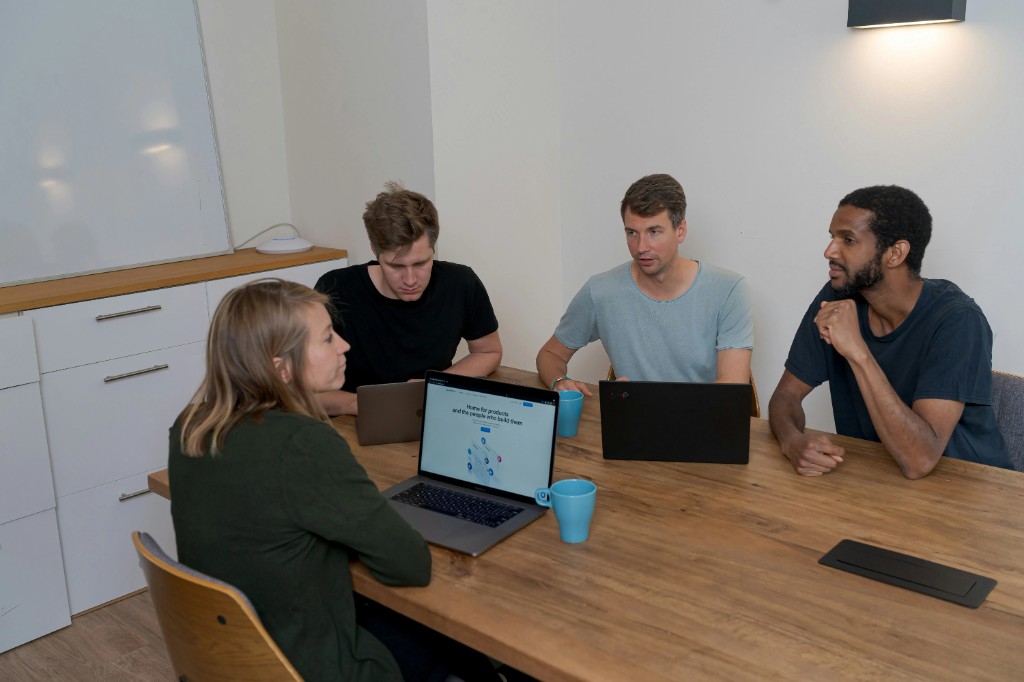
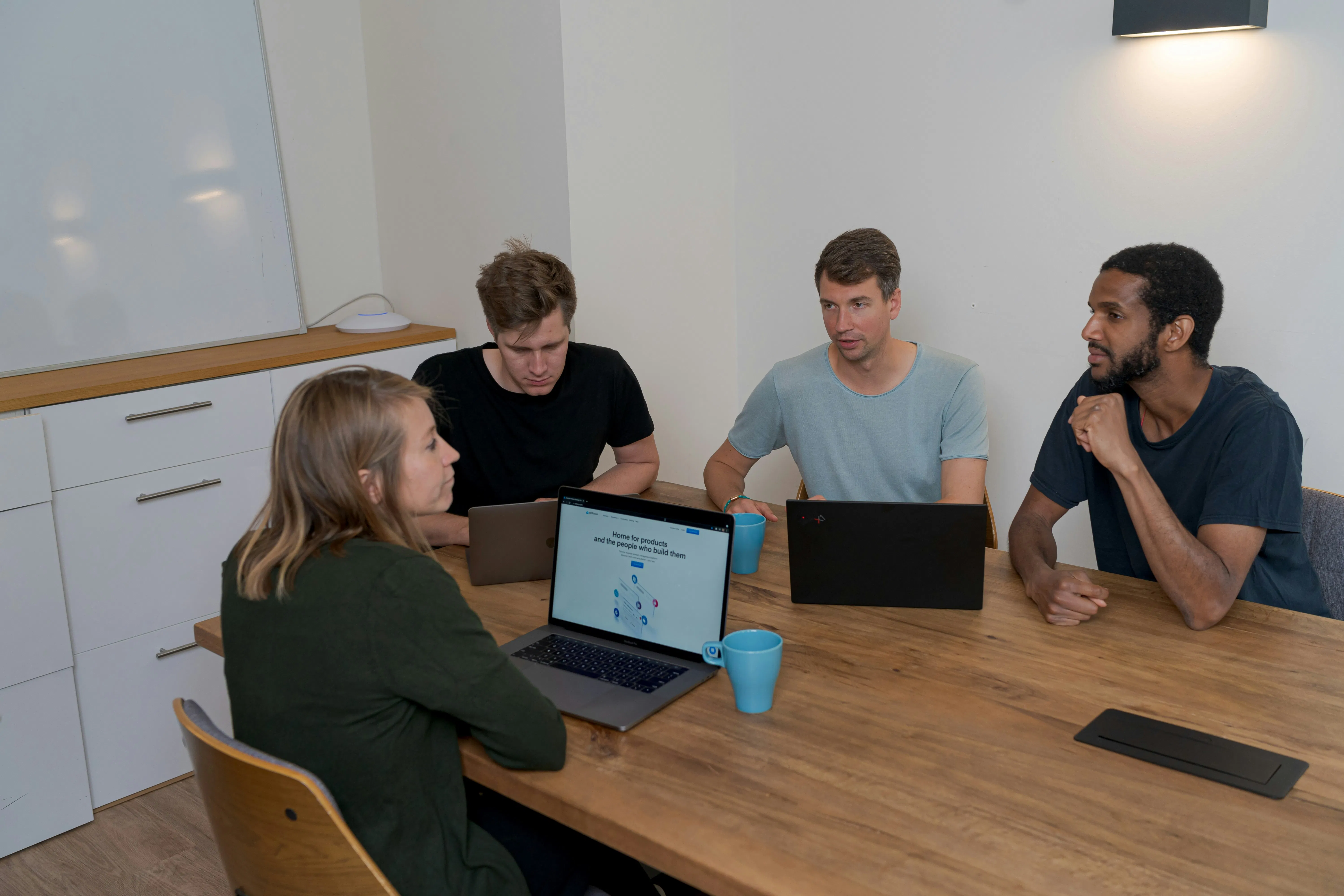
    NV Seeds team collaborating on software architecture in a modern office.
    Collaborative engineering in 2026: Humans handle the strategy, AI handles the execution.


    3. The End of Manual QA: Testing & Debugging

    In 2026, we don't write tests; we generate them from behavior.

    1. Diffblue Cover: Completely autonomous Unit Test generation for Java. It "understands" the code and writes the tests for you.
    2. Mabl: A low-code, AI-driven test automation platform that "self-heals" when your UI changes.
    3. Testim: Uses AI to speed up the creation and execution of end-to-end tests.
    4. Applitools Eyes: The leader in "Visual AI", it checks if your UI looks right, catching bugs that functional tests miss.
    5. Functionize: Uses natural language to create complex cross-browser tests.
    6. Tricentis AI: Enterprise-grade testing that uses AI to prioritize which tests to run based on risk.
    7. Jam: An AI debugger that records your screen and automatically generates a bug report with logs, network calls, and a suggested fix.

    4. Self-Writing Docs & Knowledge Management

    If your documentation is out of date, it’s because you aren’t using these tools.

    1. Mintlify: Beautiful documentation that writes itself by scanning your code. It’s become the 2026 standard for SaaS platforms.
    2. Swimm: Links your documentation directly to the code. If the code changes, the doc suggests an update.
    3. GitBook AI: Helps you search your team’s internal knowledge base with conversational queries.
    4. Stepsize AI: It "observes" your Slack, Jira, and GitHub, then writes weekly sprint reports so you don't have to.
    5. DocuWriter.ai: Specializes in generating READMEs and API documentation from raw source files.
    6. Glean: The "Google for your company." It uses AI to find anything hidden in your docs, emails, or Slack.

    Abstract flowing shapes in deep blue and purple, representing the seamless logic and flow of AI-driven systems.


    5. The Autonomous Cloud: DevOps & Security

    DevOps in 2026 is about "Observability-to-Action." It’s no longer enough to see a spike in CPU; the AI should tell you why and fix the Kubernetes manifest.

    1. Snyk (AI-First): It doesn't just find vulnerabilities; it provides "one-click" AI fixes that are context-aware.
    2. Checkmarx One AI: Specialized in finding "secrets" and vulnerabilities in your AI-generated code.
    3. Mend.io AI: Automates the management of open-source dependencies, ensuring you’re never using a "poisoned" package.
    4. Aikido: A unified security platform that filters out the "noise" so your team only sees the 1% of vulnerabilities that actually matter.
    5. Pulumi Insights: Uses AI to generate infrastructure-as-code and optimize your cloud spend.
    6. Harness AIDA: An AI assistant that helps with everything from CI/CD pipeline creation to cloud cost governance.
    7. Dynatrace Davis AI: A "causal AI" that identifies the root cause of system failures in seconds, not hours.
    8. Datadog Bits: A conversational interface for your observability data. "Why was the checkout service slow at 2 PM?" Bits knows.
    9. Kubecost (AI-Optimizer): Automatically right-sizes your Kubernetes clusters to save 30%+ on your cloud bill.
    10. Lacework (AI-Security): Uses behavioral analytics to detect zero-day attacks in your cloud environment.

    6. Design-to-Code: The Frontend Revolution

    The wall between Figma and React has finally crumbled.

    1. v0.dev: Vercel’s powerhouse. Give it a screenshot or a prompt, and it generates a polished, accessible UI in Shadcn/UI and Tailwind.
    2. Lovable.dev: A "Full-stack GPT" that builds, deploys, and iterates on entire web apps from a simple conversation.
    3. Bolt.new: An AI-powered full-stack web development environment that allows you to prompt entire applications into existence.
    4. Builder.io (Visual Copilot): Converts Figma designs into clean, production-ready code for any framework.
    5. Locofy.ai: Specializes in turning static designs into "pixel-perfect" responsive code with AI-tagged components.

    Case Study: Scaling a FinTech SaaS at NV Seeds

    The Challenge: A London-based startup needed a complex investment dashboard built in 12 weeks. Traditionally, this was a 6-month build.
    The 2026 Stack: Cursor (IDE) + Claude 4 (Logic) + v0.dev (UI) + CodeRabbit (Review).
    The Outcome:

    • Time-to-Market: 9 weeks (25% ahead of schedule).
    • Bug Density: 0.2 bugs per 1,000 lines (Industry avg: 15-50).
    • Cost Savings: 40% reduction in senior developer hours spent on boilerplate.
    • Bottom Line: The client launched their MVP 3 months early, securing their Series A funding ahead of their competitors.

    The 2026 Developer Playbook: How to Stay Relevant

    If you want to avoid becoming obsolete, follow this checklist:

    • Adopt an Agentic IDE: Switch from "standard" VS Code to Cursor or GitHub Copilot Workspace.
    • Automate Your Reviews: Stop manual syntax checks. Deploy CodeRabbit or PR-Agent tomorrow.
    • Prompt Engineering is the New Syntax: Learn how to write "System Prompts" that guide AI agents through complex architectural decisions.
    • Shift-Left Security: Integrate AI security tools (like Snyk) directly into your IDE so you never ship a vulnerability.
    • Focus on Architecture: As AI handles the "how," humans must focus on the "why" and the "what."

    FAQ: Your 2026 AI Internal Monologue

    Q: Is AI going to replace my job as a developer?
    A: No, but a developer using these 50 tools will definitely replace a developer who isn't. We’re moving from being "builders" to being "architects."

    Q: Are these tools safe for my company’s IP?
    A: Most enterprise versions (Tabnine, GitHub Copilot Enterprise) now offer "Zero Data Retention" and "No Training on Your Code" guarantees. Always check the TOS.

    Q: Which tool should I start with?
    A: If you’re an individual, start with Cursor. If you’re a manager, start with CodeRabbit to fix your PR bottlenecks.

    Q: Does NV Seeds use these tools?
    A: Every single day. We’ve integrated these into our dedicated team workflows to ensure our clients get the fastest, most secure code possible.


    Ready to Build the Future?

    At NV Seeds, we don't just use AI; we engineer digital transformations that drive real business growth. Whether you’re a startup looking for an MVP or an enterprise modernizing legacy systems, our global team of expert developers is ready to turn your vision into code.

    Contact us today to start your next 10x project.


  • Create Unforgettable App Experiences with these 5 AI-Driven UI/UX Design Agency Secrets

    Welcome to the mid-way point of 2026. If you’re still designing apps the way we did in 2023, with static wireframes, rigid user personas, and a "hope they find the menu" strategy, you aren't just behind; you’re invisible.

    The industry has hit a massive Inflection Point. We’ve moved past the "Chatbot Era" into the Ambient Intelligence Renaissance. Users no longer want to use your app; they want your app to work for them before they even tap a button. At NV Seeds, we’ve spent the last few years delivering over 500+ successful projects, and we’ve seen a 98% client satisfaction rate because we stopped designing interfaces and started designing intent.

    The "standard" industry advice? It's useless. "Make it pretty" is a given. "Make it fast" is a requirement. If you want to survive the 2026 digital landscape, you need the "agency secrets" that separate the market leaders from the noise.

    Here are the 5 AI-driven UI/UX secrets that will make your app experience unforgettable.


    1. Predictive "Step-Zero" Onboarding

    Think of your current onboarding flow. Is it a 5-screen carousel of "Welcome" messages followed by a massive form? That’s 20th-century thinking.

    The Secret: Use AI to handle the "Step-Zero", the actions a user would normally have to take before they even start. By June 2026, top agencies are using Ambient AI to pre-fill fields based on inferred intent, device data, and behavioral patterns.

    The Metaphor: It’s like a world-class valet service. You don't ask the guest where the steering wheel is; you open the door, have the seat adjusted to their height, and the GPS already set to their home address.

    • How it works: AI analyzes the user's entry point (e.g., an ad click vs. an organic search) and dynamically adjusts the onboarding questions.
    • The ROI: Agencies implementing predictive onboarding are seeing a 35% uplift in activation rates and a massive reduction in "time-to-first-value."

    2. The Death of Static Breakpoints (Real-Time Adaptive UI)

    We used to design for "Mobile, Tablet, and Desktop." That’s dead. In 2026, we design for Contextual States.

    The Secret: Modern apps use Real-Time Adaptive Interfaces. Instead of static layouts, the UI reshapes itself based on the user's current environment. If your user is walking, the buttons get larger and navigation moves to the bottom for thumb-reach. If they are in a quiet room at 11 PM, the app shifts to a "Calm UI" mode with reduced motion and soft contrast.

    A diverse team of developers at NV Seeds collaborating on a real-time adaptive UI roadmap

    (Witty but true: If your app's layout looks exactly the same in a crowded subway as it does in a home office, you're annoying half your users.)

    The "Adaptive" Checklist:

    • Dynamic Grids: Does the layout reorder components based on feature usage frequency?
    • Context Awareness: Does the app detect motion, ambient light, or even user stress (via interaction speed)?
    • Dissolving Menus: Do toolbars hide automatically when the AI predicts the user is in "Deep Read" mode?

    3. Moment-Based Personalization (Beyond the Persona)

    Generic "User Personas" like Marketing Mary are a relic of the past. Today, we design for Micro-Moments.

    The Secret: AI-driven UX now personalizes the experience based on the moment, not the person. Is the user in a "Hurry" moment? Shorten the flow. Are they in a "Discovery" moment? Surface deep-dive content.

    At NV Seeds, we integrate AI/ML layers that categorize every session into one of six "Intent States." This ensures the app speaks to the user’s specific anxiety or goal at that exact second.

    Interaction Type AI UX Response Business Impact
    High Friction (Errors) Instant "Do it for me" prompt Prevents Churn
    Repetitive Action Automated Macro suggestion Increases Efficiency
    Browsing/Idle AI-curated discovery feed Boosts Engagement

    4. AI-Native Accessibility & The "Calm UI"

    Accessibility used to be a "nice-to-have" checklist. In 2026, it’s an AI-automated powerhouse.

    The Secret: We use AI to create Invisible Accessibility. Instead of a toggle for "High Contrast," the app’s AI monitors the user’s interaction. If it detects squinting or repeated missed taps, it automatically adjusts font weights, contrast ratios, and button sizes without the user ever asking.

    This leads to a Calm UI. We’ve moved away from "Attention Economy" designs that scream for clicks. We now use progressive disclosure where the AI hides 90% of the interface, only surfacing what is needed for the current task.

    A minimalist 2026 mobile app interface showing a pre-filled


    5. Continuous UX Evolution (The Living Product)

    The old "Launch and Iterate" cycle is too slow.

    The Secret: Top agencies treat the UI as a Living System. By using AI-based analytics, the interface continuously optimizes itself. It runs thousands of micro-A/B tests every hour, shifting a button's color by 2% or moving a headline by 5 pixels based on real-time conversion data.

    The Bottom Line: Your v1 launch is just the beginning. By week 4, the AI should have evolved your UI into a v1.4 that performs 15% better than what you originally designed. This is why our application development process focus heavily on scalable cloud infrastructure, to handle this constant evolution.


    Case Study: The "Adaptive FinTech" Revolution

    In early 2026, a global SaaS enterprise partnered with us to redesign their complex financial dashboard.

    • The Problem: Users were overwhelmed by 40+ metrics, leading to a "paralysis of choice."
    • The AI Solution: We implemented an Ambient Intelligence Layer. The dashboard now starts empty. As the user performs tasks, the AI "summons" only the relevant widgets. If a user is checking "Quarterly Growth," the "Payroll" widgets stay hidden.
    • The Result:
      • 42% increase in task completion speed.
      • 60% reduction in support tickets related to "finding features."
      • 12% boost in user retention within the first 90 days.

    Your 90-Day AI-UX Playbook

    If you want to implement these secrets, don't try to boil the ocean. Follow this playbook:

    1. Days 1-30: Instrument for Intent. Stop tracking clicks; start tracking hesitation. Use AI tools to identify where users pause or backtrack.
    2. Days 31-60: The "Ambient" Pilot. Pick one high-friction flow (like signup or checkout) and add AI pre-filling and predictive help.
    3. Days 61-90: Deploy Calm UI. Audit your interface. Remove 30% of the visible buttons and replace them with contextual, AI-triggered actions.

    FAQ: The Human Side of AI Design

    Q: Won't AI make all apps look the same?
    A: Actually, the opposite. Since the UI adapts to your behavior, every user’s version of the app looks unique. It’s the end of the "Cookie Cutter" era.

    Q: Is this expensive to implement?
    A: Think of it as an investment in ROI. While the initial setup of an AI/ML layer has a cost, the reduction in churn and increase in conversion typically pays for itself within 6 months.

    Q: How do we handle user trust?
    A: Transparency is key. We follow the "Transparent AI UX" rule: If the AI makes a major change or suggestion, we provide a tiny "Why this?" tooltip. Clarity builds trust; "Magic" builds suspicion.

    Q: Can we retro-fit an old app with these secrets?
    A: Yes. You don't need a full rebuild. We often start by adding an "Ambient Layer" on top of existing legacy systems as part of a digital transformation strategy.


    Ready to Build the Future?

    The difference between a "good" app and an "unforgettable" experience is the intelligence behind the pixels. At NV Seeds, we don't just write code; we transform visions into digital powerhouses.

    Hire our expert developers today and let's start building your 2026-ready application.

  • Why Hybrid AI Infrastructure Will Change the Way You Build Your Next SaaS Platform

    Why Hybrid AI Infrastructure Will Change the Way You Build Your Next SaaS Platform

    If you’re still building your SaaS platform with a "cloud-only" mindset, you’re essentially writing a blank check to Big Tech every month.

    By mid-2026, the honeymoon phase of the AI gold rush has ended. The reality check? The "Cloud Tax." As LLM providers hiked prices by 30% this year to offset staggering GPU costs, the savvy founders and enterprise leaders we work with at NV Seeds stopped asking "How do we add AI?" and started asking "How do we afford it?"

    Welcome to the era of Hybrid AI Infrastructure. It is the single most important architectural shift in saas platform development this decade. It’s no longer just about the cloud; it’s about a sophisticated dance between local edge processing and heavy-duty cloud LLMs.


    The 2026 Inflection Point: Why "Cloud-Only" is the New Legacy

    For the last three years, we’ve been living in a centralized world. You sent every prompt to a remote server, waited for a response, and paid per token. It was simple, but it was also slow, expensive, and a privacy nightmare.

    Today, we’ve hit what we call the Hybrid Renaissance. We are seeing a massive move toward digital transformation consulting that prioritizes "Intelligence at the Edge."

    The Evolution of SaaS AI (A 3-Phase History)

    • Phase 1 (2023-2024): The API Wrapper. SaaS products were just skins over OpenAI or Anthropic. Low differentiation, high cost.
    • Phase 2 (2024-2025): The Fine-Tuning Era. Companies started training smaller, specialized models on their own data but still hosted them in the cloud.
    • Phase 3 (2026): Hybrid Orchestration. The current standard. SaaS platforms now intelligently route tasks. A 7B parameter model on the user’s local device handles basic UI logic, while a massive 2T parameter cloud model handles the deep reasoning.

    The ROI of Hybrid: Why Your CFO Will Thank You

    If you’re managing a custom software development project, the bottom line is your North Star. Hybrid AI infrastructure delivers ROI across three critical vectors:

    1. Cost Optimization (Taming the Token)

    Cloud-only AI is a variable cost that scales linearly with your user base. In 2026, that’s a recipe for margin death. By offloading 60-70% of "low-stakes" inference to local devices or private edge clusters, you turn a variable cloud cost into a fixed infrastructure investment.
    Bottom Line: We’ve seen clients reduce their monthly LLM bills by up to 45% by implementing local pre-processing.

    2. Privacy as a Competitive Advantage

    In the age of the ISO 42001 (the new global AI management standard), data residency isn't just a legal checkbox, it's a sales pitch.

    • The Hybrid Edge: With hybrid infra, sensitive PII (Personally Identifiable Information) never has to leave the user’s firewall. The local model "scrubs" or "anonymizes" data before it ever touches the public cloud.

    3. Latency: The "Kitchen Delivery" Metaphor

    Think of cloud AI like ordering a gourmet meal from a restaurant across town. Even with a fast car (high-speed internet), you’re at the mercy of traffic.
    Hybrid AI is like having a private chef in your kitchen. The chef (local model) prepares the appetizers immediately (UI feedback, text completion), while the main course (complex analysis) is being delivered from the restaurant (cloud). This "Zero-Latency" feel is what separates top-tier SaaS platforms from the laggards.


    Case Study: Re-Architecting a Healthcare SaaS for 2026

    The Client: A global telemedicine platform serving 150+ clinics.
    The Problem: Their "AI Scribe" feature was costing $40,000/month in API fees and was struggling with GDPR compliance because patient audio was being sent to a third-party cloud.

    The NV Seeds Solution:
    We implemented a hybrid architecture using our dedicated team approach:

    1. Local Node: We deployed an optimized SLM (Small Language Model) that runs on the doctor’s workstation to handle real-time transcription and data scrubbing.
    2. Cloud Hub: Only the anonymized, structured text is sent to a private cloud infrastructure service for deep medical coding and diagnosis suggestions.

    The Result:

    • 62% Reduction in cloud compute costs.
    • Instant UI response (0ms network lag for transcription).
    • Full Compliance with strict data residency laws in 12 countries.

    Our diverse team of developers collaborating on a SaaS product roadmap


    The Hybrid AI Playbook: How to Get Started

    Moving to a hybrid model isn't a "flip the switch" moment; it's a strategic migration. Here is the checklist we use with our enterprise clients:

    • Audit Your Workloads: Which 40% of your AI tasks are repetitive or low-complexity? These are your candidates for local edge processing.
    • Select Your "Little" Model: Evaluate SLMs like Phi-3 or specialized Llama-3 variants that can run on consumer-grade hardware.
    • Invest in an Orchestrator: You need a routing layer that decides, in real-time, whether a prompt stays local or goes to the cloud based on complexity and cost.
    • Secure Your Data Plane: Ensure your custom software development includes end-to-end encryption between the edge and the hub.

    Frequently Asked Questions

    Isn't local AI too slow for phones or older laptops?

    Not in 2026. Thanks to NPU (Neural Processing Unit) advancements in almost every smartphone and laptop released in the last two years, running a 7B parameter model is now faster than a round-trip to a cloud server.

    Is hybrid infrastructure harder to maintain?

    Yes, it adds a layer of complexity to your DevOps. This is why many companies hire developers who specialize in hybrid orchestration rather than just full-stack web development.

    How does this impact my pricing model?

    Most SaaS companies are moving to a Hybrid Pricing Model (a base subscription for edge features + a metered "power user" fee for cloud-heavy tasks). This aligns your revenue directly with your infrastructure costs.


    The Bottom Line

    The "Intelligence Renaissance" is here, and it is decentralized. By adopting a hybrid AI infrastructure, you aren't just saving money: you’re building a more resilient, private, and faster platform.

    Ready to re-architect your SaaS for the 2026 landscape? At NV Seeds, we don’t just build apps; we transform visions into powerful digital solutions. Let’s talk about your next project.


  • Why Usage-Based Pricing Will Change the Way You Build Your Next SaaS Platform

    Why Usage-Based Pricing Will Change the Way You Build Your Next SaaS Platform

    The year is 2026, and the "Per-User/Per-Month" subscription model is officially a relic of the past. If you’re still trying to sell 50 seats of a platform to a company that only uses five of them, you’re not just losing customers, you’re losing ground to competitors who have mastered the art of Usage-Based Pricing (UBP).

    Let’s be real: Subscriptions were a great "Phase 1" for SaaS. They were predictable, easy to bill, and even easier for CFOs to hate. But in an era where AI-driven features consume compute cycles like a hungry teenager, and APIs are the lifeblood of business, a static seat price makes zero sense.

    At NV Seeds, we’ve watched this shift happen in real-time across the 500+ projects we’ve delivered. The "Inflection Point" has passed. Today, 74% of SaaS providers have moved to a usage-based or hybrid model. If you’re building your next platform on a legacy subscription mindset, you’re building a dinosaur.

    The Evolution of SaaS Billing: A Fun Historical Lap

    Before we dive into the "how," let's look at how we got here:

    • Phase 1: The License Era (Pre-2010): You bought a CD, installed it, and prayed for an update in three years.
    • Phase 2: The Subscription Renaissance (2010-2023): "The Seat is King." You paid $20/month whether you used the tool for 100 hours or 10 minutes.
    • Phase 3: The Consumption Powerhouse (2024-Present): Value is decoupled from users and tied to actual outcomes, API calls, tokens, records processed, or data gigabytes.

    (Witty but true note: In 2026, charging by the seat is essentially the business equivalent of paying for a gym membership and the gym owner charging you more just because you brought a friend to hold your towel.)

    1. Scalability: Why Your Legacy Infrastructure is Your Biggest Risk

    Transitioning to UBP isn't just a marketing change; it's an engineering overhaul. In a standard subscription model, your load is relatively predictable. In a usage-based world, your infrastructure needs to be as elastic as a rubber band.

    When you charge per API call, a sudden spike in customer usage is a double-edged sword: it’s great for revenue, but it’s a nightmare for cloud infrastructure services that aren't built to scale instantly.

    The Infrastructure Requirements for 2026:

    Feature Legacy Subscription Usage-Based SaaS
    Scaling Horizontal (Manual/Scheduled) Hyper-Elastic (Automated)
    Data Flow Batch Updates Real-Time Event Streams
    Monitoring Performance Metrics Billing + Performance Metrics
    DB Strategy Relational (SQL) Hybrid (SQL + Time-Series)

    To survive the bursty nature of consumption (especially if you're integrating AI), you need an event-driven architecture. Think of it like a kitchen's ingredient delivery: in the old days, you’d order 50 onions every Monday. Now, you need a system that delivers an onion the exact millisecond a chef starts chopping.

    2. Real-Time Metering: The Heart of the Machine

    The single most common reason UBP transitions fail is metering inaccuracy. If you overbill, you lose trust. If you underbill, you lose your shirt.

    In custom software development, we now treat "The Metering Engine" as a first-class citizen. You can't just tack it onto your billing code. You need a dedicated, low-latency service that can handle millions of events without blinking.

    Technical architecture diagram of a modern 2026 usage-based billing pipeline

    The Technical "Gotchas":

    • Idempotency: If a network blip sends the same "usage event" twice, your system must be smart enough not to charge the customer twice.
    • Latency vs. Accuracy: You need to check if a user has "credits" left on every single request. If that check takes 200ms, your SaaS platform development will feel sluggish and broken.
    • Backfill: Sometimes events arrive late. Your engine must be able to "rewrite history" and update the billing period correctly without crashing the ledger.

    3. UX: Solving the "Sticker Shock" Problem

    People hate surprises on their credit card statements. If you move to usage-based pricing without a stellar User Experience (UX), your support team will spend 90% of their time explaining bills.

    Transparency is the new currency. Your dashboard needs to show Real-Time Cost Tracking.

    A modern 2026 SaaS dashboard showing real-time usage metrics and spend caps

    The 2026 UX Playbook for UBP:

    • Spend Caps & Guardrails: Let customers set a "hard stop" at $500/month. It builds massive trust.
    • Predictive Budgeting: Use AI (ironically) to tell the customer: "Hey, at your current rate, you’ll hit $1,200 by the 20th. Want to optimize?"
    • Unit-Value Clarity: Don't just say "10,000 units." Explain that those units saved them 40 hours of manual labor.

    Case Study: Project Volt

    One of our recent clients, a global logistics firm, was struggling with their SaaS platform's profitability. They were charging a flat $2,000/month per warehouse. Some warehouses processed 100 shipments; others processed 100,000. The high-volume users were costing them more in server fees than they were paying in subscriptions.

    NV Seeds stepped in to lead their digital transformation. We:

    1. Re-architected their backend into a serverless event-stream.
    2. Implemented a custom-built real-time metering engine using Kafka and ClickHouse.
    3. Developed a "Pay-per-Shipment" hybrid model ($500 base + $0.10/shipment).

    The Result?

    • ROI: The client saw a 22% increase in average revenue per account (ARPA) within 4 months.
    • Customer Satisfaction: Small warehouses loved the lower entry price, and large enterprises appreciated the "pay-for-what-we-get" transparency.
    • 98% Retention: By aligning cost to value, the "cost-cutting" conversations with CFOs disappeared.

    How NV Seeds Built This Future

    We don't just write code; we architect business growth. With a 98% client satisfaction rate and presence in over 20 countries, we’ve seen the "seat-based" model die a slow death. Our agile software development methodology ensures that when you're ready to switch to UBP, your infrastructure is ready to handle the load on day one.

    NV Seeds team collaborating on a SaaS product roadmap in a modern office

    Whether you need a custom web app or a global enterprise solution, our team of experts is ready to transform your vision into a scalable, profit-driving reality.


    Your Usage-Based Pricing Playbook

    Ready to make the jump? Here is your "Cut-to-the-Chase" checklist:

    • Identify the "Value Metric": What is the one thing your customer does that creates the most value? (API calls, storage, messages?)
    • Audit Your Cloud Infrastructure: Can your current DB handle a 10x spike in write-events for metering?
    • Build the "Safe Stop": Implement spending limits and automated alerts before you launch.
    • Run a Shadow Bill: For 30 days, calculate what customers would have paid under UBP vs. their current sub. Don't guess, use data.

    FAQ: The Questions You’re Asking Your CTO Right Now

    Q: Isn’t usage-based pricing harder to forecast for revenue?

    A: Initially, yes. It looks like a "heartbeat" monitor rather than a straight line. However, over the long term, it is much more resilient. You grow with your customers. When they succeed, you succeed.

    Q: What if our customers hate the unpredictability?

    A: This is why the Hybrid Model is king in 2026. Give them a "Base Subscription" that includes a certain amount of usage. It provides the predictability they want with the scalability you need.

    Q: Do I need a third-party billing tool?

    A: Tools like Stripe and Stigg are great for the "Rating" and "Invoicing" parts. However, you will almost always need a custom-built "Metering" layer to sit inside your product to ensure zero-latency enforcement.

    Q: How long does it take to transition?

    A: A full architectural migration typically takes 3 to 6 months. But with NV Seeds' proven track record of 500+ successful projects, we can often accelerate that timeline using our modular SaaS blueprints.


    Ready to build the last SaaS platform your customers will ever need?
    Contact NV Seeds Today and let’s turn your vision into code.

  • Why Usage-Based Pricing Will Change the Way You Build Your Next SaaS Platform

    Why Usage-Based Pricing Will Change the Way You Build Your Next SaaS Platform

    The year is 2026, and the "Per-User/Per-Month" subscription model is officially a relic of the past. If you’re still trying to sell 50 seats of a platform to a company that only uses five of them, you’re not just losing customers, you’re losing ground to competitors who have mastered the art of Usage-Based Pricing (UBP).

    Let’s be real: Subscriptions were a great "Phase 1" for SaaS. They were predictable, easy to bill, and even easier for CFOs to hate. But in an era where AI-driven features consume compute cycles like a hungry teenager, and APIs are the lifeblood of business, a static seat price makes zero sense.

    At NV Seeds, we’ve watched this shift happen in real-time across the 500+ projects we’ve delivered. The "Inflection Point" has passed. Today, 74% of SaaS providers have moved to a usage-based or hybrid model. If you’re building your next platform on a legacy subscription mindset, you’re building a dinosaur.

    The Evolution of SaaS Billing: A Fun Historical Lap

    Before we dive into the "how," let's look at how we got here:

    • Phase 1: The License Era (Pre-2010): You bought a CD, installed it, and prayed for an update in three years.
    • Phase 2: The Subscription Renaissance (2010-2023): "The Seat is King." You paid $20/month whether you used the tool for 100 hours or 10 minutes.
    • Phase 3: The Consumption Powerhouse (2024-Present): Value is decoupled from users and tied to actual outcomes, API calls, tokens, records processed, or data gigabytes.

    (Witty but true note: In 2026, charging by the seat is essentially the business equivalent of paying for a gym membership and the gym owner charging you more just because you brought a friend to hold your towel.)

    1. Scalability: Why Your Legacy Infrastructure is Your Biggest Risk

    Transitioning to UBP isn't just a marketing change; it's an engineering overhaul. In a standard subscription model, your load is relatively predictable. In a usage-based world, your infrastructure needs to be as elastic as a rubber band.

    When you charge per API call, a sudden spike in customer usage is a double-edged sword: it’s great for revenue, but it’s a nightmare for cloud infrastructure services that aren't built to scale instantly.

    The Infrastructure Requirements for 2026:

    Feature Legacy Subscription Usage-Based SaaS
    Scaling Horizontal (Manual/Scheduled) Hyper-Elastic (Automated)
    Data Flow Batch Updates Real-Time Event Streams
    Monitoring Performance Metrics Billing + Performance Metrics
    DB Strategy Relational (SQL) Hybrid (SQL + Time-Series)

    To survive the bursty nature of consumption (especially if you're integrating AI), you need an event-driven architecture. Think of it like a kitchen's ingredient delivery: in the old days, you’d order 50 onions every Monday. Now, you need a system that delivers an onion the exact millisecond a chef starts chopping.

    2. Real-Time Metering: The Heart of the Machine

    The single most common reason UBP transitions fail is metering inaccuracy. If you overbill, you lose trust. If you underbill, you lose your shirt.

    In custom software development, we now treat "The Metering Engine" as a first-class citizen. You can't just tack it onto your billing code. You need a dedicated, low-latency service that can handle millions of events without blinking.

    Technical architecture diagram of a modern 2026 usage-based billing pipeline

    The Technical "Gotchas":

    • Idempotency: If a network blip sends the same "usage event" twice, your system must be smart enough not to charge the customer twice.
    • Latency vs. Accuracy: You need to check if a user has "credits" left on every single request. If that check takes 200ms, your SaaS platform development will feel sluggish and broken.
    • Backfill: Sometimes events arrive late. Your engine must be able to "rewrite history" and update the billing period correctly without crashing the ledger.

    3. UX: Solving the "Sticker Shock" Problem

    People hate surprises on their credit card statements. If you move to usage-based pricing without a stellar User Experience (UX), your support team will spend 90% of their time explaining bills.

    Transparency is the new currency. Your dashboard needs to show Real-Time Cost Tracking.

    A modern 2026 SaaS dashboard showing real-time usage metrics and spend caps

    The 2026 UX Playbook for UBP:

    • Spend Caps & Guardrails: Let customers set a "hard stop" at $500/month. It builds massive trust.
    • Predictive Budgeting: Use AI (ironically) to tell the customer: "Hey, at your current rate, you’ll hit $1,200 by the 20th. Want to optimize?"
    • Unit-Value Clarity: Don't just say "10,000 units." Explain that those units saved them 40 hours of manual labor.

    Case Study: Project Volt

    One of our recent clients, a global logistics firm, was struggling with their SaaS platform's profitability. They were charging a flat $2,000/month per warehouse. Some warehouses processed 100 shipments; others processed 100,000. The high-volume users were costing them more in server fees than they were paying in subscriptions.

    NV Seeds stepped in to lead their digital transformation. We:

    1. Re-architected their backend into a serverless event-stream.
    2. Implemented a custom-built real-time metering engine using Kafka and ClickHouse.
    3. Developed a "Pay-per-Shipment" hybrid model ($500 base + $0.10/shipment).

    The Result?

    • ROI: The client saw a 22% increase in average revenue per account (ARPA) within 4 months.
    • Customer Satisfaction: Small warehouses loved the lower entry price, and large enterprises appreciated the "pay-for-what-we-get" transparency.
    • 98% Retention: By aligning cost to value, the "cost-cutting" conversations with CFOs disappeared.

    How NV Seeds Built This Future

    We don't just write code; we architect business growth. With a 98% client satisfaction rate and presence in over 20 countries, we’ve seen the "seat-based" model die a slow death. Our agile software development methodology ensures that when you're ready to switch to UBP, your infrastructure is ready to handle the load on day one.

    NV Seeds team collaborating on a SaaS product roadmap in a modern office

    Whether you need a custom web app or a global enterprise solution, our team of experts is ready to transform your vision into a scalable, profit-driving reality.


    Your Usage-Based Pricing Playbook

    Ready to make the jump? Here is your "Cut-to-the-Chase" checklist:

    • Identify the "Value Metric": What is the one thing your customer does that creates the most value? (API calls, storage, messages?)
    • Audit Your Cloud Infrastructure: Can your current DB handle a 10x spike in write-events for metering?
    • Build the "Safe Stop": Implement spending limits and automated alerts before you launch.
    • Run a Shadow Bill: For 30 days, calculate what customers would have paid under UBP vs. their current sub. Don't guess, use data.

    FAQ: The Questions You’re Asking Your CTO Right Now

    Q: Isn’t usage-based pricing harder to forecast for revenue?

    A: Initially, yes. It looks like a "heartbeat" monitor rather than a straight line. However, over the long term, it is much more resilient. You grow with your customers. When they succeed, you succeed.

    Q: What if our customers hate the unpredictability?

    A: This is why the Hybrid Model is king in 2026. Give them a "Base Subscription" that includes a certain amount of usage. It provides the predictability they want with the scalability you need.

    Q: Do I need a third-party billing tool?

    A: Tools like Stripe and Stigg are great for the "Rating" and "Invoicing" parts. However, you will almost always need a custom-built "Metering" layer to sit inside your product to ensure zero-latency enforcement.

    Q: How long does it take to transition?

    A: A full architectural migration typically takes 3 to 6 months. But with NV Seeds' proven track record of 500+ successful projects, we can often accelerate that timeline using our modular SaaS blueprints.


    Ready to build the last SaaS platform your customers will ever need?
    Contact NV Seeds Today and let’s turn your vision into code.

  • Ranked AI Review #2: Cursor vs. Windsurf – Who Wins the 2026 Vibe Coding Crown?

    Ranked AI Review #2: Cursor vs. Windsurf – Who Wins the 2026 Vibe Coding Crown?

    Let’s be honest: If you’re still talking about "AI autocomplete," you’re living in 2023. That’s like discussing the fuel efficiency of a horse and buggy while everyone else is teleporting.

    In May 2026, the conversation has moved past "Can AI write a function?" to "How many autonomous PRs did my IDE merge while I was getting lunch?" We’ve entered the era of Vibe Coding: where the distance between a high-level thought and a production-ready feature is measured in seconds, not sprints.

    But the industry is currently split down the middle. In one corner, we have Cursor, the surgical scalpel for the detail-oriented architect. In the other, Windsurf, the powerhouse "Flow-state" agent that wants to build your entire startup before you finish your morning espresso.

    At NV Seeds, we don’t just "use" these tools; we orchestrate them across enterprise-scale codebases. Here is our unfiltered, high-stakes review of the two giants vying for the 2026 Vibe Coding Crown.


    The Context Window Arms Race: Your Digital Whiteboard

    Before we talk about agents, we have to talk about context. In software engineering, your context window is like a kitchen’s ingredient delivery system. It doesn’t matter how fast your chef (the AI) is if they can only see three ingredients at a time.

    Context Window Analogy - Digital Whiteboard

    In 2026, both tools have reached the "Holy Grail" of 2M+ token context windows, but they treat that space differently:

    • Cursor (The Librarian): Uses a highly precise indexing system. It feels like a librarian who has memorized every line of your 50,000-file monorepo. When you @ a file, it doesn't just "see" it; it understands the downstream dependencies with surgical precision.
    • Windsurf (The Riptide): Uses the proprietary Riptide RAG (Retrieval-Augmented Generation). It doesn’t wait for you to @ anything. It’s constantly scanning your entire workspace, local docs, and terminal history. It’s proactive, sometimes spookily so.

    The Bottom Line: If you like explicit control over what the AI "knows," Cursor is your home. If you want the AI to "just figure it out," Windsurf is currently winning the proactive context game.


    The Heavyweight Showdown: Composer vs. Cascade

    This is where the "Agentic" war is won or lost. We’re no longer talking about chat boxes; we’re talking about Autonomous Agents.

    Cursor Composer 2.0: The Collaborative Architect

    Cursor’s Composer is built on the philosophy of "Do it with you." It’s designed for the developer who treats code like a craft.

    • Parallel Agents: Cursor now supports up to 8 parallel agents running in separate git worktrees. You can tell it to "Update the API, refactor the frontend, and write the unit tests simultaneously," and it will show you 8 distinct, reviewable diffs.
    • The Review Loop: It forces you to look at the diffs. It doesn't just overwrite files; it proposes. For high-stakes enterprise projects at NV Seeds, this is often our preferred mode.

    Windsurf Cascade: The Autonomous Powerhouse

    Windsurf’s Cascade is built on the philosophy of "Do it for you." It’s a "Flow-state" agent that prefers to iterate until the job is done.

    • Autonomous Iteration: Cascade doesn’t just write code; it runs shell commands, checks logs, fixes its own bugs, and loops until the tests pass. It’s powered by the SWE-1.5 model, which clocks in at a blistering 950 tokens/second.
    • Cascade Hooks: You can set triggers: if Cascade finishes a task, automatically run a security scan and notify the Slack channel. It’s moving toward being a full-stack "engineer-in-a-box."
    Feature Cursor (Composer 2.0) Windsurf (Cascade)
    Philosophy "Do it with you" (Collaborative) "Do it for you" (Autonomous)
    Speed High (High-quality diffs) Insane (950+ tokens/sec)
    Agent Count 8 Parallel Worktrees Continuous "Flow" Session
    IDE Support VS Code Fork Only 40+ IDEs (Vim, JetBrains, etc.)
    Vibe Rating 8/10 (Precision focus) 10/10 (Pure speed)

    2026 IDE Agent Control Center


    Security & Scale: Why Enterprise Devs are Sweating

    Let’s get real about ROI and security. In 2026, "vibe coding" isn't just for hobbyists; it’s for dedicated development teams handling sensitive data.

    Cursor has the lead in Security Governance. With its SOC 2 Type II compliance and "Zero Data Retention" enterprise modes, it’s the easy sell for CTOs. Windsurf, however, is catching up with its "Local-Only" RAG indexing, which ensures your proprietary logic never leaves your machine for training.

    At NV Seeds, we’ve found that the "talent shortage" hasn't vanished; it’s just changed. You don't need 100 junior devs anymore; you need 10 Orchestrators who know how to manage these agents without introducing technical debt.


    Case Study: The 48-Hour FinTech Migration (May 2026)

    The Challenge: A global client needed to migrate a legacy Node.js monolith to a Go-based microservices architecture. Estimated timeline: 4 months.

    The NV Seeds Solution:
    We deployed a hybrid team of 3 Senior Orchestrators using both tools.

    1. Phase 1 (Windsurf): We used Windsurf Cascade to "spike" the migration. Cascade ingested the entire monolith and generated the boilerplate for 12 microservices in 4 hours. It ran the local Docker builds and iterated on the networking errors autonomously.
    2. Phase 2 (Cursor): We switched to Cursor Composer for the surgical logic. Our architects reviewed every "hunk" of the financial transaction logic, ensuring 100% compliance with new encryption standards.

    The Result:

    • Time-to-Market: 48 hours for a functional MVP.
    • Cost Savings: 85% reduction in billable hours.
    • Quality: 98% test coverage, generated by Cursor agents and verified by our human team.

    NV Seeds Team Collaborating


    The Verdict: Who Wins the Crown?

    There is no "better" tool: only the right tool for your specific anxiety.

    The Winner for "The Architect" (Cursor)

    Choose Cursor if you are building long-lived, complex systems. If you are the person who cringes at unreviewed code and needs to know exactly why a dependency was added, Cursor’s precision and diff-first workflow are unbeatable. It’s the tool for custom web applications that can’t afford to fail.

    The Winner for "The Prototyper" (Windsurf)

    Choose Windsurf if you are in speed-to-market mode. If you’re a startup founder or an innovation lead who needs to see a working demo by tomorrow morning, Windsurf’s autonomous "Flow" will feel like magic. It’s the ultimate "Vibe Coding" experience.


    The 2026 Vibe Coding Playbook

    Ready to upgrade your workflow? Follow this NV Seeds checklist:

    • Audit your Context: Ensure your repo is indexed. If the agent doesn't know about your auth.ts, it will hallucinate.
    • Define the "Safety Rail": Use Cursor for core logic, Windsurf for scaffolding and unit tests.
    • Parallelize: Don't wait for one task to finish. Use Cursor’s 8-agent mode to tackle documentation and refactoring at the same time.
    • Human Review: At the end of the day, an agent doesn't care about your business goals. You do. Always review the "Intent" behind the code.

    Comparison Infographic - Cursor vs Windsurf

    FAQ: Frequently Asked Questions

    Q: Will these tools replace my senior developers?
    A: No. They replace the drudgery of senior developers. Your seniors become Product Architects who spend 90% of their time on design and 10% on "vibe-approving" agentic PRs.

    Q: Which one is better for Python/Data Science?
    A: Windsurf is currently leading for data workflows because its Cascade agent can autonomously run Jupyter notebooks, interpret the graphs, and suggest the next step in the analysis.

    Q: How do I get my enterprise to approve the security risks?
    A: Focus on "Local Indexing" and "SOC 2" modes. At NV Seeds, we help companies set up secure AI development environments that satisfy even the strictest compliance teams.

    Q: Is "Vibe Coding" a real thing or just hype?
    A: It's an Inflection Point. When the cost-per-task drops by 90%, it’s no longer hype: it’s a competitive necessity.


    Need to scale your development team with the world's best AI orchestrators? Contact NV Seeds today and let’s turn your vision into code.

  • Top 20 Software Development Company in Indore Using AI (2026 Edition)

    Top 20 Software Development Company in Indore Using AI

    Let’s be real: If you’re still talking about Indore as "just" the cleanest city in India or the land of Poha, you’re missing the massive tectonic shift happening right now. It is May 2026, and the Super Corridor has officially evolved into the Silicon Valley of Central India.

    The days of "standard" outsourced coding are dead. In 2026, if your software partner isn't baking Agentic AI and Autonomous Workflows into your codebase, you’re essentially paying for a digital paperweight.

    Whether you're a funded startup in London or an enterprise in New York, the talent pool in Indore has become a global powerhouse. Why? Because the overhead is low, the engineering pedigree (fueled by nearby IIT and IIM talent) is elite, and the speed of execution is, quite frankly, frightening.

    Here is the definitive list of the top 20 software development companies in Indore that have successfully crossed the "AI Inflection Point."


    Why Indore is the 2026 AI Renaissance Hub

    Before we dive into the names, let’s look at the "bottom-line" ROI of why global CEOs are moving their AI R&D to Indore:

    • The Talent Pipeline: With IIT Indore and IIM Indore acting as local engines, the city produces engineers who don't just "use" AI, they build the underlying models.
    • Infrastructure Renaissance: The completion of the Phase 2 Tech Park has provided high-velocity connectivity that rivals any global hub.
    • Cost-per-Task Efficiency: You get Silicon Valley-level architecture at 40% of the operational cost. It’s not about being "cheap"; it’s about resource optimization.

    The Definitive Top 20

    1. NV Seeds (Novaseeds Technologies)

    Focus: Agentic AI, High-Velocity Delivery, and Custom Enterprise AI Solutions.

    If you need a "chatbot," go somewhere else. If you need Agentic AI, autonomous systems that don't just answer questions but actually execute complex business processes, you call NV Seeds.

    We’ve moved past simple automation. NV Seeds specializes in building "Thinking Software." Our systems use agentic frameworks to manage supply chains, optimize real-time pricing for SaaS, and handle customer success with human-level nuance. With over 500+ successful projects delivered globally, we are the premier choice for companies that need to move from "idea" to "market-ready" in weeks, not months.

    Agentic AI Visualization

    2. Impetus

    Focus: Enterprise AI, Big Data, and Cloud Engineering.
    Impetus remains a titan in Indore. They focus on the "heavy lifting", taking massive, messy enterprise data and turning it into a streamlined AI-ready lake. Their work in cloud engineering is the backbone for many Fortune 500 AI deployments.

    3. InfoBeans

    Focus: AI-Driven Digital Transformation.
    InfoBeans has successfully pivoted from traditional IT to "AI-First" transformation. They are experts at taking legacy systems and injecting them with modern AI capabilities without breaking the existing architecture.

    4. Yash Technologies

    Focus: AI in ERP, Cloud, and Infrastructure.
    Yash is the go-to for large-scale industrial AI. They’ve integrated machine learning directly into ERP systems, allowing factories and warehouses to predict maintenance needs before a single machine fails.

    5. Technocolabs Softwares

    Focus: GenAI, Agentic Intelligence, and MLOps.
    Technocolabs is a rising star focusing heavily on the operational side of AI (MLOps). They ensure that once an AI model is built, it actually stays accurate and scalable in a production environment.

    6. MINDIII Systems

    Focus: Data Engineering and AI-Powered Mobile Apps.
    They bridge the gap between complex data science and intuitive mobile interfaces. If you want a mobile app that feels "smart" (predictive search, behavioral UI), MINDIII is a solid contender.

    7. Deepiotics

    Focus: Computer Vision and AI Strategy.
    Deepiotics lives in the world of "pixels to patterns." Their computer vision tech is used in everything from retail security to medical imaging analysis.

    8. Swap Infotech

    Focus: Healthcare AI and Predictive Analytics.
    Specializing in the med-tech space, Swap Infotech builds HIPAA-compliant AI solutions that help doctors predict patient outcomes and manage clinical data.

    9. Dollop Infotech

    Focus: AI/ML Development using PyTorch and TensorFlow.
    Dollop is where you go for pure, framework-level engineering. They are deep in the weeds of PyTorch, building custom neural networks for niche business problems.

    10. Consultadd

    Focus: AI-Driven Technical Staffing and Training.
    They don't just build software; they build the teams that build the software. Consultadd is the bridge for companies needing high-end AI talent on a fractional basis.

    11. Appointy

    Focus: AI-Powered Scheduling and Workflow Automation.
    Appointy is a product powerhouse. Their AI doesn't just "book an appointment"; it analyzes calendar density and travel time to suggest the most ROI-positive meeting slots.

    12. Infosense AI

    Focus: NLP and Predictive Analytics.
    Experts in Natural Language Processing (NLP). They help brands make sense of the "chaos" of social media sentiment and customer feedback at scale.

    13. Ubikon Technologies

    Focus: AI Product Development for Startups.
    Ubikon is the "Startup Whisperer." They take a founder’s vision and build a Minimum Viable Product (MVP) that is AI-native from day one.

    14. IntefAI IT Solutions

    Focus: AI-Powered Automation and Boutique Software.
    A boutique firm that focuses on high-touch, custom automation projects. They are the "special ops" of the Indore AI scene.

    15. Codenscious-ai

    Focus: AI for Social Good and Healthcare Analytics.
    They specialize in high-impact AI projects, particularly in the public sector and healthcare, where data privacy and ethics are paramount.

    16. AIMLEXPERTS

    Focus: Custom AI Development and Workshops.
    Think of them as the "AI Professors." They provide high-level consulting and workshops to help corporate boards understand how to integrate AI into their 2027 budgets.

    17. Quasi Intelligence

    Focus: Industrial AI and Computer Vision.
    Focusing on the "hard" side of tech, Quasi integrates AI with physical hardware, specializing in industrial automation and smart city sensors.

    18. Athena AI Solutions

    Focus: Machine Learning over Big Data.
    Athena excels at "Finding the Needle." They run complex ML models over massive datasets to find hidden revenue opportunities for fintech and e-commerce clients.

    19. AI Unwrapped

    Focus: Data Science and NLP Consultancy.
    They act as a bridge between data scientists and business owners, ensuring that AI projects actually deliver measurable ROI rather than just "cool" tech.

    20. Yash Computech (YCSindia)

    Focus: Automation and IoT-Integrated Software.
    By combining AI with the Internet of Things (IoT), YCSindia creates "Living Software" that interacts with the physical world in real-time.


    Case Study: NV Seeds Agentic AI in Action

    The Client: A Global E-commerce Aggregator.
    The Problem: The client was losing $2.4M annually due to inventory mismatches and delayed response times in their supply chain. Traditional automation (Phase 1) was too rigid to handle global shipping fluctuations.

    The Solution: NV Seeds deployed a fleet of Autonomous AI Agents. Unlike a standard script, these agents were programmed with "Business Intent."

    • Agent A monitored global shipping delays.
    • Agent B automatically negotiated alternative shipping rates when delays exceeded 4 hours.
    • Agent C updated the storefront and notified customers with personalized, context-aware messages.

    The Bottom Line:

    • Operational Cost Reduction: 32% within 6 months.
    • Customer Retention: Increased by 18% due to proactive communication.
    • ROI: The project paid for itself in exactly 84 days.

    Team Collaboration at NV Seeds


    The "Silicon Valley of Central India" Playbook

    How to Choose Your Indore AI Partner

    Don't get blinded by buzzwords. Use this checklist to vet your potential partner:

    1. Agentic vs. Static: Ask: "Can your AI take independent actions, or does it just output text?" (If it's just text, they are stuck in 2023).
    2. The MLOps Strategy: How do they handle model drift? If they don't have a plan for "model maintenance," your software will be obsolete in 6 months.
    3. Data Security: In 2026, data is more valuable than oil. Ensure they have a "Privacy-First" architecture (like our SaaS security protocols).
    4. Speed to Market: In the AI age, being late is the same as being wrong. Ask for a 4-week prototype timeline.

    FAQ: Navigating the Indore AI Scene

    Q: Is Indore really comparable to Bangalore or Hyderabad in 2026?
    A: In terms of AI specialization, yes. While Bangalore has the legacy and Hyderabad has the massive campuses, Indore has the "Agile Edge." It’s where the most innovative Agentic AI work is happening because the ecosystem is built for speed, not bureaucracy.

    Q: What is the average budget for a custom AI solution in Indore?
    A: For a robust, enterprise-grade AI integration, budgets typically range from $50k to $250k. Compared to $600k+ in the US or UK, the Cost-per-Innovation metric is heavily in Indore’s favor.

    Q: How do we handle the time zone difference?
    A: Most top-tier firms (like NV Seeds) operate on a "Follow the Sun" model. We have dedicated teams that overlap with US/UK/EU hours, ensuring that "asynchronous work" actually becomes a competitive advantage for your development speed.

    Q: Can these companies handle "Agentic AI"?
    A: Only a few. While many claim to "do AI," true Agentic AI requires a deep understanding of autonomous frameworks like LangGraph or CrewAI. NV Seeds is one of the few currently deploying these at scale for enterprise clients.


    The Bottom Line

    Indore isn't a "backup" option anymore; it’s a strategic powerhouse. As we navigate the mid-2026 landscape, the gap between companies that "use" AI and companies that "are" AI is widening.

    If you’re ready to stop playing catch-up and start leading your industry with autonomous, agentic software, let’s talk. Your vision is ready for our code.

  • Top 20 AI Tools for Software Development in 2026: The Ultimate List

    Top 20 AI Tools for Software Development in 2026: The Ultimate List

    Welcome to the Inflection Point. If you’re still thinking of AI as a glorified autocomplete that occasionally hallucinates a library, you’re living in 2023. By May 2026, the game hasn’t just changed, it’s been entirely rebuilt. We’ve moved past the "suggest-and-tab" era and entered the Age of Autonomous Agents.

    Today, a single developer at NV Seeds can do the heavy lifting that previously required a squad of four. Why? Because we don’t just write code; we orchestrate a symphony of AI agents. Whether you’re a CTO worrying about technical debt or a founder racing toward an MVP, the tools you choose are the difference between scaling or stalling.

    This isn't a "useless-to-useful" list; it’s a manual for survival in the 2026 dev landscape. Let’s cut to the chase and look at the top 20 tools that are currently redefining ROI in software engineering.


    The Big Shift: From Assistants to Agents

    In 2024, we had "Copilots." In 2026, we have "Digital Teammates." The following tools are categorized by their primary role in your development lifecycle.

    1. The Powerhouse IDEs (Where the Magic Happens)

    The IDE is no longer just a text editor; it’s a command center.

    • Cursor: The current king of AI-native IDEs. With Composer 2.5, Cursor doesn't just suggest lines; it plans multi-file refactors and executes them in a "Shadow Workspace" before you even see the diff. It’s trusted by giants like NVIDIA and Stripe for a reason: it understands your codebase at a semantic level.
    • Windsurf: The first truly "Agentic IDE." What makes Windsurf lethal is its Cascade feature and deep integration with Devin (the autonomous cloud agent). You can plan a feature in Cascade and hand off the grunt work to Devin with one click. It’s like having a senior architect and a tireless junior dev in the same window.
    • Zed: If speed is your religion, Zed is your temple. Written in Rust, it’s lightning-fast and has integrated AI capabilities that make other editors feel like they’re running in molasses.
    • Replit AI: The go-to for rapid prototyping. In 2026, Replit Agents can take a prompt and deploy a full-stack, hosted application in under 120 seconds. Perfect for MVPs.
    • Antigravity: A newcomer that provides a fully agentic cloud environment. It’s designed for "describe-to-build" workflows where the AI handles the environment setup, package management, and testing autonomously.

    2. Intelligent Assistants & CLIs (The Flow Multipliers)

    These are the tools that live in your terminal or side panels, acting as your second brain.

    • GitHub Copilot: Still the industry standard for sheer reliability. With its 2026 updates, it now offers a massive free tier and deep integration across the entire GitHub ecosystem, from Issues to Actions.
    • Claude Code: Anthropic’s powerhouse for reasoning. When you have a bug that makes no sense or a legacy codebase that looks like hieroglyphics, Claude Code’s 1M+ token context window is the only tool that can "read the whole book" and find the missing comma.
    • Aider: For the CLI purists. Aider allows you to pair-program with LLMs directly in your terminal. It’s famous for its precise Git-based workflow, every change is a clean commit.
    • Tabnine: The choice for enterprise security. Tabnine specializes in private, local model deployments, ensuring your IP never leaves your firewall while still giving you world-class predictive text.
    • Sourcegraph Cody: The master of "Codebase Intelligence." Cody indexes your entire repo (and your company’s other repos) to answer complex questions like, "How do we handle auth in the legacy billing module?"
    • Amazon Q Developer: The essential tool for AWS-heavy stacks. It knows your IAM roles, your Lambda triggers, and your VPC configurations better than you do.
    • Codex: The foundational engine that powers much of the ecosystem, now available with specialized "agentic" layers for high-level logic and reasoning.

    diverse-team-developers-collaborating-office

    3. Guardians: Testing, Security & Code Quality

    AI is now the ultimate safety net. We use these at NV Seeds to maintain our 98% client satisfaction rate.

    • CodeRabbit: The gold standard for AI code reviews. It scans every PR, summarizes changes, and flags bugs before a human even looks at the code. It effectively cuts review time by 50%.
    • testRigor: No-code autonomous testing. You describe the test in plain English ("Login, click the cart, and checkout"), and testRigor builds and maintains the test suite even as the UI changes.
    • Checkmarx One Assist: Security at the speed of thought. It doesn't just find vulnerabilities; it explains the "why" and provides one-click fixes that are actually secure.
    • Greptile: An AI-powered search engine for your codebase. It’s the fastest way to understand complex dependencies across massive poly-repos.
    • Harness AI: Automating the "Boring" parts of DevOps. Harness uses AI to predict deployment failures and automatically roll back before your users even notice.

    4. UI, Frontend & Documentation

    • Builder.io: A visual AI IDE that bridges the gap between design and code. You can literally drag a screenshot into the editor, and Builder.io will generate the React components and logic to match.
    • Lovable: The MVP machine. Lovable scaffolds full-stack codebases from natural language descriptions, allowing founders to move from "Idea" to "Staging" in hours.
    • Mintlify: Because no one likes writing documentation. Mintlify reads your code and writes beautiful, interactive docs that actually stay updated.

    Why Tools Alone Aren’t Enough: The Human Factor

    Think of these AI tools like a kitchen’s high-speed delivery system. They can get the ingredients to the counter in seconds, but you still need a Chef to know if the dish needs more salt.

    At NV Seeds, we’ve seen teams adopt Cursor and Windsurf only to end up with "Agent Sprawl", a mess of semi-functional code that no one understands. The real ROI doesn't come from the tool; it comes from the Engineering Strategy.

    The 2026 Development Lifecycle

    1. Phase 1: Architecture (Human-Led): Defining the "Why" and the "How."
    2. Phase 2: Execution (AI-Augmented): Using tools like Lovable or Cursor to generate the core logic.
    3. Phase 3: Validation (Human-AI Hybrid): Using CodeRabbit and testRigor to ensure quality.

    Case Study: From 6 Months to 9 Weeks

    A recent client came to NV Seeds with a complex SaaS platform requirement. Using a traditional stack, the timeline was estimated at 6 months.

    Our 2026 Playbook:

    • Scaffolding: Used Lovable to build the initial UI/UX and DB schema in 3 days.
    • Development: Integrated a team of 3 developers using Windsurf + Claude Code for complex business logic.
    • Quality Control: Automated 100% of the PR reviews via CodeRabbit.

    The Result: We delivered a production-ready platform in 9 weeks, reducing the client's time-to-market by 65% and saving them roughly $120k in development overhead.


    Your 2026 AI Tooling Playbook

    Ready to upgrade your stack? Here is your actionable checklist:

    • Audit your IDE: If your team isn't using an AI-native IDE like Cursor or Windsurf, you're paying for wasted hours.
    • Automate Reviews: Connect CodeRabbit to your GitHub/GitLab. It’s the easiest way to improve code quality overnight.
    • Shift-Left Security: Integrate Checkmarx or Snyk AI to catch vulnerabilities during the coding phase, not the deployment phase.
    • Kill Manual Docs: Use Mintlify to ensure your internal knowledge doesn't rot.

    Conclusion: How NV Seeds Leverages the Future

    Building software in 2026 is no longer about how many developers you have; it’s about how much leverage each developer commands. At NV Seeds, we’ve spent years refining our "Global Expert" model to integrate these tools into a seamless, high-velocity workflow.

    We don't just use AI because it's trendy; we use it because it allows us to transform your ideas into powerful digital solutions with a 98% satisfaction rate. If you're looking for a partner who knows how to navigate this Dev Renaissance, let's build something together.


    FAQ: The Developer’s Internal Monologue

    Q: Will these tools replace my job?
    A: No, but a developer using these tools will replace a developer who isn't. Think of it as moving from a shovel to an excavator. You still need to know where to dig.

    Q: Are these tools safe for my company's IP?
    A: Most enterprise versions of tools like Cursor, Windsurf, and Tabnine offer "Zero Data Retention" and local indexing to keep your code private. Always check the security tier before onboarding.

    Q: What is the ROI on an AI IDE?
    A: Usually, saving just 2 hours of a developer's week pays for the annual subscription of any tool on this list. Most our teams report saving 10-15 hours per week.

    Q: Which tool should I start with?
    A: If you want the biggest "bang for your buck," start with Cursor for coding and CodeRabbit for reviews.

  • Top 20 Mobile Application Development Companies in Indore (2026 Edition)

    Indore Super Corridor Tech Hub

    Forget the "Tier-2" label. If you’re still thinking of Indore as just the land of Sarafa and poha-jalebi, you’re missing the massive tech renaissance happening right under your nose. In 2026, Indore has officially shed its "alternative to Bangalore" skin to become a primary powerhouse in its own right.

    With the Super Corridor now a bustling 20km economic spine and a yearly influx of 20,000+ STEM graduates, the city isn’t just building apps: it’s architecting the digital future. Whether you're a local startup looking to dominate the Indian market or a global enterprise seeking high-ROI custom software, Indore’s dev scene is ready.

    But with over 1,000 startups and hundreds of agencies, how do you separate the code-monkeys from the product-partners?

    We’ve done the heavy lifting. Here is the definitive list of the Top 20 Mobile Application Development Companies in Indore for 2026.


    1. NV Seeds: The Global Powerhouse with an Indore Soul

    If you’re looking for "just an app," there are plenty of cheap outsourcing shops. If you’re looking to transform your business architecture, you talk to us.

    At NV Seeds, we don’t believe in useless features. We believe in high-impact, enterprise-grade digital solutions. With over 500+ successful projects delivered and a presence in 20+ countries, we bring a global perspective to Indore’s technical depth.

    NV Seeds Team Collaborating

    • Our Edge: We don’t just write code; we solve business bottlenecks. While many firms focus on "Phase 1" delivery, we focus on long-term scalability and 98% client satisfaction.
    • Specialization: Custom Software Development, AI/ML Integration, and UI/UX that actually converts.
    • Bottom Line: We help you move from "useless tech debt" to "useful digital assets."

    2. CDN Solutions Group

    A veteran in the Indore ecosystem. Operating since 2000, CDN has evolved from a web shop into a multi-tech beast.

    • Strengths: IoT, Blockchain, and cross-platform mobile apps.
    • Best For: SMBs looking for a "one-stop-shop" that can handle everything from basic apps to complex hardware integrations.

    3. Consagous Technologies

    If your project is in the healthcare or fintech space, Consagous is likely already on your radar.

    • Strengths: Domain-specific mobile app development services for regulated industries.
    • Best For: Startups needing deep industry compliance (HIPAA, PCI-DSS) baked into their mobile products.

    4. InfoBeans

    Publicly listed and globally recognized, InfoBeans is the "design-first" giant of Indore.

    • Strengths: Digital transformation consulting and high-end UI/UX. They focus on the "WOW" factor.
    • Best For: Large enterprises where user adoption and "Create WOW" philosophy are the primary KPIs.

    5. Impetus Technologies

    The heavy hitters of Big Data. While they do mobile, their soul is in the data.

    • Strengths: Cloud-native data platforms and large-scale enterprise analytics.
    • Best For: Fortune 500-level companies needing mobile interfaces for massive data workloads.

    6. Hiteshi

    A solid player with a strong focus on custom software and cross-platform mobility.

    • Best For: Mid-market firms looking for reliable, scalable mobile engineering teams.

    7. Systematix Infotech

    Consistently ranked for their diverse tech stack and agile delivery.

    • Best For: Digital commerce and CMS-heavy mobile applications.

    8. Emorphis Technologies

    They lean heavily into the "Transformation" aspect of digital services.

    • Strengths: Salesforce consulting and cloud mobility.

    9. Young Decade IT Software Solution

    A rising star among Indore’s startup-focused agencies.

    • Best For: Founders looking for rapid MVP development without breaking the bank.

    10. Infowind Technologies

    Focuses on the intersection of web and mobile, ensuring seamless omnichannel experiences.

    • Strengths: Full-stack expertise with a focus on Flutter and React Native.

    The Digital Transformation Journey

    Transformation Infographic


    11. TechSimba

    Specializes in niche areas like AR/VR and specialized gaming apps.

    • Best For: Immersive mobile experiences and ed-tech innovations.

    12. Diaspark

    An enterprise veteran with significant roots in the jewelry and retail software space.

    • Strengths: Retail-centric mobile solutions and supply chain mobility.

    13. Webllisto

    Blockchain is their bread and butter. If you want a Web3-integrated mobile app, they are a top contender.

    • Best For: Decentralized apps (dApps) and crypto-wallets.

    14. 47Billion

    A boutique firm that punches way above its weight in product design and Big Data.

    • Best For: High-concept product startups that need strong visual storytelling.

    15. Cloudwapp Technologies

    Fast-moving and agile, Cloudwapp excels in on-demand service applications.

    • Best For: Logistics, food delivery, and service marketplaces.

    16. APPTech Mobile Solutions

    Specializes in native iOS and Android development with a clean, functional aesthetic.

    17. Forebear Productions

    A full-cycle development house known for its strong technical support and maintenance.

    18. DB Vertex Technologies

    Focused on bringing AI-driven insights into mobile apps for the real estate and automotive sectors.

    19. Hexalitics Technology

    A data-science-led dev firm. They build apps that learn from user behavior.

    20. Gemstack Infotech

    The underdog that’s winning on speed. Great for rapid prototyping and quick-to-market mobile tools.


    The Historical Lap: Why Indore, Why Now?

    To understand the 2026 boom, you have to look at the phases:

    • Phase 1 (2010-2018): The BPO/Outsourcing era. Indore was where you sent tasks to save money.
    • Phase 2 (2019-2023): The Talent Awakening. Large campuses (TCS/Infosys) stabilized the ecosystem, and the first wave of Indore-born unicorns started appearing.
    • Phase 3 (2024-Present): The Innovation Era. With the ₹10 crore seed support policy and the Super Corridor’s world-class infra, Indore is no longer a "cost-saving" choice: it’s a "quality-first" choice.

    Case Study: From Paper to Platform in 12 Weeks

    A local Fintech startup (let’s call them IndorePay) approached NV Seeds with a mess of legacy code and a dying user base. Their app was slow, buggy, and, frankly: useless for their 50,000+ daily users.

    The Solution:

    1. Cut the Fat: We stripped 40% of redundant features that were bloating the GPU memory bandwidth.
    2. UI/UX Overhaul: We redesigned the interface to follow "Fitts's Law," making the primary transaction button accessible with a single thumb-tap.
    3. Cloud-Native Shift: Moved them to a scalable AWS architecture.

    The ROI:

    • 45% increase in transaction success rate.
    • 70% reduction in app crash reports.
    • 3x faster load times on low-bandwidth 5G networks.

    Fintech Mobile Dashboard


    Your Playbook: How to Choose Your Partner

    Don’t just sign a contract. Use this checklist to vet your next ui/ux design agency:

    • Do they own their code? Ensure they aren’t just white-labeling templates.
    • Technical Debt Strategy: Ask how they handle future updates. If they don't mention "scalability," run.
    • Local Presence, Global Vision: Can they meet you at a cafe on the Super Corridor but also handle a server outage in London?
    • ROI Metrics: Do they talk about "features" or "business outcomes"?

    FAQ: Hiring an App Dev Company in Indore (2026)

    Q: Is it cheaper to hire in Indore compared to Bangalore?
    A: In 2026, the gap has narrowed for top-tier talent. However, you still get significantly better ROI because of lower overheads and higher talent retention. You aren't paying for your developer's 3-hour commute.

    Q: Can Indore companies handle global enterprise projects?
    A: Absolutely. Companies like NV Seeds deliver for global brands daily. The infrastructure at the Super Corridor is now on par with any international IT park.

    Q: What is the average timeline for an MVP?
    A: Depending on complexity, a "useful" MVP usually takes 10-14 weeks. Anything faster usually means cutting corners on custom software development quality.


    Ready to build something that actually works?

    The "Silicon Samosa" is ready for you. Whether you choose the massive scale of an enterprise firm or the focused agility of NV Seeds, the talent in Indore is world-class.

    Stop planning. Start building. Let’s chat about your vision today.

  • Appy Pie Review 2026: Is No-Code Enough for Your Next Big Idea? (A balanced look at the pros/cons)

    Appy Pie Review 2026: Is No-Code Enough for Your Next Big Idea? (A balanced look at the pros/cons)

    Introduction: The 2026 No-Code State of the Union

    Cut to the chase: no-code in 2026 is no longer a cute side hustle toolset. It’s a legitimate launchpad. The space has moved from "can this build anything?" to "how far can this go before you need real engineering muscle?"

    That’s where Appy Pie keeps showing up in the conversation. It’s still one of the most recognizable names in no-code, and in this current wave of AI-assisted building, it has repositioned itself as the "type your idea, get an app draft" platform for founders, operators, and overstretched teams.

    But here’s the real question you’re probably asking: Is Appy Pie good enough for a business app in 2026, or is it just a fast shortcut that turns into a slow headache later?

    At NV Seeds, we work across custom software development, mobile app development services, saas platform development, and digital transformation consulting. So we’ve seen the whole movie: the fast MVP wins, the awkward scaling problems, the design compromises, and the moment a founder realizes they’ve outgrown the builder that got them started.

    This review is the useful version. No fluff. No "it depends" gymnastics. Just a grounded look at what Appy Pie does well, where Snappy 3.0 and its AI prompt-based updates genuinely help, and when you should stop dragging blocks around and start building custom.


    Summary: TL;DR for Busy Managers

    If you’re short on time, here’s the boardroom version:

    • Appy Pie is strong for MVPs, internal tools, simple business apps, and low-complexity launches.
    • Its 2026 AI updates, including Snappy 3.0, make app setup faster and easier for non-technical teams.
    • It still has real ceilings around scalability, customization, performance tuning, ownership, and advanced security controls.
    • If your product is your competitive moat, custom software development is usually the smarter long-term bet.
    • If you need to validate an idea quickly and cheaply, Appy Pie can absolutely earn its keep.

    Bottom line: Appy Pie is a great bicycle. Custom engineering is the cargo train. Both move. Only one is built to carry your whole company.


    Table of Content


    Explanation: What Appy Pie Is and What Snappy 3.0 Changes

    Appy Pie is a no-code app builder designed to help you create mobile apps, business workflows, simple websites, and lightweight digital products without writing traditional code. Think of it as a software assembly line where templates, integrations, and UI blocks replace hand-coded architecture.

    In plain English: it helps non-developers build functional apps faster, especially when the goal is speed over deep technical control.

    In 2026, the big talking point is Snappy 3.0 and the broader AI prompt-led building experience. That shift matters. A lot.

    What Appy Pie looks like in 2026

    The platform now leans harder into AI-assisted creation, which means you’re not always starting from a blank canvas or manually stitching together every screen.

    Key updates include:

    • Prompt-to-app workflows where you describe your app idea in natural language
    • AI-assisted layout and logic suggestions
    • Faster app scaffolding for forms, booking flows, directories, and internal business use cases
    • Better mobile optimization than older no-code generations
    • A wider connected ecosystem spanning apps, automation, and lightweight business workflows

    Why Snappy 3.0 matters

    Snappy 3.0 is Appy Pie’s way of making no-code feel less like dragging puzzle pieces and more like directing a junior product team. You describe intent. The builder suggests structure. The AI helps pre-package common logic paths.

    That’s useful when:

    That said, AI-generated scaffolding is still scaffolding. It’s the frame of the house, not the full architecture. Once your app needs custom workflows, complex integrations, proprietary logic, or enterprise-grade security design, the builder starts to feel less like a rocket and more like a shopping cart with one wonky wheel.

    Modern mobile app interface on a smartphone representing professional application development and UI design.


    Pros and Cons: The High-Level View

    If you want the fast scan, here it is.

    Pros

    • Very beginner-friendly
    • Fast time-to-market
    • Lower upfront cost than custom development
    • Useful AI-assisted setup in 2026
    • Good for prototyping, pilots, and simple business apps
    • Helpful ecosystem for basic automation and cross-tool workflows

    Cons

    • Design flexibility has limits
    • Scalability is fine until it really, really isn’t
    • Advanced features can get boxed in by platform constraints
    • Support depth may not match enterprise expectations
    • Platform lock-in is real
    • Not ideal for products where the software itself is the differentiator

    Detailed Explanation of Pros and Cons

    Now let’s do the part that actually helps you decide.

    1. AI Features: Faster, Smarter, and Still Not Magic

    The biggest upside in Appy Pie’s 2026 playbook is the AI layer. The prompt-based builder shortens setup time and lowers the intimidation factor for non-technical teams.

    You can describe a business need like:

    "Build a service booking app with customer login, payments, push notifications, and admin reporting."

    And the platform can generate a workable starting point surprisingly quickly.

    That’s useful for:

    • startup MVP validation
    • internal operations apps
    • event, booking, directory, and content-driven mobile tools
    • teams exploring mobile app development services but not ready for a full custom build

    The catch: AI can assemble common patterns, but it doesn’t deeply understand your business edge. If your product depends on unusual workflows, custom rules, or differentiated UX, the AI gets you to "good enough," not "strategically better."

    2. Ease of Use vs. Scalability: The Classic No-Code Trade-Off

    This is Appy Pie’s core bargain.

    It’s easy because the platform abstracts the hard engineering stuff. That’s the beauty of it. You don’t manage infrastructure. You don’t wire up backend services from scratch. You don’t recruit a whole product squad on day one.

    But abstraction always comes with trade-offs.

    As usage grows, you may hit friction around:

    • custom database behavior
    • API orchestration
    • performance tuning
    • role-based permissions
    • advanced analytics
    • complex workflow automation
    • enterprise system integrations

    This is where many teams start with no-code and later move into saas platform development or bespoke product engineering. The platform helps you get to market fast, but speed at launch is not the same thing as resilience at scale.

    A simple metaphor: Appy Pie is like renting a furnished apartment. You can move in tomorrow. But try knocking down walls, adding a second kitchen, and installing industrial wiring, and suddenly the landlord gets very interested.

    3. Design Limits: Good Enough for Clean, Tough for Distinctive

    Appy Pie has improved visually, especially compared with older no-code builders that looked like websites wearing fake moustaches and pretending to be apps.

    Still, the design ceiling is real.

    If you need:

    • a highly differentiated brand experience
    • advanced animations and micro-interactions
    • unconventional navigation models
    • nuanced UX for power users
    • product-led conversion flows tuned to specific user behaviors

    you may find yourself wrestling the system instead of shaping it.

    For many small businesses, this is acceptable. For serious digital products, it can become a competitive disadvantage. That’s usually the inflection point where custom UX, tailored front-end engineering, and broader custom software development become worth the investment.

    4. Support: Fine for Many Teams, Risky for Mission-Critical Apps

    Support is one of those topics people ignore until the app breaks on a weekend. Then suddenly it’s the only topic.

    Appy Pie’s support experience is often acceptable for straightforward use cases. But if you are running a business-critical app, especially one tied to revenue, customer operations, or compliance-heavy workflows, "acceptable" can feel dangerously thin.

    Questions you should ask before committing:

    • What happens if publishing fails right before a campaign launch?
    • How fast do you get meaningful help for integration issues?
    • Can someone actually troubleshoot architecture-level constraints?
    • Is the support model good enough for your business hours, regions, and SLAs?

    If the answer is "sort of," that’s your signal. For serious platforms, teams often need a development partner who can own the roadmap, the fixes, and the long-term product health.

    5. Platform Lock-In: Convenient Now, Expensive Later

    This is the quiet cost that sneaks up on teams.

    With Appy Pie, you’re building inside someone else’s system. That means:

    • limited portability
    • limited code ownership
    • dependency on platform policies and pricing
    • migration complexity if your needs evolve

    If your app is temporary, experimental, or operationally lightweight, this may be fine.

    If your app is becoming core IP, core revenue infrastructure, or a strategic customer experience layer, platform lock-in can become a board-level problem. That’s why businesses with long-term product ambition often shift toward owned architecture, custom infrastructure, and fully tailored development.


    Comparison: No-Code vs. Custom Development

    Feature Appy Pie (No-Code) Custom Development (NV Seeds)
    Speed 1-7 Days 2-6 Months
    Initial Cost Very Low Moderate to High
    Scalability Limited Infinite
    Ownership Platform-Owned You own 100% of the code
    Security Standard (Shared) Enterprise-Grade (Bespoke)
    Flexibility Rigid Templates Whatever you can imagine

    "No-code is the bike with training wheels. It’s perfect for learning the route, but you wouldn’t enter the Tour de France on it."


    Case Study: The 2026 "Shift"

    Client: Eco-Courier (A hypothetical 2026 startup)

    The Strategy: Eco-Courier used Appy Pie to launch their MVP in January 2026. They spent $500 and 10 days setting up a basic courier tracking app. It worked. They got their first 100 customers.

    The Problem: By March, they wanted to integrate AI-driven route optimization based on real-time weather data and traffic sensor APIs (standard AI/ML development stuff). Appy Pie’s backend couldn't handle the custom logic required for the optimization engine.

    The Solution: They kept the Appy Pie version running to maintain their existing user base while they hired developers from NV Seeds to build a custom, scalable platform. By May, they migrated everyone to a robust, proprietary system that actually allowed them to scale to five new cities.

    Diverse team of developers collaborating


    Summary (Conclusion): Final Verdict

    So, who should actually use Appy Pie in 2026?

    Use Appy Pie if:

    • You are a small business needing a simple loyalty, booking, or content-driven app.
    • You are a founder testing an MVP before investing serious capital.
    • You want to validate demand quickly with minimal technical overhead.
    • Your budget is under $5,000 and your requirements are fairly standard.
    • You need speed more than deep customization.

    Opt for custom software development if:

    • Your product itself is the competitive advantage.
    • You are building a complex SaaS product or internal platform with long-term growth plans.
    • You need tighter control over security, integrations, infrastructure, and performance.
    • You expect heavy scale, custom workflows, or proprietary logic.
    • You want full code ownership and strategic flexibility.

    For a lot of businesses, Appy Pie is a smart first move. For ambitious products, though, it’s usually a temporary one.

    The cleanest playbook looks like this:

    1. Validate fast with no-code if speed is the priority.
    2. Measure traction before overbuilding.
    3. Switch to custom when the app becomes core to operations, revenue, or differentiation.
    4. Bring in the right partner early so the migration doesn’t feel like replacing the engine while the plane is in the air.

    If you already know your roadmap includes scale, compliance, advanced UX, or serious product innovation, starting with a team experienced in custom software development, mobile app development services, saas platform development, and digital transformation consulting can save you from an expensive do-over later.

    Laptop showing a software architecture diagram at a professional software development company workspace.


    FAQ: Your Internal Monologue, Answered

    Q: Can I really build a high-quality app without any coding?
    A: Yes, for many basic business use cases. You can absolutely build something functional and polished enough to launch. But if you need a standout UX, advanced workflows, or serious scale, custom development usually becomes the better path.

    Q: How much does Appy Pie cost in 2026?
    A: Pricing depends on app type, features, integrations, and publishing needs. In general, it’s far cheaper upfront than custom development, which is why many teams use it for MVPs. The real cost question is long-term: what will platform limits cost you later if your app succeeds?

    Q: How much does it cost to move from Appy Pie to custom code?
    A: It varies based on feature complexity, user data migration, integrations, and whether you’re rebuilding mobile, web, or both. If the app has become business-critical, rebuilding with a proper architecture is often worth it. Our 2026 guide on development costs breaks down the numbers.

    Q: Can Appy Pie publish my app to the App Store and Google Play?
    A: Yes, Appy Pie supports publishing workflows, but approvals still depend on Apple and Google policies. That means the tool helps with the process, but it doesn’t magically bypass platform rules (if only).

    Q: Is my data safe on no-code platforms?
    A: For many common business scenarios, the security is adequate. But if you operate in healthcare, fintech, enterprise SaaS, or compliance-heavy environments, you’ll likely need tighter infrastructure control, auditability, and security architecture than a generic no-code setup can offer.

    Q: What if I want to add AI features later?
    A: Appy Pie offers some AI integrations and automation features, but they are mostly standardized. If you want custom AI agents, proprietary models, or deeply embedded intelligence tied to your business logic, you’ll probably outgrow the platform.

    Q: When should I skip no-code and go straight to custom software development?
    A: Skip no-code if your roadmap already includes complex integrations, unique workflows, enterprise security, deep analytics, or product differentiation through technology. In those cases, starting with custom software development is often cheaper than rebuilding six months later.


    Final Thoughts: The Inflection Point

    We are at a fascinating inflection point in tech history. Tools like Appy Pie have lowered the barrier to entry so far that anyone with an internet connection can be a founder. That’s a beautiful thing.

    However, don't mistake a low barrier for a high ceiling. Appy Pie is a fantastic springboard, but when you’re ready to fly, you’ll need wings made of more than just templates and drag-and-drop blocks.

    Ready to turn your "Next Big Idea" into a scalable, enterprise-grade reality? Let’s talk.