Category: AI Software Review

  • 100+ Software Developer Job Openings in Pune: The 2026 Hiring Guide

    100+ Software Developer Job Openings in Pune: The 2026 Hiring Guide

    Pune has moved beyond the “promising tech hub” label. In 2026, it is a software engineering powerhouse with opportunities across artificial intelligence, full-stack development, cloud engineering, DevOps, cybersecurity, data platforms, and enterprise applications.

    The practical takeaway is simple: there are well over 100 software developer job openings in Pune right now. Major job platforms show thousands of listings, while curated boards continue to surface fresh roles from startups, product companies, IT services firms, and multinational corporations.

    But more openings do not automatically mean easier hiring. The market is competitive. Employers want developers who can ship, communicate, work with AI-assisted tools, and understand the business problem behind the code.

    This guide covers the Pune software job market in 2026, salary benchmarks, in-demand skills, hiring companies, job-search channels, and a practical plan to stand out.

    Snapshot: The figures and examples below were checked against live or recently indexed job listings in September 2026. Job counts and salaries change frequently.

    Pune software developer jobs in 2026: the market at a glance

    Several platforms confirm that Pune has a deep and active hiring market:

    These numbers should not be added together as a single vacancy total because job boards overlap. They do, however, prove one thing: Pune has significantly more than 100 active or recently posted software development opportunities.

    Pune’s technology hiring clusters

    The strongest hiring activity continues across:

    • Hinjawadi and Wakad
    • Baner and Balewadi
    • Kharadi and Viman Nagar
    • Magarpatta and Hadapsar
    • Pimpri-Chinchwad
    • Remote and hybrid roles connected to Pune teams

    Pune’s advantage is variety. You can find a stable enterprise role, a high-growth startup position, or a project-based opportunity with an IT services company, sometimes within the same commute radius.

    Abstract blue and purple digital shapes representing Pune’s technology and software ecosystem

    The most in-demand software development skills in Pune

    1. AI and machine learning

    AI is no longer a specialist island. It is becoming a layer inside ordinary software products.

    Current Pune listings include:

    • AI/ML engineering
    • Generative AI application development
    • Computer vision
    • Data engineering
    • Natural language processing
    • AI agents and automation
    • Model deployment and MLOps

    For example, Kaseya has listed a Staff Software Engineer role focused on AI/ML. Other live examples include AI and data roles from companies such as Infocusp Innovations, EveoAI, and Mira Labs AI.

    Skills that help:

    • Python
    • PyTorch or TensorFlow
    • SQL and data pipelines
    • Vector databases
    • REST and model APIs
    • Cloud AI services
    • Evaluation, monitoring, and responsible AI practices

    2. Full-stack development

    Full-stack development remains one of the safest career paths because companies want engineers who can move from interface to database without treating the architecture like a mystery box.

    Popular combinations include:

    • React, TypeScript, Node.js, and PostgreSQL
    • Java, Spring Boot, Angular, and AWS
    • Python, Django, React, and cloud services
    • .NET, React, Azure, and SQL Server
    • Go, Python, and modern frontend frameworks

    A Shine listing for a Full Stack Developer in Pune showed a salary range of ₹7–14 LPA for candidates with three to five years of experience.

    3. Cloud engineering and DevOps

    Cloud is now the plumbing behind most serious software products. Nobody notices good plumbing, but everyone notices when it breaks.

    Pune employers continue to seek developers with experience in:

    • AWS, Azure, or Google Cloud
    • Docker and Kubernetes
    • Terraform and infrastructure as code
    • CI/CD pipelines
    • Observability and monitoring
    • Site reliability engineering
    • Cloud security
    • Microservices and distributed systems

    OttoRoles lists cloud-native full-stack, platform, infrastructure, and DevOps-related roles from employers such as SAP Fioneer, DeepIntent, Kaseya, and LogicMonitor.

    4. Product thinking and AI-assisted development

    In 2026, writing code is only one part of the job. Employers increasingly value developers who can:

    • Break down ambiguous requirements
    • Use AI coding assistants responsibly
    • Review generated code
    • Write tests and documentation
    • Understand user experience
    • Track performance and operational costs
    • Connect technical decisions to business outcomes

    The winning developer is not the person who produces the most code. It is the person who helps the team ship the right code.

    What types of companies are hiring in Pune?

    Company type Typical opportunities What candidates can expect
    Startups Founding engineer, full-stack, AI/ML, product engineer Wider ownership and faster learning
    Product companies Backend, platform, frontend, data, DevOps Deep technical work and product accountability
    IT services companies Java, .NET, testing, cloud, ERP, enterprise applications High hiring volume and structured projects
    MNCs and captive centers Systems, cybersecurity, AI, cloud architecture, platform engineering Strong processes, global teams, and competitive compensation
    Software development partners Full-stack, mobile, QA, UI/UX, project delivery Exposure to multiple industries and technology stacks

    Real examples from current Pune listings

    These are examples, not guarantees. Compensation depends on interview performance, technical depth, company stage, location expectations, and the role’s actual scope.

    Software developer salary benchmarks in Pune for 2026

    Experience Typical Pune salary range Common role examples
    Fresher or 0–2 years ₹3–8 LPA Junior developer, trainee, QA automation, support engineer
    3–5 years ₹7–15 LPA Full-stack developer, backend engineer, cloud developer
    5–8 years ₹12–25 LPA Senior engineer, lead developer, DevOps engineer
    8+ years ₹18–40+ LPA Staff engineer, principal engineer, cloud architect, AI lead

    Specialist roles can move above these ranges. AI/ML, cloud architecture, platform engineering, cybersecurity, and high-scale backend development generally command a premium when the candidate can demonstrate production experience.

    Case study: how a candidate can target 100+ openings without applying randomly

    Consider a Pune-based full-stack developer with four years of experience in Java, Spring Boot, React, and AWS.

    A broad search produces noise. A targeted search creates leverage.

    The candidate’s application strategy

    1. Build three role groups

      • Java full-stack
      • Backend and microservices
      • Cloud-native application development
    2. Create one core résumé

      • Highlight measurable outcomes.
      • Add a separate skills section for Java, Spring Boot, React, AWS, Docker, and SQL.
      • Link to two production-quality projects.
    3. Search across five channels

    4. Apply with a scoring system

      • Stack match: 30 points
      • Experience match: 25 points
      • Product or domain interest: 20 points
      • Salary and work model: 15 points
      • Location and notice period: 10 points

    The result is a shortlist of 20–30 high-fit roles from a market containing 100+ relevant openings. That is more useful than sending 100 identical applications into the hiring black hole.

    NV Seeds employer perspective: building software teams in Pune

    NV Seeds is based in Baner, Pune, and works with businesses across custom software development, SaaS platforms, mobile applications, cloud solutions, and enterprise technology.

    From an employer perspective, Pune’s strongest developers are not defined by one framework. They combine:

    • Solid engineering fundamentals
    • Product and business awareness
    • Clear communication
    • Agile collaboration
    • Comfort with modern cloud and AI tools
    • Ownership from requirement to release

    NV Seeds has delivered 500+ projects with an agile culture focused on faster feedback, practical delivery, and measurable client outcomes. The company’s hire developers service covers frontend, backend, mobile, full-stack, UI/UX, and DevOps specialists.

    For businesses that need to scale quickly, the dedicated development team model can help fill skill gaps without committing to a long internal hiring cycle. This is especially useful when you need to hire dedicated developers for a SaaS build, mobile application, or enterprise modernization project.

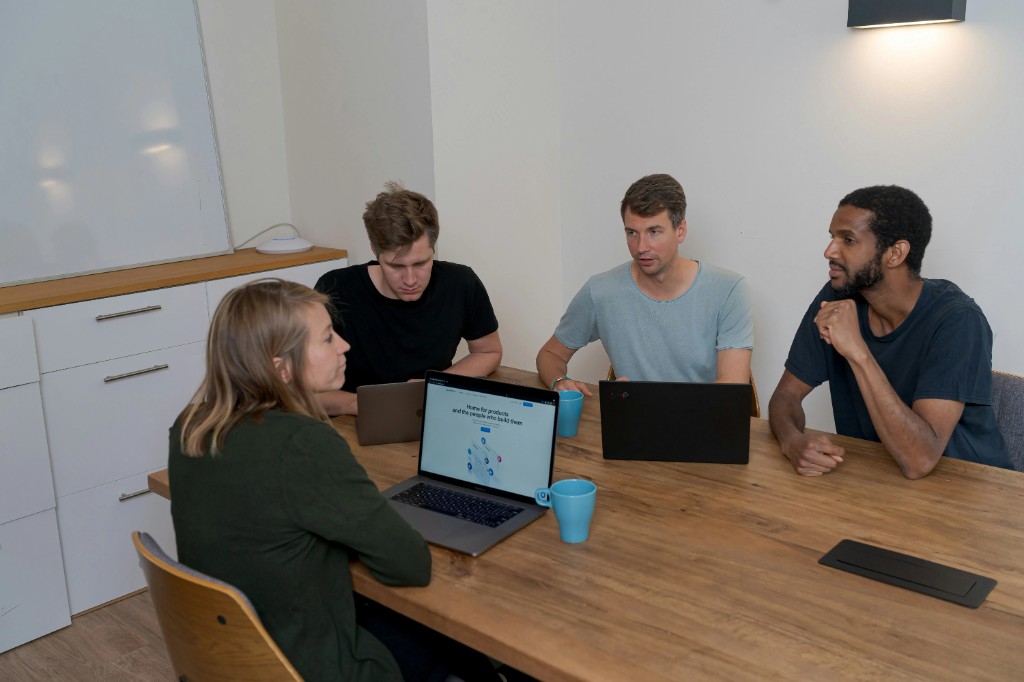
    Developers working together in a collaborative software development environment

    How to stand out in Pune’s 2026 developer market

    Candidate checklist

    • Build one complete project instead of five unfinished demos.
    • Show deployment, testing, documentation, and monitoring.
    • Quantify impact: latency reduced, users supported, cost saved, or releases accelerated.
    • Learn how to use AI coding tools without outsourcing your judgment.
    • Prepare system-design examples for mid-level and senior roles.
    • Keep your GitHub, résumé, and LinkedIn profile consistent.
    • Apply within the first few days of a relevant listing.
    • Contact recruiters with a short, specific message.

    Employer checklist

    • Write job descriptions around outcomes, not buzzwords.
    • Separate essential skills from learnable skills.
    • Test practical problem-solving, not only trivia.
    • Explain the product, team structure, and delivery process.
    • Offer a clear path for growth.
    • Consider dedicated developers when speed matters more than building every capability internally.

    Hiring trends to watch in Pune

    As Pune moves into the final quarter of 2026, expect five trends to shape software recruitment:

    1. AI literacy will become a baseline skill.
    2. Platform and cloud engineering will remain premium specialties.
    3. Full-stack developers will be expected to understand security and observability.
    4. Portfolio evidence will matter more than keyword-heavy résumés.
    5. Hybrid teams will combine local employees with distributed or dedicated developers.

    The market is not shrinking into one technology. It is becoming more layered. The best opportunities will go to developers who can connect those layers.

    Frequently asked questions

    How many software developer jobs are available in Pune in 2026?

    There are well over 100. Depending on the platform and search filters, listings range from more than 100 verified software engineer roles to thousands of broader developer and software development vacancies.

    Which software skills are most in demand in Pune?

    AI/ML, full-stack development, Java, Python, React, cloud computing, DevOps, Kubernetes, data engineering, cybersecurity, and enterprise application development are among the strongest areas.

    What is the average software developer salary in Pune?

    A broad 2026 range is approximately ₹3–8 LPA for freshers, ₹7–15 LPA for developers with three to five years of experience, and ₹18–40+ LPA for senior or specialist engineers.

    Are startups hiring software developers in Pune?

    Yes. Wellfound listings include startup and growth-stage roles in AI, data, product engineering, platform development, and full-stack software development.

    How can I find software developer openings in Pune?

    Use LinkedIn, Shine, Wellfound, OttoRoles, company career pages, professional communities, and recruiter networks. Search by specific stack instead of using only “software developer.”

    Is Pune good for freshers in software development?

    Pune offers entry-level roles, internships, training positions, and junior developer openings. Freshers improve their chances by showing practical projects, Git experience, problem-solving ability, and basic deployment knowledge.

    Can companies hire dedicated developers in Pune?

    Yes. Companies can build an internal team, work with a software development partner, or hire dedicated developers through a managed engagement. NV Seeds offers dedicated team options for businesses that need flexible technical capacity.

    Final takeaway

    Pune’s 2026 software job market is broad, active, and increasingly specialized. More than 100 openings are available across AI/ML, full-stack development, cloud, DevOps, product engineering, and enterprise software.

    Your advantage comes from focus.

    Choose the right role family. Build proof of work. Track applications. Prepare for practical interviews. And whether you are searching for your next opportunity or trying to hire developers for a new product, treat software development as a business capability( not just a list of technologies.)

  • How to Hire Dedicated Developers in 2026: Skills, Costs, and Red Flags

    Hiring developers in 2026 is not about collecting impressive résumés. It is about turning a business bottleneck into shipped software.

    You need the right skills, realistic cost expectations, and a hiring process that exposes risk before it reaches production. A dedicated developer or team can help you scale quickly, but only when the engagement is structured around outcomes, ownership, and measurable delivery.

    This guide explains how to hire dedicated developers in 2026, what to budget, which technical skills matter, and the red flags that should make you walk away.

    What Is a Dedicated Developer?

    A dedicated developer works exclusively on your product or roadmap while being engaged through an external development partner.

    You get:

    • Full-time focus on your project
    • Flexible scaling without permanent hiring overhead
    • Access to specialized engineering skills
    • Direct communication with the developers
    • A longer-term product-development relationship

    This model is different from hiring a freelancer for a quick task. It is closer to adding an extension of your internal engineering team, without building the entire hiring, payroll, recruitment, and infrastructure machine yourself.

    Dedicated developer vs. staff augmentation vs. managed team

    Model Best for Who manages delivery?
    Staff augmentation Filling specific skill gaps Your internal team
    Dedicated developer Adding one or more long-term specialists Shared responsibility
    Managed development pod Building or modernizing a product External partner with agreed ownership

    The key question is simple: Do you need extra capacity, specialized expertise, or complete delivery ownership?

    2026 dedicated developer hiring scorecard showing engineering, AI, cloud, security, and communication checkpoints

    The 2026 Skills Checklist

    The market has moved beyond “knows React” or “has five years of experience.” Those details still matter, but they are only the starting line.

    A strong dedicated developer in 2026 combines engineering fundamentals with AI fluency, cloud awareness, security discipline, and clear communication.

    1. Core engineering fundamentals

    Look for evidence of:

    • Strong programming ability in TypeScript, Python, Java, Go, or a relevant language
    • Practical SQL and database design knowledge
    • Git workflows, pull requests, and code reviews
    • API design using REST or GraphQL
    • Automated testing and debugging
    • Performance and maintainability thinking

    A developer who can explain technical trade-offs is more valuable than one who simply lists every popular framework. You want someone who can tell you why PostgreSQL is preferable to MongoDB for one feature, and when that decision should change.

    2. AI-native development skills

    AI is now part of the engineering toolbox, not a decorative chatbot glued to the homepage.

    Depending on your product, prioritize experience with:

    • LLM API integration
    • Retrieval-augmented generation (RAG)
    • Vector databases
    • Agent orchestration
    • Prompt and context engineering
    • AI evaluation and guardrails
    • Model monitoring and cost control
    • Responsible AI practices

    A 2026 Linux Foundation technology talent report reported that AI expanded net technical hiring rather than simply replacing engineering work. The implication is important: you need developers who can use AI to increase delivery velocity while still owning architecture, testing, and security.

    3. Cloud, DevOps, and security

    Your developer does not need to be a full-time infrastructure engineer. They should, however, understand how software behaves after launch.

    Screen for experience with:

    • AWS, Azure, or Google Cloud
    • Docker and containerized deployments
    • CI/CD pipelines
    • Infrastructure as code
    • Monitoring, logging, and observability
    • Identity and access management
    • Secure secrets management
    • Dependency and vulnerability scanning

    Cloud is the kitchen. Your application is the restaurant. If nobody manages ingredient delivery, storage, and waste, the menu does not matter.

    4. Communication and ownership

    Remote development succeeds or fails in the gaps between messages.

    Assess whether the developer can:

    • Write concise status updates
    • Explain blockers early
    • Participate in sprint planning
    • Accept and provide code-review feedback
    • Work across time zones
    • Connect technical decisions to business outcomes

    In 2026, communication is not a “soft” extra. It directly affects cost-per-task, rework, and time-to-market.

    How Much Does It Cost to Hire Dedicated Developers in 2026?

    Rates vary by geography, seniority, technical specialization, and whether you hire an individual or a managed team.

    The following ranges are practical planning benchmarks synthesized from 2026 rate guides, including DataResearchAnalysis, MarsDevs, and BLS software-development data.

    Region Typical dedicated developer benchmark
    South Asia $25–$40 per hour
    Eastern Europe $40–$65 per hour
    United States $90–$150 per hour
    Specialized AI, cloud, or security roles Often above regional averages

    These are planning benchmarks, not fixed quotes. A low hourly rate can become expensive if it produces slow delivery, weak documentation, or repeated rework.

    Additional costs to budget for

    Your real cost may also include:

    • Product management
    • Quality assurance
    • UI/UX design
    • DevOps and cloud infrastructure
    • Project onboarding
    • Security reviews
    • Vendor management
    • AI API and model usage
    • Knowledge transfer and documentation

    The best comparison is not “Who has the cheapest hourly rate?” It is:

    What will this team cost to produce, operate, and improve the software I need?

    2026 dedicated developer cost planning benchmarks by region

    A Practical Process to Hire Dedicated Developers

    Step 1: Define the outcome before the role

    Write down:

    • What you are building
    • Which users it serves
    • Your current technology stack
    • The first 30-, 60-, and 90-day outcomes
    • Required time-zone overlap
    • Security and compliance requirements
    • How success will be measured

    Avoid a job description that reads like a shopping list of 25 technologies. Define a coherent stack and separate must-have skills from skills the developer can learn.

    Step 2: Choose your engagement model

    Select staff augmentation when your internal team already owns architecture and delivery.

    Choose a dedicated team when you need several specialists working together.

    Choose a managed pod when you want a partner to coordinate engineering, QA, design, and delivery.

    NV Seeds supports fixed, flexible, and hybrid dedicated-team models. Its documented process includes requirement discovery, team assembly, candidate interviews, onboarding, and continuous communication through development. Explore the dedicated team service or hire developers on demand.

    Step 3: Interview for judgment, not trivia

    Use a three-part evaluation:

    1. Practical technical task
      Give candidates a small, realistic feature or bug to solve.

    2. Architecture discussion
      Ask how they would design the feature, handle failure, secure data, and monitor production behavior.

    3. Collaboration interview
      Discuss missed deadlines, changing requirements, code reviews, and disagreement with a product manager.

    A paid trial sprint of one to four weeks is often the cleanest test. It gives both sides useful evidence without forcing a long-term commitment on day one.

    Red Flags to Avoid

    Candidate red flags

    Be cautious when a developer:

    • Cannot explain previous work beyond the technology names
    • Has no verifiable portfolio or meaningful project history
    • Treats AI-generated code as automatically correct
    • Avoids practical assessments
    • Cannot discuss testing, deployment, or security
    • Communicates inconsistently during the hiring process
    • Blames every past failure on clients or teammates

    Vendor red flags

    Be equally cautious when a provider:

    • Shares generic résumés instead of named team members
    • Refuses to explain pricing or extra fees
    • Cannot show relevant work
    • Pushes a long contract before a discovery call or trial
    • Has no clear replacement policy
    • Offers no sprint cadence, reporting, or escalation process
    • Promises impossible delivery timelines

    A transparent partner should make risk visible. If everything sounds perfect, the details are probably hiding backstage.

    Case Study: Building a Lower-Risk Dedicated Team

    A common growth-stage scenario looks like this:

    A company has a product manager and one senior engineer. Its roadmap requires a web application, mobile experience, QA coverage, and cloud deployment. Local hiring is slow, while freelancers create coordination overhead.

    The company chooses a hybrid dedicated team:

    • One full-stack developer
    • One mobile developer
    • One QA engineer
    • Part-time DevOps support

    The first sprint focuses on repository access, architecture review, development standards, CI/CD, and one production-ready feature. The company evaluates:

    • Sprint predictability
    • Defect rate
    • Review turnaround
    • Documentation quality
    • Communication overlap
    • Cost per completed feature

    This is the useful version of outsourcing: not “send us developers and hope.” It is a measured operating system for delivery.

    NV Seeds brings experience from 500+ delivered projects, a global delivery footprint across 20+ countries, and a reported 98% client satisfaction and retention rate. Its agile methodology is designed to shorten feedback loops and move projects from idea to usable product faster. Review the company’s case studies before evaluating any provider.

    Your 2026 Hiring Playbook

    Before you hire dedicated developers, confirm that you can answer “yes” to these questions:

    • Have we defined the business outcome?
    • Do we know which skills are genuinely essential?
    • Have we selected augmentation, dedicated, or managed delivery?
    • Is the pricing model transparent?
    • Will we meet the actual developers?
    • Have we planned a paid trial or measurable first sprint?
    • Are security, documentation, and knowledge transfer included?
    • Can we measure cost per feature, quality, and delivery speed?

    If you want to scale without adding months of recruitment overhead, contact NV Seeds to discuss a dedicated development team aligned with your product roadmap.

    FAQ

    How quickly can I hire dedicated developers?

    Many providers can introduce suitable profiles within a few days. NV Seeds states that teams can typically begin onboarding within two weeks, depending on requirements, availability, and project complexity.

    Is it cheaper to hire dedicated developers than employees?

    It can be, particularly when you include recruitment, benefits, office costs, equipment, and idle capacity. However, compare total delivery cost: not only the hourly rate.

    Should I hire one developer or a complete team?

    Hire one developer when you have strong internal leadership and a defined skill gap. Choose a team when your roadmap also requires QA, DevOps, design, product management, or delivery coordination.

    How do I test a dedicated developer before committing?

    Use a paid trial sprint with a clear goal. Evaluate code quality, communication, documentation, estimation, and responsiveness: not just whether the feature works on the final day.

    What skills matter most in 2026?

    The strongest profiles combine core software engineering with AI integration, cloud-native development, security awareness, automated testing, and remote collaboration skills.

    How can NV Seeds help?

    NV Seeds provides custom web and mobile development, SaaS platforms, enterprise solutions, cloud services, UI/UX design, and dedicated development teams. Its agile delivery model and global developer network help businesses scale product capacity with greater flexibility.

  • How Much Does Custom Software Development Really Cost in 2026?

    As we move through late 2026, “How much does custom software cost?” is still the wrong first question.

    The better question is: What business outcome must the software produce, and what is the cost of not solving it?

    A basic custom application may cost $20,000–$70,000. A production-grade SaaS platform can reach $150,000–$500,000+. Enterprise systems with complex integrations, security controls, and compliance requirements can exceed $1 million.

    These are planning ranges, not price tags carved in stone. Your final budget depends on scope, platforms, integrations, team location, security requirements, and delivery model. Current 2026 market benchmarks from Spaceotechnologies, Netguru, and Soltech show the same pattern: complexity is the biggest cost lever.

    Custom Software Development Cost in 2026: Quick Answer

    Project type Typical 2026 cost Estimated timeline
    Web app MVP $20,000–$70,000 2–4 months
    Full-featured web application $80,000–$180,000 4–8 months
    Mobile app for iOS and Android $60,000–$250,000 4–9 months
    B2B SaaS platform $150,000–$500,000+ 6–15 months
    Enterprise application $300,000–$1,000,000+ 9–24+ months
    Compliance-heavy or AI-intensive platform $500,000–$2,000,000+ 12–30+ months

    A simple MVP is a bicycle. An enterprise platform is an airport. Both have wheels, but the construction budget is not remotely comparable.

    What Drives the Cost of Custom Software?

    1. Features and business logic

    A login page is inexpensive. A permissions engine with five user roles, approval workflows, audit logs, automated notifications, and multi-step billing is not.

    Your cost increases with:

    • Number of user roles and workflows
    • Real-time functionality
    • Reporting and analytics
    • Admin dashboards
    • Payments and subscriptions
    • Search, filtering, and recommendations
    • AI or machine learning features
    • Offline functionality
    • Multi-language or multi-region support

    2. Integrations

    Every external system adds technical work and testing.

    Common integrations include:

    • CRM and ERP platforms
    • Payment gateways
    • Accounting software
    • Maps and location services
    • Email, SMS, and WhatsApp
    • Identity providers and single sign-on
    • Legacy databases
    • Third-party AI APIs

    An API is like a translator between software systems. If the translator is unreliable, every conversation becomes expensive.

    3. Security, compliance, and scalability

    A prototype can tolerate shortcuts. A healthcare, financial, or enterprise platform cannot.

    You may need:

    • Role-based access control
    • Encryption at rest and in transit
    • Audit trails
    • Security testing
    • GDPR, HIPAA, PCI DSS, or SOC 2-aligned controls
    • High availability and disaster recovery
    • Data residency requirements
    • Automated backups and monitoring

    These controls raise the initial budget but can reduce the far larger cost of breaches, downtime, regulatory penalties, and lost trust.

    Screenshot showing the three development phases: traditional development, cloud adoption, and intelligent transformation

    Screenshot from NV Seeds’ 2026 application development framework.

    Cost Breakdown by Project Type

    Web Application Development

    Typical cost: $20,000–$500,000+

    Web app pricing varies sharply between a small internal dashboard and an enterprise operations platform.

    Typical examples

    • Internal dashboard: $30,000–$80,000
    • Customer portal: $60,000–$150,000
    • Marketplace or booking platform: $100,000–$250,000
    • Enterprise workflow application: $200,000–$500,000+

    A web app usually requires frontend development, backend services, database architecture, authentication, integrations, QA, deployment, and ongoing maintenance.

    Explore NV Seeds’ web development services for scalable customer-facing and internal platforms.

    Mobile App Development

    Typical cost: $60,000–$250,000

    A mobile app for one platform is cheaper than a fully synchronized iOS, Android, and web ecosystem.

    Costs depend on:

    • Native versus cross-platform development
    • Number of mobile screens and workflows
    • Push notifications
    • GPS and mapping
    • Camera, Bluetooth, or device sensors
    • Offline access
    • Mobile payments
    • Backend APIs
    • App Store and Play Store deployment

    Cross-platform frameworks such as Flutter and React Native can reduce duplicated development effort. However, complex device-specific features may still require native engineering.

    See NV Seeds’ mobile app development services.

    SaaS Platform Development

    Typical cost: $150,000–$500,000+

    SaaS products cost more because they must support multiple customers through a secure, scalable architecture.

    A production-ready SaaS platform often includes:

    • Multi-tenant data architecture
    • Subscription billing
    • Usage limits and plan management
    • Admin and customer portals
    • API access
    • Analytics
    • Tenant-level permissions
    • Automated onboarding
    • Monitoring and cloud infrastructure
    • Data isolation and security controls

    A lean SaaS MVP may start around $80,000–$180,000, while a mature B2B platform with advanced integrations can exceed $500,000.

    Enterprise Solutions

    Typical cost: $300,000–$1,000,000+

    Enterprise software is expensive because it connects to the nervous system of the organization.

    Typical requirements include:

    • ERP, CRM, HR, and finance integrations
    • Legacy system modernization
    • Complex access policies
    • Migration of large data sets
    • Multiple business units or countries
    • High availability
    • Compliance and audit reporting
    • Change management and training
    • Long-term support agreements

    For enterprise planning, NV Seeds’ application development service covers custom applications, APIs, enterprise platforms, legacy modernization, and cloud-ready architecture.

    Pricing Models: Fixed, Time and Materials, or Dedicated Team?

    Pricing model Best for Advantages Main risk
    Fixed price Clearly defined scope Budget visibility Change requests can become expensive
    Time and materials Evolving or complex products Flexibility and transparency Final cost requires active oversight
    Dedicated team Long-term product development Continuity and easy scaling Requires strong prioritization

    Fixed-price development

    You agree on scope, deliverables, milestones, and price upfront.

    This model works well for:

    • Defined MVPs
    • Small business applications
    • Fixed-scope integrations
    • Projects with stable requirements

    The catch? Software requirements rarely sit still. A “small change” can be a trapdoor if it affects architecture, testing, or data models.

    Time and materials

    You pay for actual hours worked, usually at agreed hourly rates.

    This is generally better for:

    • SaaS products
    • Enterprise modernization
    • Discovery-led projects
    • Products requiring user feedback
    • Projects with evolving requirements

    Agile delivery makes this model more manageable because you review progress every sprint and fund the next highest-value work.

    Dedicated development team

    A dedicated team gives you ongoing access to developers, designers, QA engineers, architects, and project managers.

    NV Seeds offers fixed, flexible, and hybrid dedicated team models. The company states that dedicated teams can provide up to 60% savings compared with traditional hiring, while enabling faster onboarding and flexible scaling. Learn more about NV Seeds dedicated development teams.

    Regional Development Rate Comparison

    Typical 2026 hourly planning rates look like this:

    Region Typical hourly range General positioning
    United States and Canada $100–$220+ Highest rates; strong proximity and enterprise experience
    Western Europe $90–$180 Mature engineering and compliance expertise
    Eastern Europe $45–$100 Strong technical talent and competitive rates
    Latin America $40–$100 Nearshore collaboration for North American teams
    South Asia $25–$75 Cost-efficient global delivery and broad talent pools

    These are broad market estimates. Seniority, technology specialization, product complexity, and communication quality matter more than geography alone. A low hourly rate does not create savings if poor architecture causes months of rework.

    The Hidden Costs You Must Budget For

    The development quote is only one slice of the pizza.

    Plan for:

    • Discovery and requirements workshops
    • UX research and user testing
    • Cloud hosting and infrastructure
    • Security audits and penetration testing
    • Third-party API and software licenses
    • Data migration and cleanup
    • Project management
    • Staff training and change management
    • App Store fees
    • Post-launch monitoring
    • Bug fixes and maintenance
    • New features after launch

    A practical rule is to reserve 15%–25% of the development budget annually for maintenance, security updates, performance improvements, and enhancements. Enterprise platforms may require a larger support budget, particularly with 24/7 monitoring or strict service-level agreements.

    Case Study: Modernizing Global Logistics

    NV Seeds describes a 2026 logistics transformation for a Tier-1 provider operating across 12 countries.

    The challenge

    The client faced:

    • Legacy enterprise applications
    • Spreadsheet-heavy dispatch operations
    • A mobile app without real-time synchronization
    • Manual logbooks and data entry
    • Limited visibility across logistics workflows

    The solution

    NV Seeds built a unified, AI-enhanced coordination platform with:

    • Real-time traffic integration
    • Predictive maintenance alerts
    • A custom field mobile interface
    • Centralized operational workflows
    • Improved data synchronization

    Reported results

    • 22% reduction in fuel costs
    • 99.9% uptime during peak holiday seasons
    • 100% elimination of manual data-entry errors
    • Transition from manual logbooks to streamlined software

    Operations tablet dashboard for logistics route and shipment tracking

    Example of a custom operations dashboard used in the logistics transformation.

    The lesson is straightforward: the value was not “an app.” The value was lower fuel spend, fewer errors, stronger uptime, and better operational control.

    How to Calculate ROI

    Use this formula:

    ROI = (Total benefits − Total costs) ÷ Total costs × 100

    Include:

    • Labor hours saved
    • Revenue generated or retained
    • SaaS licenses eliminated
    • Lower error and rework costs
    • Reduced downtime
    • Faster customer response
    • Avoided compliance or security costs

    Example

    Suppose your custom platform costs:

    • Development: $250,000
    • First-year hosting, support, and training: $75,000
    • Total first-year cost: $325,000

    If it produces:

    • $180,000 in annual labor savings
    • $100,000 in avoided software licenses
    • $120,000 in additional annual revenue

    Your annual benefit is $400,000.

    That creates a first-year ROI of approximately 23%, with stronger returns in subsequent years because the major build cost is already paid.

    For a broader ROI framework, see SumatoSoft’s guide to calculating custom software ROI.

    Budget Blowup Prevention Playbook

    Use this checklist before development begins:

    • Define the business problem before listing features
    • Separate must-have features from future enhancements
    • Fund discovery and technical architecture
    • Identify every external integration early
    • Confirm who owns the source code and intellectual property
    • Request a delivery roadmap with measurable milestones
    • Reserve 15%–20% for controlled contingency
    • Validate the design with real users
    • Use sprint reviews to catch scope drift
    • Track cost per feature and business value
    • Plan support, hosting, security, and maintenance from day one

    At NV Seeds, agile methodology supports visible progress, regular feedback, and faster time to market. With 500+ projects delivered, clients across 20+ countries, and a 98% client satisfaction and retention rate, we help businesses turn software budgets into measurable digital assets.

    Diverse software development team collaborating in a planning meeting

    Final Takeaway

    In 2026, custom software development typically costs:

    • $20,000–$70,000 for a focused MVP
    • $80,000–$180,000 for a full-featured web application
    • $60,000–$250,000 for a mobile application ecosystem
    • $150,000–$500,000+ for a production SaaS platform
    • $300,000–$1,000,000+ for enterprise software

    The cheapest quote is not automatically the best investment. The right solution is the one that reduces operating costs, unlocks revenue, improves customer experience, and remains adaptable as your business grows.

    If you are evaluating a new platform, modernization initiative, or mobile product, contact NV Seeds for a project consultation.

    Frequently Asked Questions

    How much does a basic custom software MVP cost in 2026?

    A basic MVP usually costs $20,000–$70,000, depending on the number of screens, user roles, integrations, and platforms. An MVP with complex workflows or AI features can cost more.

    Is custom software cheaper than buying SaaS?

    Not always upfront. Custom software usually requires a larger initial investment, but it may reduce long-term licensing costs, integration fees, workflow inefficiencies, and vendor dependency.

    How long does custom software development take?

    A focused application may take 2–4 months. A SaaS platform or enterprise solution often takes 6–24 months, depending on scope, integrations, compliance, and team size.

    Should I choose a fixed-price or agile project?

    Choose fixed pricing when your scope is stable. Choose time and materials with agile delivery when requirements are likely to evolve or user feedback is essential.

    What is the typical annual maintenance cost?

    Many businesses budget 15%–25% of the original development cost per year for maintenance, security, infrastructure, monitoring, and enhancements.

    Can a dedicated development team reduce project cost?

    It can. A dedicated team may reduce recruitment overhead, improve continuity, and provide flexible scaling. NV Seeds reports savings of up to 60% compared with traditional hiring, depending on team structure and engagement length.

    How can I get a more accurate estimate?

    Prepare your target users, platforms, core workflows, integrations, compliance requirements, and launch timeline. A structured discovery session will produce a more reliable estimate than a feature list alone.

  • GitHub Copilot vs. Cursor in 2026: Which AI Coding Assistant Wins?

    The vague answer is “it depends.” The useful answer is this:

    GitHub Copilot wins as a platform-native team assistant. Cursor wins as an AI-native development environment.

    In 2026, both tools can generate code, explain unfamiliar systems, edit multiple files, run commands, and help create pull requests. The old “autocomplete versus chat” comparison is now outdated. Today, you are choosing between two different engineering operating models.

    • Copilot keeps GitHub at the center of your workflow.
    • Cursor turns the editor into a command centre for multi-step, agent-driven development.
    • Both require human review, testing, security scanning, and architectural judgment. AI can move fast. It can also drive quickly in the wrong direction.

    This comparison uses product information and pricing available on August 20, 2026. Plans, model access, and usage allowances can change.

    GitHub Copilot vs. Cursor: Quick comparison

    Category GitHub Copilot Cursor
    Product philosophy Assistant embedded across GitHub, IDE, CLI, and enterprise workflows AI-native IDE with agent orchestration at the centre
    Best-known strength GitHub integration, governance, code review, broad IDE support Multi-file edits, codebase context, model choice, background agents
    Free plan 2,000 completions per month Limited Agent requests and Composer access
    Entry paid plan Pro at $10/user/month Pro at $20/month
    India-focused option Standard GitHub plans and billing Start at ₹649/month, tax inclusive
    Team pricing Business at $19/user/month; Enterprise at $39/user/month Teams Standard at $40/user/month; Premium at $120/user/month
    Agent workflow IDE agent mode plus GitHub cloud agent Interactive Agent, Cloud Agents, automations, Bugbot
    IDE support VS Code, Visual Studio, JetBrains, Neovim, Xcode, Eclipse and more Cursor IDE, CLI, web, mobile agents, and integrations
    Codebase awareness Strong workspace context; deeper organization indexing with Enterprise Semantic codebase understanding, Instant Grep, rules, skills, and subagents
    Best fit GitHub-centric teams and governed enterprise rollouts Developers and teams building agent-first workflows

    A brief history: from autocomplete to autonomous engineering

    Phase 1: The autocomplete era

    Early AI coding tools completed a line or function. Useful, but narrow. You still did the planning, navigation, editing, testing, and review manually.

    Phase 2: The chat era

    Assistants learned to explain errors, generate tests, and answer questions about APIs. The bottleneck shifted from typing code to providing the right context.

    Phase 3: The agent era

    By 2026, the serious tools can inspect a repository, plan a change, edit multiple files, run tests, respond to failures, and prepare a pull request.

    That is the inflection point. You are no longer buying typing speed alone. You are buying cost-per-task reduction.

    GitHub Copilot home screen showing repositories, sessions, and issue-based development workflows

    GitHub Copilot in 2026: the platform-native powerhouse

    GitHub Copilot’s advantage is not just its model. It is the surrounding platform.

    You can use Copilot in your IDE, GitHub, CLI, mobile workflows, code review, and cloud-based development processes. Its cloud agent can work from GitHub issues and prepare changes for review. Its IDE agent can modify several files, run commands, and iterate on errors.

    Key Copilot strengths

    • Native GitHub integration for issues, branches, pull requests, Actions, and reviews
    • Broad IDE support, including VS Code, Visual Studio, JetBrains, Neovim, Xcode, and Eclipse
    • Model selection across multiple providers and model families
    • Cloud agent access on paid plans
    • Enterprise policy controls, audit logs, access management, and IP indemnity
    • Familiar workflow for teams already using GitHub Enterprise

    The pricing model also changed in 2026. GitHub now uses AI Credits for chat, agents, CLI usage, code review, and related interactions. Code completions and next-edit suggestions remain unlimited on paid plans.

    Current headline prices include:

    • Free: $0, with 2,000 completions per month
    • Pro: $10/user/month, with unlimited completions and $15 in monthly total credits
    • Pro+: $39/user/month, with $70 in monthly total credits
    • Max: $100/user/month, with $200 in monthly total credits
    • Business: $19/user/month
    • Enterprise: $39/user/month

    See the official GitHub Copilot plans for current limits and inclusions.

    Where Copilot is strongest

    Copilot is the safer default when your development process already runs through GitHub. Your repository, issue tracker, pull requests, security tools, and CI/CD pipeline are already connected.

    That reduces tool sprawl. It also helps administrators control access, models, budgets, and data policies.

    Cursor in 2026: the AI-native development environment

    Cursor takes a different route. It is built around the idea that the editor itself should understand the project and coordinate agents.

    Its key capabilities include:

    • Semantic codebase context
    • Multi-file editing
    • Agent and Plan modes
    • Terminal and browser interaction
    • MCP servers, skills, hooks, and plugins
    • Cloud Agents running in isolated environments
    • Bugbot for agentic code review
    • Model choice across OpenAI, Anthropic, Google, Grok, and Cursor models
    • Team rules and shared development context

    Cursor’s codebase model is more than “look at the open file.” Its documentation describes semantic search and Instant Grep, designed to find relevant code quickly across large repositories. Think of it as giving the assistant a map before asking it to renovate the building.

    Cursor pricing in 2026

    • Hobby: Free, with limited Agent requests
    • Start: ₹649/month in India, tax inclusive
    • Pro: $20/month, including $20 of third-party model usage
    • Pro Plus: $60/month, including $70 of third-party model usage
    • Ultra: $200/month, including $400 of third-party model usage
    • Teams Standard: $40/user/month
    • Teams Premium: $120/user/month
    • Enterprise: Custom pricing

    Cursor states that daily Agent users often spend $60–$100 per month in total usage, while power users running multiple agents or automations may exceed $200. That matters for budgeting. The subscription price is only one part of the bill.

    Review the Cursor pricing page and models and pricing documentation before purchasing.

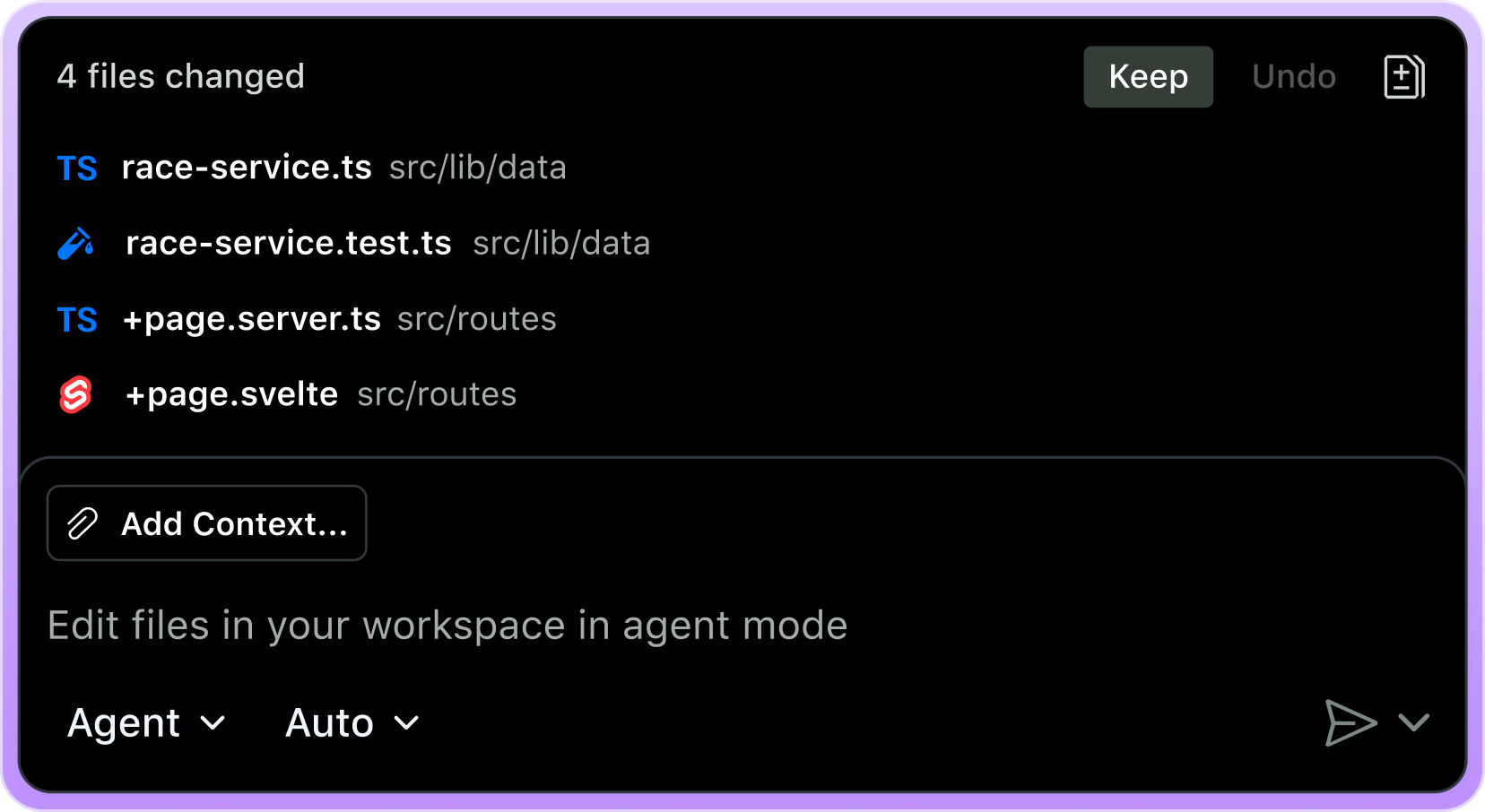
    Cursor Agent mode showing a multi-file code change with review controls

    Code quality: which one writes better code?

    There is no credible universal winner.

    Code quality depends on:

    • The model selected
    • Repository context
    • Prompt quality
    • Existing code conventions
    • Test coverage
    • Review discipline
    • Task complexity
    • Whether the developer understands the generated change

    Copilot’s quality profile

    Copilot is excellent for:

    • Boilerplate
    • Test scaffolding
    • Documentation
    • Familiar frameworks
    • Small bug fixes
    • GitHub Actions and repository workflows
    • Explaining code inside supported IDEs

    GitHub reports that developers can be up to 55% more productive at writing code, but this is a vendor-reported figure, not a guarantee for your team.

    Cursor’s quality profile

    Cursor often feels stronger for:

    • Cross-file refactoring
    • Legacy code exploration
    • Large feature slices
    • UI changes requiring visual iteration
    • Tasks that require repeated terminal execution
    • Parallel agent workflows

    Its model flexibility is a practical advantage. You can use a faster, less expensive model for routine edits and a frontier model for architecture-heavy work.

    Bottom line: Cursor may produce more ambitious changes. Copilot may fit more naturally into a controlled review pipeline. Neither removes the need for tests and experienced reviewers.

    Team workflows: GitHub governance vs. agent orchestration

    Choose Copilot for a GitHub-centred workflow

    Copilot is a strong match when your team wants:

    1. An assistant inside existing IDEs
    2. Centralized seat and policy management
    3. GitHub-native cloud agents
    4. Pull request and code review integration
    5. Enterprise security and audit controls
    6. Minimal change-management overhead

    GitHub’s Duolingo customer story reports a 25% increase in developer speed, a 67% reduction in median code review turnaround, and a 70% increase in pull requests after combining Copilot, Codespaces, and custom GitHub integrations. These are customer-reported results, but the workflow is instructive: the gains came from the entire engineering platform, not autocomplete alone.

    Choose Cursor for an agent-first workflow

    Cursor is a strong match when your team wants:

    1. Developers managing several agents in parallel
    2. Cloud agents that work asynchronously
    3. Custom rules, skills, plugins, and MCP tools
    4. Model choice by task and cost
    5. Codebase-wide migrations
    6. Automations triggered from Slack, tickets, or CI failures

    Cursor’s Coinbase case study reports that more than 2,400 developers use Cursor and that some teams reduced idea-to-production time from 20 days to under two days. Cursor also reports that 75% of Coinbase pull requests were created by agents. Again, treat these as vendor-published customer claims, not independently verified benchmarks.

    Faire’s case study describes more than 2,000 autonomous agent runs per week, including bug triage, CI repair, pull request routing, and a large MobX migration coordinated by one engineer.

    The lesson is clear: agent velocity creates a new bottleneck: review and validation capacity.

    Which tool suits which developer?

    GitHub Copilot is best for you if:

    • You already use GitHub Enterprise
    • You work in Visual Studio, JetBrains, Neovim, or VS Code
    • You want lower entry pricing
    • Your organization prioritizes governance and compliance
    • You need cloud agents tied to issues and pull requests
    • Your work is mostly incremental feature development

    Cursor is best for you if:

    • You want an AI-native editor
    • You frequently refactor across multiple files
    • You work on unfamiliar or legacy codebases
    • You want to switch between models
    • You run long, multi-step agent tasks
    • You are comfortable managing usage-based costs
    • You want cloud agents, automations, and parallel development

    Our verdict: which AI coding assistant wins in 2026?

    GitHub Copilot wins for most GitHub-centric organizations. Cursor wins for individual power users and agent-first product teams.

    If you need one general recommendation:

    • Choose Copilot Pro for affordable daily assistance.
    • Choose Cursor Pro if multi-file agent work is central to your day.
    • Choose Copilot Business or Enterprise for governance-heavy organizations.
    • Choose Cursor Teams or Enterprise for teams intentionally redesigning how software gets built.

    At NV Seeds, we treat these tools as delivery accelerators: not replacements for engineering. Whether we are building a SaaS platform, mobile application, enterprise integration, or AI workflow, we pair AI-assisted coding with architecture reviews, automated testing, security checks, and measurable release outcomes.

    Explore our AI and machine learning development services, application development services, or contact NV Seeds to discuss a production-ready software roadmap.

    Practical evaluation playbook

    Before committing, run both tools against the same repository for two weeks.

    Track:

    • Time from ticket to first working pull request
    • Review turnaround time
    • Defects found after merge
    • Test coverage change
    • Agent usage cost per completed task
    • Developer satisfaction
    • Rework hours
    • Onboarding time for unfamiliar modules

    Do not measure lines of code. More code is not automatically more value. Measure how quickly you deliver reliable software.

    Frequently asked questions

    Is Cursor better than GitHub Copilot?

    Not universally. Cursor is generally stronger for agent-heavy, multi-file work. Copilot is generally stronger for GitHub integration, enterprise governance, and broad IDE support.

    Is GitHub Copilot cheaper than Cursor?

    Yes, at the entry paid tier. Copilot Pro costs $10 per month, while Cursor Pro costs $20. However, agent usage and premium model consumption can change the total monthly cost.

    Can Cursor work with GitHub?

    Yes. Cursor supports GitHub integrations and workflows. However, Copilot is more deeply integrated because GitHub owns the repository, issue, pull request, and Actions platform.

    Does either tool write secure code automatically?

    No. Both can generate vulnerable or incorrect code. Use tests, dependency scanning, static analysis, secret scanning, and mandatory human review.

    Which is better for a startup?

    For a small GitHub-based team, start with Copilot Pro or Business. Choose Cursor if the team is intentionally using parallel agents for rapid prototyping, migrations, and feature delivery.

    Can NV Seeds build software using AI-assisted development?

    Yes. NV Seeds combines AI-assisted engineering with custom architecture, product strategy, UI/UX, cloud infrastructure, testing, and security practices. The goal is not to generate more code. It is to build reliable software that improves your business outcomes.

    Sources

  • Top AI Development Companies in Pune, Baner (2026 Edition)

    Top AI Development Companies in Pune, Baner (2026 Edition)

    Baner is no longer just a Pune business district. In 2026, it is an AI development hub connecting startups, SaaS companies, enterprises, analytics firms, and product teams.

    But “top AI company” is a vague label. You need a partner that can move from business problem to production system: not just build a chatbot demo that looks clever for two weeks.

    This guide highlights leading AI development companies in and around Baner, Pune. The selection is based on publicly available 2026 listings, stated capabilities, local presence, and suitability for real-world projects such as generative AI, predictive analytics, computer vision, automation, and custom software development.

    Important: There is no single official ranking of AI development companies in Baner. Treat this list as a practical shortlist, then validate portfolios, security practices, pricing, and references before signing a contract.

    Quick comparison: AI development companies in Baner

    Company Best suited for AI and software strengths Baner connection
    NV Seeds End-to-end AI products and enterprise automation GenAI, AI agents, ML engineering, RAG, SLMs, cloud, custom software WeWork Eleven West, Baner, Pune
    Whiz.ai Enterprise AI and machine learning AI/ML solutions and intelligent business systems Pallod Farms, Baner
    AlgoAnalytics.ai Data science and algorithmic analytics Machine learning, analytics, predictive modeling Near Baner Road
    EAGL AI Applied AI and predictive solutions AI/ML development and data-driven applications Baner Road
    ChiStats.ai Statistical analytics and modeling AI-enabled statistics, insights, and data analysis Baner
    Geeky Bee AI Computer vision and deep learning Computer vision, deep learning, automation Baner–Balewadi corridor
    Clairvoyant India Enterprise data platforms AI, analytics, software engineering, digital transformation Baner area
    EmbarkingOnVoyage AI consulting and digital solutions AI-enabled products and technology consulting Sadanand Business Centre, Baner
    Mindbowser Product engineering and healthcare technology AI-driven product development and custom applications Baner–Pashan belt

    1. NV Seeds : end-to-end AI development in Baner

    NV Seeds, also known as Novaseeds Technologies, is a software development company based at WeWork Eleven West, Baner, Pune.

    The company is a strong fit if you need more than a standalone AI model. NV Seeds combines AI development services, custom software development, cloud engineering, UI/UX, mobile development, and digital transformation into one delivery partnership.

    What NV Seeds builds

    • Generative AI applications and AI agents
    • Retrieval-augmented generation (RAG) systems
    • Predictive analytics and machine learning platforms
    • Intelligent document processing
    • Computer vision and speech solutions
    • Customer support and sales automation
    • Recommendation systems and workflow automation
    • AI integrations with enterprise platforms and APIs
    • Secure cloud and VPC-hosted AI systems

    The company reports 500+ projects delivered, 98% client satisfaction, clients across 20+ countries, and 12+ awards. Its AI practice also highlights a typical 4–6-week proof-of-concept window, helping businesses test value before committing to a larger rollout.

    NV Seeds case study: AI-driven logistics decisioning

    A mid-sized logistics company struggled with inefficient routing because its legacy systems could not process real-time weather, traffic, and port-delay data.

    NV Seeds:

    1. Centralized more than five years of logistics data.
    2. Built machine-learning models for delivery risk scoring.
    3. Created an AI-powered dispatch decision interface.
    4. Delivered the first measurable outcome in four weeks.

    Reported results:

    • 22% reduction in fuel costs
    • 18% faster deliveries
    • ROI achieved within four weeks

    That is the difference between AI as a science project and AI as an operating system for the business.

    Explore NV Seeds AI and machine learning development services, case studies, or contact the team.

    NV Seeds developers collaborating on a software and SaaS roadmap

    2. Whiz.ai : enterprise AI and machine learning

    Whiz.ai appears in Pune-focused machine learning company listings and is associated with an office in Pallod Farms, Baner.

    It may suit organizations looking for AI/ML solutions with an enterprise orientation. When evaluating a firm in this category, ask for evidence of production deployments: not just model prototypes.

    Best for: Enterprise AI initiatives, machine learning applications, and intelligent business systems.

    3. AlgoAnalytics.ai : analytics and algorithm development

    AlgoAnalytics.ai is listed near Baner Road and focuses on machine learning, algorithmic analytics, and data-driven solutions.

    This type of partner can be valuable when your core challenge is not “build an AI chatbot,” but rather:

    • Forecast demand
    • Detect anomalies
    • Improve pricing decisions
    • Score risk
    • Optimize operations
    • Convert large datasets into usable intelligence

    Best for: Predictive analytics, algorithmic modeling, and data science projects.

    4. EAGL AI : applied AI and predictive solutions

    EAGL AI is listed at Revati Arcade II on Baner Road and is positioned as an AI and machine learning solutions provider.

    Businesses considering EAGL AI should clarify its experience with data engineering, model monitoring, API integration, and long-term maintenance. A model that works in a notebook is only the appetizer. Production reliability is the main course.

    Best for: Applied AI, predictive modeling, and business intelligence use cases.

    5. ChiStats.ai : statistical intelligence and advanced analytics

    ChiStats.ai is listed at Supreme Headquarters in Baner and is associated with analytics and AI-driven statistical services.

    It may be a suitable option for companies that need advanced statistical analysis, data modeling, and insight generation. Before choosing a provider, confirm whether it can also deliver the surrounding product layer: APIs, dashboards, access controls, and user workflows.

    Best for: Statistical analytics, data modeling, and insight platforms.

    6. Geeky Bee AI : computer vision and deep learning

    Geeky Bee AI operates in the Baner–Balewadi corridor and is described publicly as an artificial intelligence solution provider with capabilities in computer vision, deep learning, and automation.

    Computer vision projects often require specialized data preparation, image labeling, model evaluation, and edge or cloud deployment. Ask about accuracy targets, inference speed, and how the system performs with imperfect real-world data.

    Best for: Visual inspection, image analysis, deep learning, and automation.

    7. Clairvoyant India : enterprise AI and digital transformation

    Clairvoyant India is listed among leading AI companies serving Pune and has a presence in the Baner area.

    Its positioning around advanced software solutions, analytics, and digital transformation may appeal to larger businesses modernizing legacy systems. Enterprise AI is rarely a single-model job. It typically involves data governance, integration, security, change management, and user adoption.

    Best for: Enterprise data platforms, modernization programs, and digital transformation.

    8. EmbarkingOnVoyage : AI-enabled digital solutions

    EmbarkingOnVoyage is listed at Sadanand Business Centre, Baner and appears in 2026 Pune AI company roundups.

    It may be worth considering for businesses seeking AI-enabled digital products or consulting support. During discovery, define the expected deliverables clearly: strategy document, proof of concept, production application, or ongoing engineering team.

    Best for: AI consulting, digital solutions, and product experimentation.

    9. Mindbowser : product engineering in the Baner–Pashan belt

    Mindbowser is located in the Baner–Pashan corridor and is known for product development and technology services.

    For companies building an AI-powered SaaS platform or mobile application, product engineering depth matters as much as model expertise. The right partner should be able to connect the AI layer to authentication, billing, analytics, UX, APIs, and cloud infrastructure.

    Best for: AI-enabled products, SaaS platforms, and custom application development.

    Abstract blue and purple digital shapes representing AI innovation

    How AI development has evolved: three practical phases

    Phase 1: The chatbot phase

    Businesses added basic chat interfaces to websites. Useful, sometimes. Transformational, rarely.

    Phase 2: The generative AI phase

    RAG systems, copilots, and content-generation tools became mainstream. Companies started connecting AI to internal documents and knowledge bases.

    Phase 3: The agentic automation phase

    In 2026, the focus has shifted toward AI systems that take action. They create tickets, update records, summarize documents, trigger workflows, and support decisions.

    The next question is not, “Can AI answer this?” It is, “Can AI complete this task safely, measurably, and at an acceptable cost per task?”

    How to choose the right AI partner in Baner

    Use this shortlisting playbook before you compare proposals.

    1. Start with the business metric

    Define the outcome first:

    • Reduce support cost per ticket
    • Improve lead conversion
    • Cut manual document processing time
    • Reduce logistics or operational costs
    • Improve forecast accuracy
    • Shorten time to market

    If a vendor begins with model names but cannot discuss your KPI, proceed carefully.

    2. Check full-stack delivery capability

    Your AI system will need more than a model. Check whether the company can handle:

    • Data pipelines
    • APIs and system integration
    • Cloud deployment
    • Front-end and mobile experiences
    • Monitoring and observability
    • Security and access control
    • Human review workflows
    • Ongoing model evaluation

    3. Ask for a realistic proof-of-concept plan

    A credible PoC should define:

    • Data requirements
    • Target users
    • Success metrics
    • Expected accuracy or automation rate
    • Timeline
    • Estimated infrastructure cost
    • Conditions for moving to production

    4. Validate privacy and security

    Ask where your data is stored, whether it is used to train third-party models, how access is controlled, and whether private cloud or VPC deployment is available.

    5. Compare total cost: not hourly rates alone

    Public local directory data places algorithm development in Baner broadly around ₹1,500–₹5,000 per hour, with larger fixed-price engagements often starting around ₹50,000, depending on scope and complexity.

    However, your real budget must include data preparation, integration, testing, deployment, monitoring, and maintenance. Cheap AI can become an expensive subscription to disappointment.

    Final verdict

    Baner gives you access to a broad AI talent pool, from specialist analytics firms to full-service product engineering companies.

    Choose a specialist when your need is narrowly defined, such as computer vision or statistical modeling. Choose an end-to-end partner when you need to turn AI into a secure, scalable business product.

    For businesses looking for AI development services, custom software development, and digital transformation under one roof, NV Seeds stands out with its Baner presence, 500+ delivered projects, 98% client satisfaction, reach across 20+ countries, and 12+ awards.

    The practical next step is simple: define one high-value workflow, estimate the current cost per task, and ask shortlisted partners to show how they will move it from manual to measurable.

    Frequently asked questions

    Which is the best AI development company in Baner, Pune?

    There is no universal best company. The right choice depends on your use case, data, budget, industry, and delivery expectations. NV Seeds is a strong option for end-to-end AI products, custom software, integrations, and enterprise automation.

    How much do AI development services cost in Baner?

    Public directory estimates commonly range from ₹1,500 to ₹5,000 per hour for algorithm development. Fixed-price projects may start around ₹50,000, but production-grade AI systems can cost significantly more after data, integration, security, and deployment requirements are included.

    How long does an AI project take?

    A focused proof of concept may take four to six weeks. A production system can take several months, depending on data readiness, integrations, security requirements, and user experience scope.

    Can a Baner AI company integrate AI with legacy software?

    Yes. Experienced AI development teams can connect models and automation workflows to legacy systems through APIs, middleware, data pipelines, or carefully controlled database integrations. Ask how the vendor will manage security and data quality.

    What should I prepare before contacting an AI development company?

    Prepare a short description of:

    • The business problem
    • The people affected by it
    • Your current manual process
    • Available data sources
    • Expected business outcome
    • Required integrations
    • Budget range and target timeline

    That information helps an AI partner separate a valuable use case from an expensive novelty.

    NV Seeds team and technology culture

  • Future-Proofing Your Business: Why Enterprise Software Solutions Are Essential in 2026

    Future-Proofing Your Business: Why Enterprise Software Solutions Are Essential in 2026

    We are living through a hard economic and technological pivot. If your software stack still operates like a collection of siloed spreadsheets and bolted-on legacy plugins, you aren't just running behind: you are bleeding margin in plain sight. Welcome to 2026, where the global enterprise software market has surged past $1.44 trillion, growing at 15.1% YoY, and AI-native, composable platforms have completely rewritten the rules of digital survival.

    Gone are the days when a generic out-of-the-box SaaS tool could carry your competitive edge. Today’s market demands infrastructure that thinks, adapts, and scales at the speed of customer intent. At NV Seeds, we have spent years guiding organizations across 20+ countries through this exact metamorphosis. Let's examine the State of the Union for enterprise software in 2026, why legacy thinking is an expensive liability, and how your organization can engineer an unshakeable digital core.


    The 2026 Inflection Point: From Isolated Tools to Intelligent Ecosystems

    To understand why modern enterprise software is non-negotiable today, let’s look at how we got here:

    • Phase 1 (The Monolithic Era): Massive, rigid on-premise ERP suites that took three years to deploy and required an army of consultants just to change a password.
    • Phase 2 (The Point-Solution Boom): An explosion of cloud SaaS tools that solved individual department headaches but created brutal data silos.
    • Phase 3 (The 2026 Agentic & Composable Renaissance): Integrated, cloud-native platforms where AI agents handle end-to-end workflows autonomously and architectures plug together like Lego bricks.

    Think of legacy software as an old cargo ship: stable in calm waters, but painfully slow to turn when a storm hits. Modern enterprise software solutions act like a nimble modular fleet: each component communicates in real time, auto-optimizing fuel consumption while rerouting around market turbulence.

    The 2026 Reality Check: Gartner forecasts that 40% of enterprise applications now integrate task-specific AI agents, up from less than 5% just two years ago. If your software stack cannot deploy or orchestrate these intelligent workflows, your competitors will simply out-automate you.


    Core Pillars of 2026 Enterprise Architecture

    Building or modernizing enterprise software today requires mastering four non-negotiable technical pillars:

    Pillar What It Means in Practice Direct Business ROI
    AI-Native & Agentic Platforms Embedding AI copilots and autonomous agents directly into core workflows (finance, supply chain, support). 35% average reduction in manual touchpoints and operational cycle times.
    Composable & Microservices Decoupling front-end user experiences from back-end logic using modular, API-first services. Eliminates vendor lock-in and cuts custom integration costs by up to 50%.
    Cloud-Native Scalability Multi-cloud, containerized infrastructure designed to scale compute resources elastically. Near-zero downtime during peak traffic and optimized cloud spend via FinOps.
    Identity-Centric Zero-Trust Advanced automated governance, zero-trust security matrices, and strict data sovereignty. Mitigates breach risks and compliance penalties across international jurisdictions.

    Executive and software architect collaborating in a modern conference room on digital transformation


    Case Study: Transforming Supply Chain Chaos Into Predictable Growth

    Let’s look at a real-world scenario. Last year, a mid-sized global logistics provider operating across Europe and North America approached us at NV Seeds. Their problem? A fragmented mix of legacy dispatch software and standalone billing spreadsheets that created a 72-hour lag in invoice processing and chronic inventory blind spots.

    We designed and delivered a bespoke, cloud-native enterprise platform featuring:

    1. Automated Document Ingestion: AI-driven agents that parse shipping manifests, customs forms, and bills of lading instantly.
    2. Composable Microservices: A modular architecture allowing their internal engineering teams to swap out routing algorithms without taking down the core booking engine.
    3. Real-Time Analytics Dashboard: Instant visibility into fleet health, driver hours, and margin per route.

    The Results within 6 Months:

    • Processing time dropped from 72 hours to under 4 minutes per manifest.
    • Operational overhead decreased by 38%.
    • Client retention jumped to 98.5% due to flawless tracking accuracy.

    This is what happens when you move from slapping bandages on legacy apps to investing in purposeful application development.


    Navigating the Budget Trap: How to Calculate True Software ROI

    One of the most common anxieties we hear from founders and CTOs is: "How do we justify a custom enterprise software investment when budgets are tight?"

    The secret is shifting your metric from cost-per-license to cost-per-task-automated. Traditional SaaS pricing charges you per seat, punishing your team for growing. Modern enterprise software engineering focuses on outcome-based ROI:

    • Labor Arbitrage vs. Automation: If an administrative employee spends 15 hours a week copying data between disconnected CRMs, calculate that lost hourly wage across 50 employees. That’s hundreds of thousands of dollars leaking out annually.
    • Time-to-Market Acceleration: Utilizing agile methodologies (a core tenet of our services at NV Seeds) cuts deployment timelines in half, allowing your revenue-generating features to hit the market quarters ahead of competitors.

    Abstract flowing shapes in deep blue and purple representing seamless digital transformation


    Your 2026 Enterprise Modernization Playbook

    Ready to future-proof your tech stack? Here is a concrete, step-by-step checklist to guide your next engineering initiative:

    1. Audit Your Current Friction Points: Map out every manual data transfer, slow approval loop, and customer complaint caused by system lag.
    2. Decouple Core Logic: Transition from monolithic software blocks to a composable, API-driven architecture.
    3. Pilot AI Where Work is Repetitive: Integrate task-specific AI agents into high-volume back-office workflows (e.g., invoice matching, ticket triage).
    4. Partner with Proven Experts: Don't reinvent the wheel with an understaffed internal team. Leverage a dedicated team of global experts who have delivered 500+ successful projects.
    5. Establish FinOps Discipline: Tie every dollar of cloud and software expenditure directly to measurable business KPIs (margin expansion, speed-to-delivery, retention).

    Frequently Asked Questions

    Why shouldn't our company just stick with off-the-shelf SaaS tools?

    Off-the-shelf tools are great for generic tasks like email or basic accounting. However, when your core business model: your secret sauce: depends on unique workflows, generic software forces you to change how your business operates to fit the tool. Custom enterprise software adapts entirely to your processes, giving you an uncopyable competitive advantage.

    How long does a custom enterprise software migration typically take?

    Timeline varies based on scope, but by leveraging agile development sprints and modular, cloud-native frameworks, we typically deliver initial production-ready MVPs within 12 to 16 weeks, scaling out full enterprise platforms incrementally to avoid business disruption.

    How does NV Seeds ensure enterprise-grade security and data privacy?

    Security isn't an afterthought; it is built into the foundation. We implement identity-centric zero-trust frameworks, encrypted data pipelines, and strict compliance protocols tailored to your industry (GDPR, HIPAA, SOC 2) from day one.


    Conclusion: Build Your Digital Future Today

    The enterprise software landscape in 2026 rewards the bold, the agile, and the digitally mature. Sticking with status-quo spreadsheets or bloated legacy systems is no longer a safe conservative choice: it is a guaranteed path to obsolescence.

    Whether you need a bespoke SaaS platform, robust cloud infrastructure, or a dedicated team to accelerate your product roadmap, NV Seeds is here to turn your vision into powerful code.

    Ready to future-proof your business? Get in touch with our strategy team today and let's build something extraordinary together.

    A diverse team of developers collaborating around a meeting table with laptops and digital workspace tools


  • Struggling For User Retention? 50+ Generative UI Examples for Mobile Apps

    Struggling For User Retention? 50+ Generative UI Examples for Mobile Apps

    It’s July 2026, and the "Death of the Hamburger Menu" isn't just a clickbait headline anymore, it’s a reality. If your app still relies on rigid, pre-baked navigation trees and static dashboards, you aren't just behind the curve; you’re invisible.

    The industry has hit an Inflection Point. We’ve moved past the era of "personalization" (which was mostly just putting a user's name in an email) into the Renaissance of Generative UI (GenUI). In this new landscape, interfaces don't just host content; they become the content, morphing in real-time to match user intent.

    As a leading ui/ux design agency, we’ve seen the data: apps that implement intent-driven, generative surfaces are seeing a 40% spike in Day-30 retention. Why? Because GenUI solves the biggest retention killer in mobile: Navigation Fatigue.

    In this guide, we’re cutting through the buzzword jungle to give you the "useless-to-useful" transformation playbook, featuring 50+ real-world examples of how Generative UI is rewriting the rules of mobile app development services.


    From Static to Sentient: A Brief History of UI Evolution

    Before we dive into the examples, let’s contextualize how we got here. Think of UI evolution like a kitchen's ingredient delivery:

    • Phase 1: The Fixed Menu (2010–2020): You got what was on the screen. If you wanted something else, you dug through three sub-menus. (The "Kitchen" only makes one dish).
    • Phase 2: The Customizable Bowl (2020–2024): You could move widgets around. Drag-and-drop dashboards were the peak. (The "Kitchen" lets you choose the toppings).
    • Phase 3: The Private Chef (2025–Present): The interface observes you’re hungry for high-protein data and prep-calculates a dashboard before you even ask. (The "Kitchen" knows your macros and cooks as you walk in).

    (Witty but true: We used to design screens. Now, we design possibilities.)


    50+ Generative UI Examples Categorized by Industry

    We’ve categorized these examples based on how they specifically solve retention through dynamic component generation.

    1. Fintech & Wealth Management (Retention via Clarity)

    Financial anxiety is the #1 reason users close banking apps. GenUI reduces this by generating "contextual clarity" widgets.

    Example Type How it Works Retention Hook
    Dynamic Goal Simulators Generates sliders and charts specifically for your "Buying a House in 2027" goal. High-value utility keeps users coming back to "play" with scenarios.
    Proactive Tax Shields Pops up a custom-generated form when it detects a tax-deductible purchase. Reduces friction in "boring" tasks.
    Intent-Based Dashboards If you’re checking your balance on payday, it generates a "Where can I save?" micro-widget. Immediate relevance.
    Risk-Adjusted Portfolio Views Changes visual density based on market volatility, calmer UIs during crashes. Prevents "stress-uninstalls."
    • Apps Leading the Way: Robinhood (AI Insights), Wealthfront (Path Simulator), Revolut (Contextual Cards).

    2. Health, Fitness & Wellness (Retention via Adaptation)

    Static workout plans are deleted by week 3. GenUI keeps the app "fresh."

    • AI Meal Planners: Generates a shopping list UI based on what’s actually in your fridge (via photo) and your macro goals.
    • Adaptive Workout Screens: If your heart rate is too high, the UI generates a "Recovery" component with breathing exercises immediately.
    • Symptom Navigation: Instead of a list, the app generates a 3D body map highlighting only the areas relevant to your voice prompt.
    • Sleep Hygiene Generators: Creates a custom "Wind Down" dashboard at 9:00 PM with dynamic controls for smart lights and white noise.

    3. E-commerce & Retail (Retention via Discovery)

    Stop making users "search." Start making them "find."

    • Outfit Assemblers: Generates a virtual "mannequin" UI where items from your cart are styled together dynamically.
    • Intent-Driven Filters: Instead of 50 checkboxes, the AI generates 3 sliders that actually matter for "rugged hiking boots."
    • Dynamic Cart Optimization: Generates a "Bundle and Save" widget that calculates shipping ROI in real-time.
    • Virtual Try-On UI: A custom camera interface that generates lighting adjustments based on your actual room environment.

    4. Social & Productivity (Retention via Ownership)

    • Notion AI: Dynamically creates block types (tables, Kanban, lists) based on a single prompt.
    • Slack/Discord GenUI: Automatically generates "Catch-up" summaries with interactive buttons to reply to the most urgent threads.
    • Trello/Asana: Self-organizing task boards that generate "priority lanes" based on upcoming deadlines.
    • Canva Magic Studio: Generates UI layouts that match your brand's aesthetic as you type.

    5. Travel & Hospitality (Retention via Convenience)

    • Airbnb/Expedia: Generates "Trip Timelines" that integrate flight delays, check-in times, and local weather into one cohesive, interactive visual.
    • Google Maps (Immersive View): Generates a 3D navigation UI that adapts to the time of day and traffic conditions.

    A comparison showing an old-school menu-driven app vs. a modern GenUI-driven app where the screen is tailored to user goals.


    Deep Dive Case Study: The "Life Goal Simulator"

    The Challenge: A fintech client found that 60% of users dropped off after seeing a static "Retirement Calculator." It felt like homework.

    The Solution: We implemented a mobile app development services strategy centered on a Generative UI Agent. Instead of a form, users spoke to an agent: "I want to save for a Tesla by 2028."

    The GenUI Execution:

    1. Component Generation: The agent didn't just reply with text; it generated a Native Slider Widget and a Real-time Projection Graph.
    2. Adaptive Complexity: If the user asked "What about taxes?", the UI morphed to include a tax-breakdown card.
    3. Persistence: This custom UI was saved as the user's home screen.

    The Results (Bottom-Line ROI):

    • User Retention: Increased by 48% over 3 months.
    • Engagement: Average session time grew from 1.2 minutes to 4.5 minutes.
    • Conversion: 22% more users opened a high-yield savings account directly from the generated UI.

    The "Cut-to-the-Chase" GenUI Playbook for 2026

    If you want to implement this today, stop thinking about screens and start thinking about Intent Blocks.

    Step 1: Audit for "Dead-End" Navigation

    Find the screens in your app where users spend more than 10 seconds searching for a button. These are your first candidates for GenUI.

    Step 2: Define your "Agentic Layer"

    Decide if your GenUI will be Constrained (picking from a library of brand-approved React/Flutter components) or Unconstrained (generating raw visual layouts). For enterprise solutions, we always recommend Constrained to maintain brand integrity.

    Step 3: Implement A2UI (Agent-to-UI)

    Use standardized protocols like A2UI. This allows your backend LLM to send a JSON schema that your mobile app renders as native components. This is the "Secret Sauce" for performance.

    Step 4: The ROI Metric

    Measure your Cost-per-Task Completion. If GenUI is working, this number should plummet because users are finding what they need in fewer taps.


    Actionable Checklist: Is Your App Ready for GenUI?

    • Data Readiness: Do you have structured data that an AI can use to populate a widget?
    • Component Library: Do you have a "Headless" UI library (Radix, Tailwind, or custom Flutter blocks)?
    • User Intent: Have you mapped out the top 5 questions your users ask (or should ask)?
    • Feedback Loop: Can users "thumbs up/down" a generated widget to train the model?

    FAQ: Your Burning Questions on Generative UI

    Q: Won't Generative UI make my app look messy or off-brand?
    A: Not if you use a Constrained GenUI approach. You provide the "Lego blocks" (your brand-styled buttons, charts, and fonts), and the AI simply decides which blocks to use and in what order.

    Q: Is GenUI slower than traditional UI?
    A: In 2024, yes. In 2026, no. With modern SDKs like Flutter GenUI and edge-computing, the "latency gap" is now under 200ms: faster than most manual API calls.

    Q: How do we track analytics on screens that don't technically exist?
    A: You track Component Engagement rather than Page Views. We focus on which generated widgets lead to conversions, allowing us to refine the "UI Generation Logic."

    Q: Is this only for AI-first startups?
    A: Absolutely not. We are currently helping legacy logistics and enterprise companies replace 100-page manuals with Generative Command Centers.


    The Final Word: Don't Build a Library, Build a Librarian

    The future of mobile isn't a better-organized menu; it’s the elimination of the menu altogether. Your users don't want to "use" your app; they want to "achieve" a result. Generative UI is the bridge between those two states.

    Ready to transform your static app into a retention powerhouse? NV Seeds is a premier ui/ux design agency specialized in building the next generation of AI-mediated mobile experiences. Let’s build the future together.


  • Custom Software vs. SaaS: Which Is Better For Your Business?

    Custom Software vs. SaaS: Which Is Better For Your Business?

    If you’re sitting in a boardroom in July 2026, still asking "Should we just buy a subscription or build it ourselves?", you’re already behind the curve.

    For years, the industry standard was a "SaaS-first" mandate. It was the safe bet, low upfront costs, quick setup, and someone else's problem to maintain. But we’ve hit an Inflection Point. As of mid-2026, the global custom software development market has exploded to $65 billion, growing at a staggering 22.1% annually. Why? Because businesses have realized that "standard" software produces "standard" results.

    In a world where 72% of companies now outsource their tech needs to gain a competitive edge, the "useless-to-useful" transformation isn't about having a tool; it's about owning the logic that drives your revenue.

    The Evolution: From "Off-the-Shelf" to "Built-to-Win"

    To understand where we are, we have to look at how we got here. Let’s take a quick lap through the phases of software adoption:

    • Phase 1 (The Legacy Era): Buying physical discs and installing them on local servers. If it broke, you called a guy.
    • Phase 2 (The SaaS Renaissance): Everything moved to the cloud. You traded ownership for a monthly bill. It was the era of "good enough."
    • Phase 3 (The Custom Powerhouse – 2026): SaaS platforms have become bloated and expensive. Companies are reclaiming their workflows by building specialized, high-ROI platforms that do exactly what they need, and nothing they don't.

    SaaS Platform Development: The Speed Trap?

    Don't get it twisted: SaaS platform development is still a powerhouse for validation. If you need to test a concept in two weeks, SaaS is your best friend. It’s like renting a pre-furnished apartment; you can move in tonight, but you can’t knock down the walls to make the kitchen bigger.

    The True Cost of "Cheap" SaaS

    Initially, SaaS looks like a bargain. But look at your projections for 2027 and 2028.

    • Subscription Creep: That $50/user/month seat adds up when you hit 500 employees.
    • Integration Friction: You spend more time (and money) trying to get five different SaaS tools to talk to each other than you would have spent building one unified system.
    • The "Average" Penalty: SaaS is built for the average user. If your business has a unique 1% workflow that gives you a market advantage, a SaaS tool will likely force you to break that workflow to fit their template.

    Infographic showing the TCO comparison: SaaS costs rising vs Custom Software ROI over 3 years

    Custom Software: The Strategic Strategic Lever

    When we talk about custom software development, we aren't talking about "reinventing the wheel." We're talking about building a custom engine for a very specific race.

    In 2026, the ROI of custom software isn't just about avoiding monthly fees. It's about operational efficiency. Recent data shows that moving from generic SaaS stacks to custom-tailored workflows can increase team efficiency by up to 30%.

    Why Custom is Winning in 2026:

    1. Full IP Ownership: You aren't just a customer; you're an owner. This is a massive valuation booster for startups and enterprises alike.
    2. Scalability Without Permission: In the SaaS world, scaling often means moving to a "Pro" or "Enterprise" tier that doubles your cost overnight. With custom builds, you scale your infrastructure on your terms.
    3. Fortress Security: Multi-tenant SaaS means if the provider gets hit, you get hit. With a custom stack, you control the perimeter. (Note: 48% of tech leaders in 2026 cite data residency and security as their primary reason for going custom).

    Case Study: NV Seeds’ 500th Milestone , The Fintech Transformation

    At NV Seeds, we recently hit our 500th successful project delivery, a massive enterprise platform for a global fintech giant.

    The Anxiety: The client was losing millions in "bridge costs", manual work required because their three main SaaS tools didn't handle their proprietary risk-assessment logic. They were stuck in a Phase 2 loop.

    The Solution: We replaced their fragmented SaaS stack with a single, custom-built enterprise application.

    The Result (ROI Metrics):

    • Time-to-Market: 10 weeks from concept to V1.
    • Cost Savings: $1.2M saved in annual licensing fees alone.
    • Performance: 45% faster transaction processing thanks to a tailored cloud infrastructure.
    • Outcome: They didn't just save money; they owned a proprietary tool that their competitors couldn't buy off the shelf.

    A sleek, high-fidelity fintech dashboard developed by NV Seeds featuring complex data visualization

    The Decision Matrix: SaaS vs. Custom

    Think of your software like a kitchen. SaaS is a meal kit, convenient, but you can't change the ingredients. Custom software is a professional kitchen designed around your specific menu.

    Feature SaaS (Standard) Custom Software (Premium)
    Upfront Cost Low (OpEx) Higher (CapEx)
    Launch Speed Days/Weeks 6–12 Weeks
    Long-term ROI Decreases as you scale Increases as efficiency grows
    Security Shared / Vendor-dependent Private / You own the keys
    Competitive Edge Zero (Everyone has it) High (It's your secret sauce)

    Your 2026 Playbook: Which Way to Turn?

    If you’re feeling the "technical talent shortage" or budget anxiety, follow this actionable checklist to decide:

    • Is this a core revenue driver? If the software is the business or powers your unique value prop, build custom.
    • Is this a commodity task? (e.g., Email, basic HR, internal chat). Use SaaS.
    • Do you have a 3-year horizon? If yes, the TCO of custom software almost always beats SaaS subscription fees.
    • Is your data highly sensitive? If you're in Fintech, Healthcare, or Legal, custom gives you the compliance control you need.

    Bottom Line: The Powerhouse Approach

    In 2026, the most successful companies are using a Hybrid Strategy. They use SaaS for the "boring" stuff and invest their capital into custom web and mobile applications that differentiate them in the market.

    At NV Seeds, we don’t just write code; we transform ideas into powerful digital solutions. With a 98% client satisfaction rate and a global team across 20+ countries, we’ve seen every mistake in the book: and we know how to help you avoid them.

    A diverse team of NV Seeds developers collaborating on a custom software roadmap in a modern office

    FAQ: Your Internal Monologue, Answered

    "Isn't custom software going to take a year to build?"
    Not anymore. With agile methodology and the modern frameworks we use at NV Seeds, we’re shipping production-ready custom apps in 6 to 12 weeks.

    "What if my requirements change halfway through?"
    That’s exactly why we use agile. We build in sprints, meaning you see progress every two weeks and we pivot as the market (or your boss) demands.

    "Can we integrate our existing tools into a custom platform?"
    Absolutely. We specialize in API development and integration, ensuring your new custom powerhouse talks perfectly to your legacy systems.

    "What's the typical cost?"
    For most mid-to-enterprise level apps in 2026, you're looking at a range of $50,000 to $250,000. Compare that to $10,000/month in SaaS fees over three years, and the math does itself.


    Ready to stop renting your success and start owning it?
    Contact NV Seeds today and let’s talk about building your 2026 growth engine.

  • Mobile App Development Matters: Why Your Business Needs On-Device AI Today

    Mobile App Development Matters: Why Your Business Needs On-Device AI Today

    It’s June 2026, and the digital landscape has shifted. If your mobile app still treats AI like a fancy remote-controlled toy, sending every single user interaction to a cloud server and waiting for a response, you’re not just behind the curve; you’re a liability.

    Remember the days when we were okay with a "loading…" spinner every time we asked an app to translate a sentence or identify a product in a photo? Those days are as dead as the headphone jack. Today, the most successful custom software development isn't about how much data you can pump into the cloud; it’s about how much intelligence you can pack into the user's pocket.

    At NV Seeds, we’ve seen this transition first-hand. We’ve moved from "Cloud-First" to "On-Device-First," and the results for our clients have been nothing short of a Renaissance in User Experience.

    The Evolution of Mobile Intelligence: A Quick Lap

    To understand where we are, we have to look at how we got here. The evolution of mobile AI has moved through three distinct phases:

    • Phase 1: The Novelty Era (2018-2022): AI was a gimmick. Apps used basic ML for things like "Portrait Mode" or simple predictive text. Most of the heavy lifting happened in massive data centers.
    • Phase 2: The API Boom (2023-2025): Every app integrated LLMs via APIs. It was smart, but it was slow, expensive, and a privacy nightmare. You were essentially "renting" intelligence.
    • Phase 3: The Powerhouse Era (Current – 2026): This is where we are now. With the latest Neural Processing Units (NPUs) inside every flagship phone, we’re running complex vision, voice, and reasoning models locally. Intelligence is now "owned," not rented.

    Why Cloud-Only AI is Your "Useless-to-Useful" Bottleneck

    Think of cloud-based AI like a high-end restaurant that only does delivery. No matter how good the chef is, you’re still waiting for a driver to navigate traffic, find your house, and hand you the food. By the time it arrives, it’s lukewarm.

    On-device AI is your fridge. You open the door, and the ingredients are right there. Instant. Fresh. Reliable.

    If you are undergoing digital transformation consulting, your priority shouldn't be "how do we add more AI?" It should be "how do we make our AI instant?"


    The Big Three: Privacy, Latency, and Reliability

    1. Privacy: The Digital Vault

    In 2026, user trust is the most valuable currency. With global privacy regulations tightening, sending sensitive biometrics or financial data to a server is a massive risk.

    Infographic showing data staying inside a smartphone vault

    When we build apps at NV Seeds, we utilize On-Device ML to ensure that raw user data never leaves the device. Whether it’s a healthcare app analyzing vitals or a fintech tool detecting fraud patterns, the "thinking" happens locally.

    • The Bottom Line: You reduce your compliance headache (GDPR, HIPAA) and give your users the ultimate "Privacy-First" promise.

    2. Latency: The 22ms Revolution

    Latency is the silent killer of conversion. Research shows that moving AI tasks from the cloud to the device reduces processing time from 150ms+ to under 22ms.

    Comparison between slow cloud AI and instant on-device AI

    When your app responds instantly to a gesture or a voice command, it feels like magic. When it waits for a round-trip to a server, it feels like a tool. In a world where 65% of new enterprise apps embed AI, "fast enough" is no longer an option.

    3. Reliability: The Offline Edge

    We’ve all been there, in a basement, on a plane, or in a "dead zone", trying to use an app that won't load because it can't "phone home" to its AI brain. On-device AI makes your app bulletproof. It works in the subway, it works in the air, and it works when your servers are under heavy load.


    The Business Case: ROI and Measurable Outcomes

    Let’s cut to the chase. Why should your C-suite care about on-device AI? Because it directly impacts the P&L.

    Metric Cloud-Based AI On-Device AI (2026 Standard) Business Impact
    Operational Cost High (Per-API call fees) Zero (Local compute) 40-60% reduction in infrastructure spend
    Response Time 200ms – 2s 10ms – 50ms 15% lift in user retention rates
    Data Security High Risk (Data in transit) Low Risk (Data at rest) Massive reduction in cyber-insurance premiums
    Offline Capability Non-existent Full functionality Expansion into low-connectivity markets

    Case Study: Retail Vision with NV Seeds

    The Challenge: A global retail client wanted to integrate an "Instant Search" feature where users could point their camera at any item in a store and see reviews, stock levels, and styling tips.

    The Old Way: Sending 4K video frames to a cloud server for object detection. Result? A 3-second lag and $15,000/month in server costs.

    The NV Seeds Solution: We built a custom mobile app using modern mobile app development services, implementing a quantized vision model that runs entirely on the phone’s NPU.

    The Results:

    • Latency: Reduced from 3,000ms to 45ms.
    • Cost: Eliminated monthly AI API fees entirely.
    • Conversion: A 42% increase in "Add-to-Cart" actions because the experience felt seamless.

    (Witty but true note: Our developers spent more time choosing the right snack for the launch party than they did worrying about server scaling issues, because, well, there were none.)


    How to Get Started: The On-Device AI Playbook

    If you're ready to stop renting intelligence and start owning it, follow this checklist:

    1. Audit Your AI Workflows: Identify which features (vision, text generation, audio) are currently cloud-dependent.
    2. Quantize Your Models: Work with a team that knows how to shrink massive models down to run on mobile hardware without losing accuracy.
    3. Prioritize Privacy-Sensitive Data: Start by moving any feature that handles PII (Personally Identifiable Information) to the device.
    4. Leverage Native Frameworks: Use Core ML (iOS) and ML Kit (Android) to squeeze every bit of performance out of the hardware.
    5. Choose the Right Partner: Don't hire a "generalist" agency. You need engineers who understand NPU architecture and edge computing.

    NV Seeds team collaborating on a high-tech software project

    At NV Seeds, we don't just build apps; we transform ideas into powerful digital solutions that drive real business growth. Our global team of expert developers has delivered 500+ successful projects, and we’re ready to help you navigate the Inflection Point of 2026.

    FAQ: Your Internal Monologue Answered

    "Is on-device AI only for high-end phones?"
    Nope! While the latest flagships are powerhouses, even mid-range devices in 2026 have dedicated AI silicon. We optimize models to "gracefully degrade": running full speed on NPUs or efficiently on GPUs for older hardware.

    "Doesn't running AI on the phone drain the battery?"
    Actually, the opposite is often true. Sending data over 5G/6G radios is incredibly power-hungry. Local NPU processing is designed specifically for efficiency, often using less power than a steady data stream.

    "What if I need a massive model like GPT-5?"
    We use a Hybrid Architecture. The "small, fast stuff" (UI interaction, data filtering, local search) happens on-device. The "massive, deep reasoning" happens in the cloud. It’s the best of both worlds.

    "How do I know if my business is ready?"
    If you have a mobile app and you aren't satisfied with your cloud costs or user engagement speeds, you were ready yesterday. Let's get in touch and build something faster.


  • 7 Mistakes You’re Making with AI Coding (and How to Save Your Custom Software)

    7 Mistakes You’re Making with AI Coding (and How to Save Your Custom Software)

    It is June 2026, and if your engineering team isn't using AI agents like Cursor, Windsurf, or custom-tuned LLMs, you’re essentially trying to win a Formula 1 race with a horse and buggy. But here is the cold, hard truth of the "Renaissance of Vibe Coding": Most companies are currently drowning in a sea of high-velocity garbage.

    We’ve officially moved past the "Will it work?" phase and entered the "Why did it break at 3 AM?" phase. At NV Seeds, we’ve seen a 400% increase in digital transformation consulting requests from enterprises that rushed into AI-assisted coding in 2024 and are now hitting a brick wall of technical debt.

    The promise was simple: 10x productivity. The reality? 10x the complexity, silent security leaks, and a crumbling architectural foundation.

    If you want to save your custom software development projects from becoming an unmaintainable "Prompt-enstein’s Monster," you need to stop making these seven critical mistakes.


    1. The "80% Trap": Shipping Proof-of-Concepts as Production Code

    The most dangerous thing an AI coding tool can do is give you a solution that looks like it works. In 2026, LLMs are incredible at the "happy path", the logical flow where everything goes right.

    The Mistake: Developers accept the AI’s output as "done" because the UI looks great and the primary function works. They ignore the missing 20%: edge cases, error handling, logging, and performance at scale.

    The Fix: Treat AI-generated code like a smart but inexperienced intern. It needs a senior’s eye for the "boring" stuff. At NV Seeds, our custom software development services mandate that every AI-assisted module passes a "Resilience Audit" that specifically hunts for the missing 20%.

    2. "Prompt Sprawl" and the Lack of Versioned Intent

    Think of your prompts as the new source code. Most teams treat prompts like throwaway Slack messages. They copy-paste a 2,000-word instruction into a chat window, get a result, and move on.

    The Mistake: This "Prompt Sprawl" means the logic behind your software is scattered across a dozen different developer's chat histories. When the model updates (as GPT-5 or Claude 4.5 did recently), your "magic" instructions no longer work, and no one knows why.

    The Fix: Move your "Golden Prompts" into your repository. Use .prompt files. Version control them. Treat the intent behind the code with the same reverence as the code itself.

    3. Blind Trust in Pattern Duplication

    AI is a pattern-matching machine. If your codebase already has a slightly inefficient way of handling database queries, the AI will faithfully replicate that inefficiency across 50 new files in seconds.

    The Mistake: Scaling bad architecture at light speed. We call this "Automated Rot." By the time you realize the pattern is flawed, the AI has already woven it into the fabric of your entire SaaS platform.

    The Fix: Before unleashing AI agents on a large-scale refactor, manually define a "North Star" pattern. Use tools to bake your architectural constraints into the AI’s context window so it can only replicate the best version of your code.

    An infographic showing the security gap between AI-generated code and production-ready code, highlighting missing validation and error handling.

    4. Ignoring the "Ghost" Security Vulnerabilities

    AI doesn't understand your security posture; it understands what code usually looks like on the internet. In 2026, we are seeing a surge in "Prompt Injection" vulnerabilities where AI-generated code inadvertently trusts user input in ways a human wouldn't.

    The Mistake: Failing to run specialized security scanners on AI-generated segments. Traditional linters often miss the subtle logic flaws, like a leaked API key in a commented-out section or an overly permissive CORS policy, that AI tools love to hallucinate.

    The Fix: Implement an "AI-First" CI/CD pipeline. Every PR containing AI-authored code should trigger an automated security audit. If you’re unsure how to set this up, our digital transformation consulting team specializes in building these guardrails.

    5. Measuring Throughput, Not Quality (The "PR Factory")

    Your CTO is happy because Pull Request (PR) volume is up 60%. But your "Cost-per-Task" is actually rising because your senior devs are spending 4 hours reviewing a 10-minute AI generated PR.

    The Mistake: Using 2022 metrics for 2026 workflows. Lines of code (LOC) and PR counts are useless when a machine is writing the lines.

    The Bottom Line: If your seniors are turning into "Code Janitors", cleaning up after messy AI agents, your ROI is negative. You aren't faster; you're just deferring the cost to the future.

    6. The Erosion of "Senior-Level" Architectural Thinking

    This is the most subtle danger. When you outsource the implementation to AI, you risk losing the mental model of the system.

    The Mistake: Using AI as a crutch instead of a telescope. If your developers don't understand the "Why" because the AI handled the "How," they won't be able to fix the system when it inevitably hits a 2026-scale traffic spike.

    The Fix: Use a "Whiteboard First" approach. Use AI to challenge your architecture, not just write it. Ask the AI: "Find 5 ways this design will fail under 10x load." This keeps your human talent in the driver's seat.

    7. Lacking a Governance Framework for LLM Usage

    Who owns the IP of a code block written by 4 different models? What happens if a developer pastes your proprietary fintech algorithm into a public-facing LLM?

    The Mistake: Having "Shadow AI" usage where every dev uses their own personal, unvetted tool. This is a compliance nightmare waiting to happen.

    The Fix: Create an internal "AI Constitution." Define which models are allowed, what data can be shared, and how AI-authored code must be tagged. Transparency is the only way to maintain a high-performance dedicated team.


    Case Study: Rescuing a Legacy SaaS from "Vibe Coding" Debt

    The NV Seeds development team collaborating in a modern office, discussing a software roadmap.

    The Client: A mid-sized healthcare logistics provider in the UK.
    The Problem: Their internal team used AI to build a custom dispatching system in 6 months. By month 7, the system was so fragile that a single CSS change would crash the database. They had "80% worked" their way into a corner.
    The NV Seeds Solution:

    1. Code Deconstruction: Our team hired to stabilize the project ran a full audit, identifying that 40% of the codebase was redundant logic duplicated by AI agents.
    2. Architectural Stabilization: We replaced "hallucinated" libraries with standardized, secure enterprise solutions.
    3. The Playbook: We trained their team on AI-ready infrastructure, moving them from "vibe coding" to "prompt engineering with intent."
      The Result: A 70% reduction in production bugs and a system that finally scaled to meet their 2026 growth targets.

    The 2026 AI Coding Playbook (Your Action Plan)

    Ready to turn the tide? Follow this checklist to ensure your custom software development stays on track:

    • Audit Your Review Time: If PR reviews take more than 50% of a senior’s time, stop and recalibrate your AI usage.
    • Mandate "Negative Prompting": Tell the AI what not to do (e.g., "Do not use external libraries for this utility function").
    • Enforce Error Boundaries: Every AI-generated function must have an explicit try/catch or equivalent error handling block.
    • Standardize the Stack: Limit the AI's "creativity" to a specific set of vetted tools and frameworks.
    • Tag AI Code: Use comments like // @authored-by: AI-Agent-A to maintain traceability for future audits.

    FAQ: Navigating the AI Coding Landscape

    Q: Is AI coding going to replace senior developers?
    A: No. It’s replacing "Syntax Experts." The role of the developer is shifting from "Writer" to "Editor-in-Chief" and "Architect." The seniors who thrive in 2026 are those who can manage complex systems, not just write clever loops.

    Q: Which AI coding tool is the best for custom software development?
    A: There is no "best" tool, only the best workflow. Tools like Cursor are great for local IDE tasks, while agents like Windsurf or Devin are better for multi-file architectural changes. The key is how you integrate them into your SDLC (Software Development Life Cycle).

    Q: How do we prevent AI from hallucinating security flaws?
    A: You don't. You assume it will hallucinate and build automated verification layers (Unit tests, integration tests, and static analysis) to catch it. AI is for speed; humans and tests are for safety.

    Q: Should we disclose AI use to our clients?
    A: Absolutely. Transparency is a USP. At NV Seeds, we show our clients how we use AI to deliver projects faster without sacrificing the "NV Quality" they expect.

    Abstract flowing shapes in deep blue and purple, representing innovation and seamless integration.


    Stop Guessing. Start Scaling.

    The difference between a "tech powerhouse" and a "failing startup" in 2026 is the maturity of their AI integration. Don't let your custom software become a liability.

    Ready to build software that actually lasts? Contact NV Seeds today for a comprehensive audit of your AI coding workflows and custom software needs.